Need help?
Do you have a question about the BIXOLON STP-103III and is the answer not in the manual?
Serious injury or death may result if the instructions associated with this sign are not followed.
Covers safe use of power outlets, plugs, wet hands, and correct adapters to prevent hazards.
Keep small parts like vinyl packs away from children to prevent danger.
Minor injury or product damage may result if instructions associated with this sign are not followed.
Turn off power immediately for smoke, smells, or noises; contact sales representative.
Keep desiccant from children, install stably, protect from water/dirt.
Use approved parts; avoid unauthorized repair; do not touch auto cutter blade.
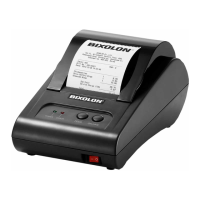
The BIXOLON STP-103III is a thermal printer designed for use with various electronic devices such as banking equipment, ECRs, and POS systems. This manual provides comprehensive instructions for its installation, operation, and maintenance, ensuring safe and efficient use.
The STP-103III is a thermal line printer, meaning it produces images by heating thermal paper, which changes color in response to heat. It is designed for fast and low-noise printing, making it suitable for environments where quick and quiet operation is essential. The printer supports multiple interfaces, including RS-232 serial, parallel, and USB, allowing for flexible connectivity with different host systems. A key feature is its ability to receive data through a data buffer while actively printing, which helps maintain continuous operation and efficiency. The printing density can be adjusted using DIP switches, providing customization options for print quality.
Upon unpacking, users should verify all components are present, including the printer, roll paper, power cord, adapter, cable, installation manual, and CD. The printer should be installed in a stable, flat location, away from direct sunlight, heat, and humidity, with sufficient space around it for easy access and operation.
The printer's control panel features two buttons and two lights.
The DIP switches allow configuration of connection device settings and printing density. It is crucial to turn off the printer before adjusting DIP switches to prevent electrical shorts or damage. Each switch has an 'ON' position, and users should use tweezers or sharp objects to change the settings. The manual provides tables for baud rate settings (e.g., 9600 Baud as default) and font selection (e.g., Font A 12x24 as default).
Only the specified paper should be used. Ensure the printer is turned off before installing paper. To install, open the printer cover, remove any used roll, and insert the new roll in the correct direction as illustrated in the manual. The paper should be pulled out from the upper part of the printer before closing the cover. Finally, turn on the printer.
The self-test function allows users to verify the printer's current settings and functionality. To initiate, mount the paper roll, close the cover, and turn on the printer while pressing the PAPER FEED button. The self-test printout will include software version control and DIP switch settings. After printing the current status, the printer enters a test print preparation mode, indicated by a blinking LED and the message "Please press the FEED BUTTON." The test concludes with the message "** COMPLETED **". If the self-test does not complete, the printer should be rebooted.
This advanced function is useful for software developers and technicians to diagnose communication issues by displaying all exchanged data and commands in hexadecimal format. To enter this mode, turn off the printer, close the cover, and then turn on the printer while holding down both the FEED and ONLINE buttons simultaneously. In this mode, the printer prints all data in two rows: the first showing the hexadecimal code and the second showing the corresponding ASCII character (a period is printed if no ASCII code corresponds). During hexadecimal dumping, only DEL EOT and DLE ENQ commands are active. To exit, turn off the printer; the mode is cleared upon the next power-on.
The manual emphasizes several safety precautions to prevent danger or damage:
The product is marked with the WEEE symbol, indicating that it should not be disposed of with general household waste at the end of its life. Users are encouraged to separate it from other wastes for proper recycling to prevent environmental damage and promote resource conservation. Home users should contact their sales representative or local government offices for disposal methods, while business users should refer to purchase contracts or contact their supplier.
The rating label includes a symbol for DC (Direct current) and specifies that the label material is PET.
The STP-103III is designed for indoor use, and all communication wiring should be kept within the building. The power switch serves as the disconnecting device, and it should be turned off in case of any hazard.
 General
| Printer Type | Thermal Printer |
|---|---|
| Print Method | Direct Thermal |
| Print Width | 72 mm |
| Print Resolution | 203 dpi |
| Resolution | 203 dpi |
| Connectivity | USB, Serial, Ethernet |
| Interface | USB, RS-232, Ethernet |
| Paper Type | Thermal Paper |
| Media Type | Roll paper |
| Paper Width | 80 mm |
| Paper Thickness | 0.06 mm - 0.08 mm |
| Power | External Power Adaptor |
| Power Supply | External Power Adaptor |

 To Next Page