Presettings for labeling
Operating instructions GLP
3 -- 3
6.562.98.5.01.18
Calling up article data by entering article text
If in the database table GGDAT attribute “Article text” is activated and an article
name for each PLU entered in the data field “Article text” under the PLU data,
you may enter the relevant article name to call up a PLU. One or more initial letters
are suffiicient.
Operating sequence: Description
------------------------------------------------------------------------------------------------------------------------------------------------------
[MODE] 2
Article
data
P L U
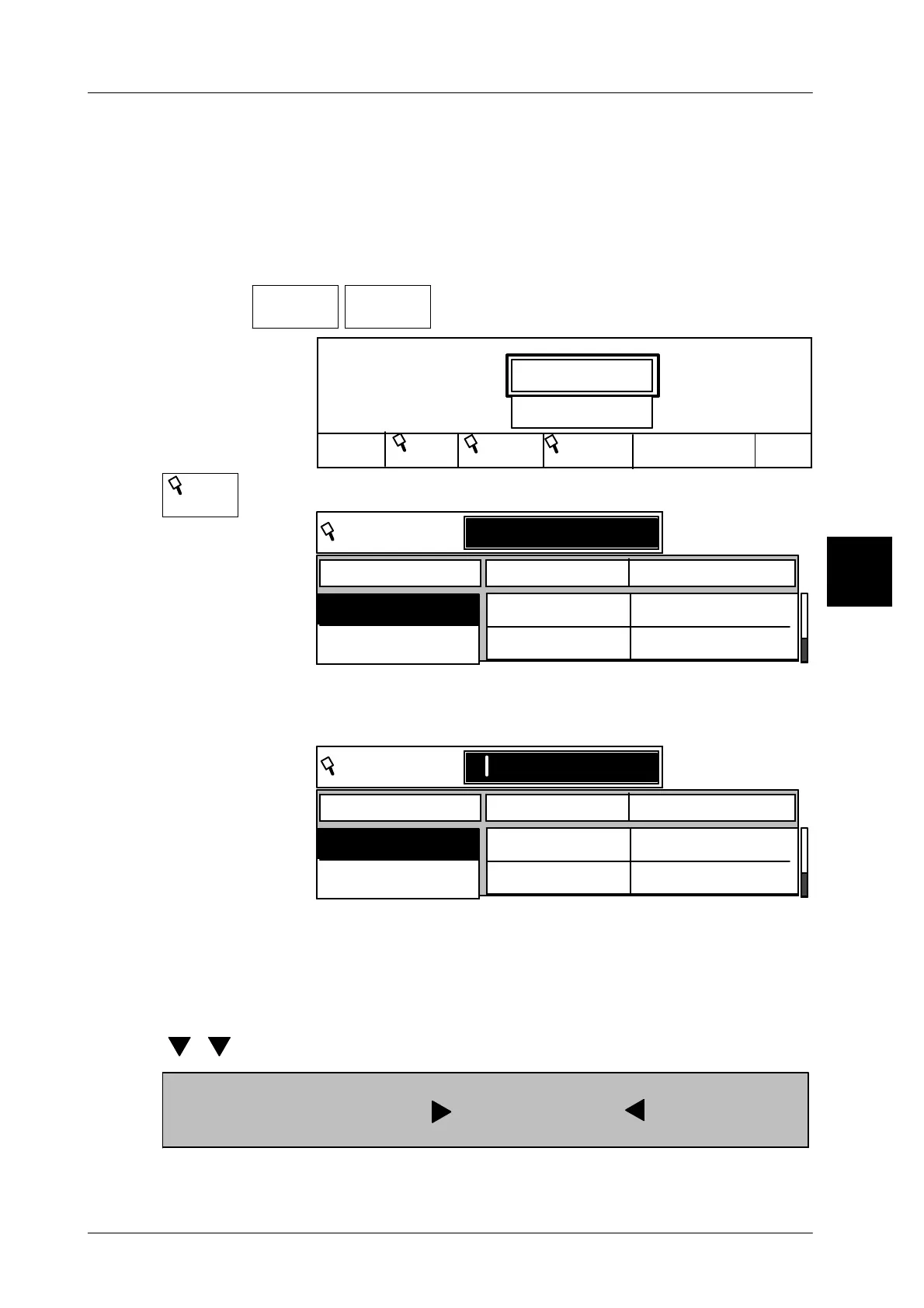
-- Calling up article data
Load record
P L U
1340
P L U
Cancel
OK
Cust. number
2020
Cust.
PLU text
-- Call up funcion “Search for PLU text”
PLU text
P L U Cust. number
2370
6750
1141
1075
PLU text
Cold meat
Roast beef
S -- Enter initial letter of article via alpha keyboard, e.g. S for Sa-
lami. All articles with this initial letter are displayed (upper and
lower case doesn’t matter!)
PLU text
P L U Cust. number
2370
6750
1141
1075
PLU text
Cold meat
Roast beef
s
Sx -- If there are more than one article having the same initial letter,
enter more letters!.
[ENTER] -- Confirm selection. The required article is called up.
If the article list is not too long, you may select the required article by using the
cursor keys as in a scrolling menu and call it up by pressing [ENTER].
[ ] [ ] [ENTER Select required article and call it up by pressing [ENTER].
The customer number column which does not appear on the display can be ac-
cessed by pressing [SHIFT] + [ ]. Press [SHIFT] + [ ] to return to basic
display!
3
PLU text



 To Next Page