Presettings for labeling
Operating instructions GLP
3 -- 4
6.562.98.5.01.18
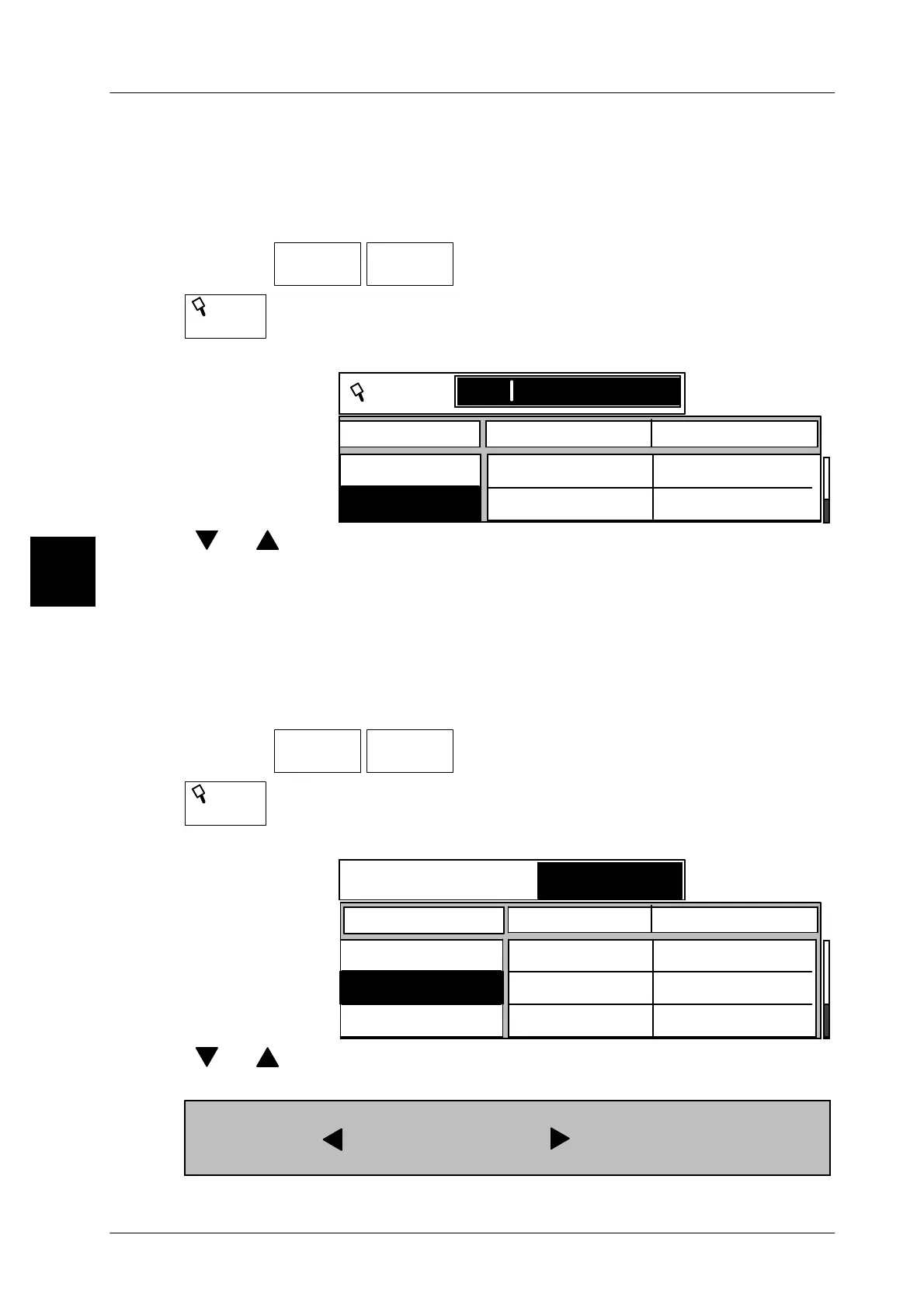
Calling up article data via PLU num. presetting and selection
After entering a known PLU number you may select and call up the required article
from the displayed article texts by using the cursor keys.
Operating sequence: Description
------------------------------------------------------------------------------------------------------------------------------------------------------
[MODE] 2
Article
data
P L U
-- Calling up article data
P L U
-- Call up “PLU liste”
xxxx -- Enter known PLU number, e.g. 6750.
P L U
P L U Cust. number
2370
1141
1075
PLU text
P L U
6750
6750
Sausage
Roast beef
[ ] [ ] -- Select required article by using the cursor keys
[ENTER] -- Confirm selection and call up article data.
Calling up article data via cust. number presetting and selection
After entering a known customer number you may select and call up the required
article from the displayed article texts by using the cursor keys.
Operating sequence: Description
------------------------------------------------------------------------------------------------------------------------------------------------------
[MODE] 2
Article
data
P L U
-- Calling up article data
Cust.
number
-- Call up “Customer number liste”
xxxx -- Enter known customer number. e.g. 1075.
Search for customer no.
P L U
Article text
Ham
Sausage
Roast beef
237
995
1070
1100
1075
675
Customer no.
1075
[ ] [ ] -- Select required article
[ENTER] -- Confirm selection and call up article data.
The article text column which does not appear on the display can be accessed
with [SHIFT] + [ ]. Press key [SHIFT] + [ ] to return to basic display!
3



 To Next Page