Presettings for labeling
Operating instructions GLP
3 -- 16
6.562.98.5.01.18
3.1.4.3 Tare*
A tare weight may be entered here or a tare weight called up via the PLU data may
be changed.
GLP on the packaging machine: After startup of the automatic labe-
ler there will be no more possibility of entering a tare value.
If required, a tare weight entered for a PLU, or a changed tare weight may be sto-
red directly under the PLU data of the relevant PLU by means of the [ETC] key.
If the key symbol appears above the tare softkey, the operating mode ”Tare
weighed” is set and a tare weight cannot be entered. If a tare is, however, requi-
red, it must be determined in a weighing process. This is described on page
2 -- 14.
Presetting the dead weight of carton, pallet etc. as a tare
If the dead weight of a carton, pallet etc. is to be entered, it may be preset as a
tare weight for the relevant total memory as described on page 3 -- 125 and added
to the tare total.
Operating sequence: Description
------------------------------------------------------------------------------------------------------------------------------------------------------
[MODE] 2
Article
data
Weight Tare
-- Call up the input menu.
xx [ENTER] or [ETC] -- Enter the new value and acknowledge or save in the da-
tabase (see page 1 -- 32).
The entered tare weight is indicated above the tare softkey and also in the upper
right tare display at mode level 1.
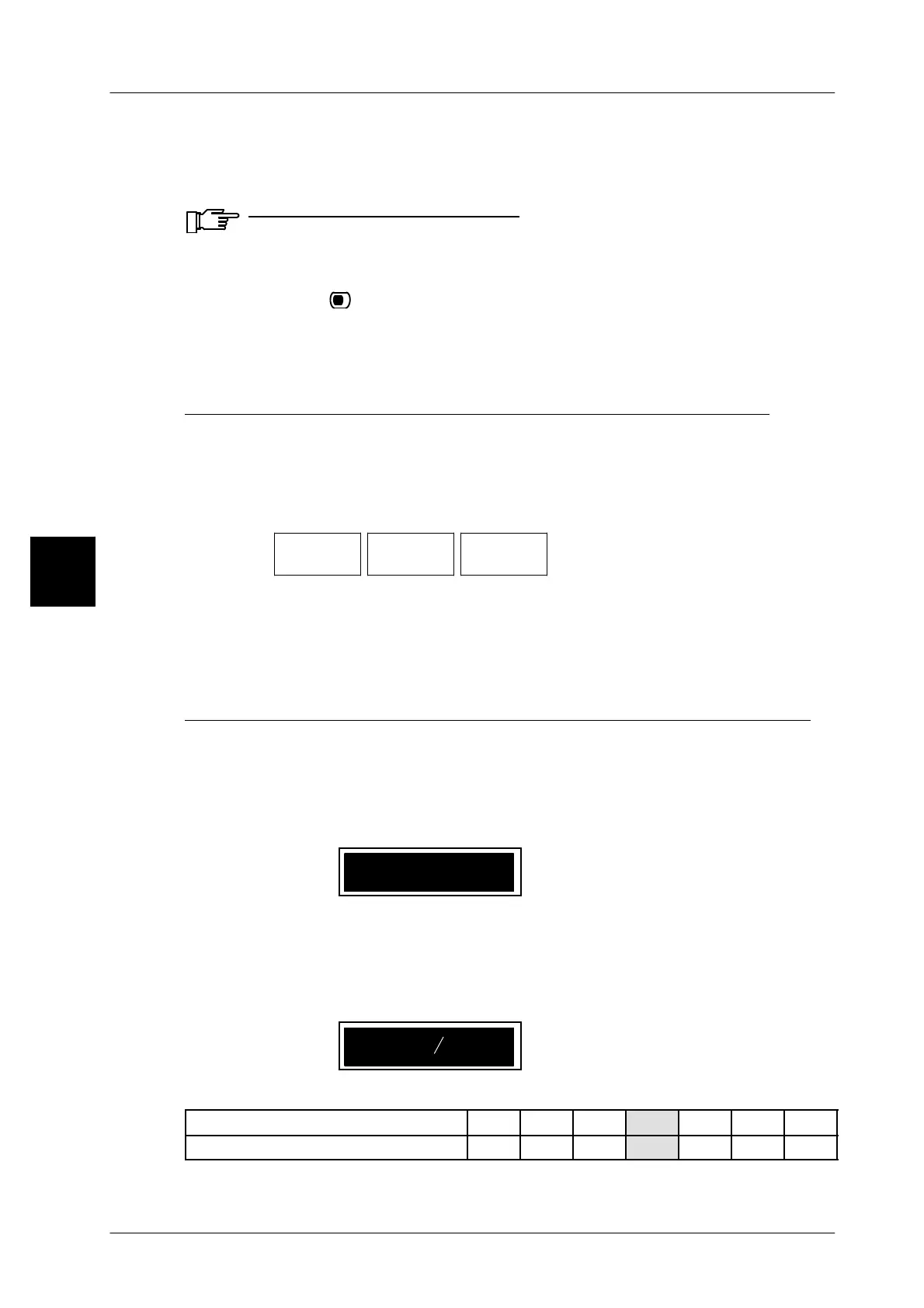
Entering the fixed weight or the tare in lb, oz and fractions of an ounce
Inputs or modifications of lb, oz or fractions of an ounce can be made if the weig-
hing range has been set to pounds (lb) and ounces (oz). The decimal equivalent
for fractions of an ounce can be found in the table below.
After input of the first digit, the maximum number of digits per input place is indica-
ted by an underscore.
2_ __ _ lb..
Input sequence
x x
-- Enter lb, e. g. 20.
x x
-- Enter oz (max. 15 oz).
x
-- Enter fractions of an ounce, e.g. 4 = 1/2 (see table).
20 15 lb..
1
2
Table for entering fractions of an ounce
Fractions of an ounce 1/8 1/4 3/8 1/2 5/8 3/4 7/8
Input value 1 2 3 4 5 6 7
3


 To Next Page
 Loading...

