Presettings for labeling
Operating instructions GLP
3 -- 22
6.562.98.5.01.18
3.1.4.5 Ingredient selection
For products with ingredients, the operating mode ”Ingredients in per cent” or
”Ingredients absolute” may be entered per article under the PLU data. A rele-
vant activation or dectivation can be made manually.
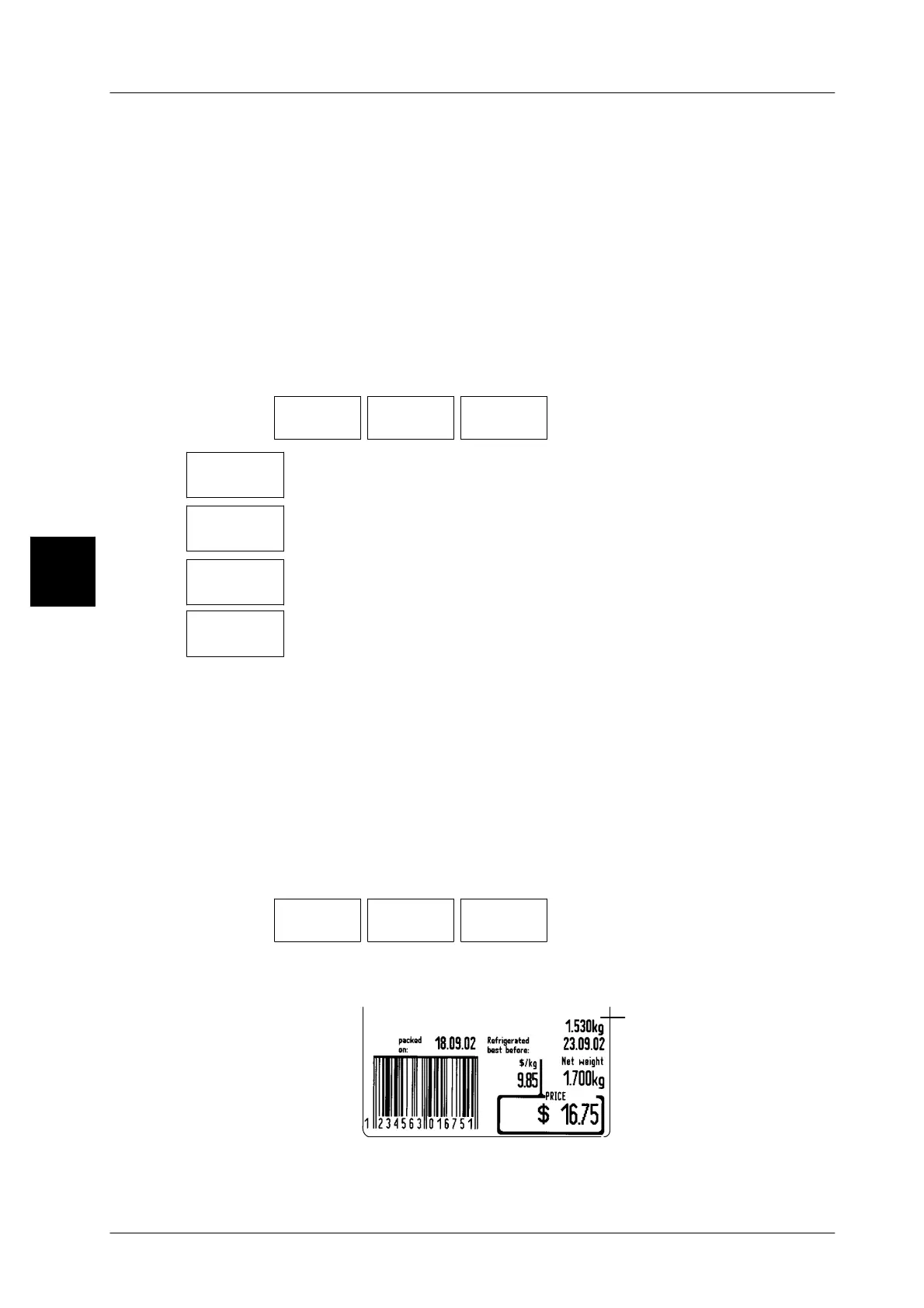
With the function ”with ingredients” activated, the ingredient proportion preset
as a percentage or an absolute value (see below) is subtracted from the weighed
weight of the article and the difference separately printed out on standard labels
above the ”Best before” date (see label example). For customer--specific la-
bels, the difference calculated may be printed out together with a selectable text
(see previous page).
Operating sequence: Description
------------------------------------------------------------------------------------------------------------------------------------------------------
[MODE] 2
Article
data
Weight Select.
ingred.
-- Call up the selection menu.
W/o ingr.
proport.
Make this setting if products without ingredient proportion are to be
processed (standard setting).
Ingred.
in %
Make this setting if the ingredient proportion is to be entered as a
percentage value from the total weight.
Ingred.
absolute
Make this setting if the ingredient proportion is to be entered as an
absolute value.
Ingred.
in 0,1%
Make this setting if the ingredient proportion is to be entered as a
percentage value of less than 1% or with one decimal place.
3.1.4.6 Ingredient proportion
If the ingredient proportion is activated in the ingredient selection menu (see
above) the ingredient proportion may be entered as a percentage or an absolute
value in relation to the relevant preselection, or the ingredient proportion called
up via the PLU may be changed.
The difference calculated on the basis of the weight -- ingredient proportion is prin-
ted out on standard labels above the ”Best before” date (see label example).
Operating sequence: Description
------------------------------------------------------------------------------------------------------------------------------------------------------
[MODE] 2
Article
data
Weight Ingred.
proport.
-- Call up the input menu.
xx [ENTER] or [ETC] -- Enter the new value and acknowledge or save in the da-
tabase (see page 1 -- 32).
Label example:
Calculated difference:
weight -- 10% ingredient
proportion
1.700kg--0.170kg=
1.530kg
3


 To Next Page
 Loading...

