Presettings
Operating instructions GLP
3 -- 84
6.562.98.5.01.18
Analog display
D
Depending on the presetting, the current weight of each package, the mean value
of the checked packages or the preset number of accepted packages may be indi-
cated by means of one or more indicators.
For the analog display, the interface configuration must be set in such a way as
to ensure that the device transmits the weight information to its own address via
the interface
-- EDP data is also transmitted to the own address of the device under ’Connec-
tion parameters’
-- the single numerator and the weight information is activated under PSV--DATA
The displays which are possible and their activation are described in the following
section.
With the analog display deactivated, the histogram display shows up in an
enlarged form in the large display and operating unit.
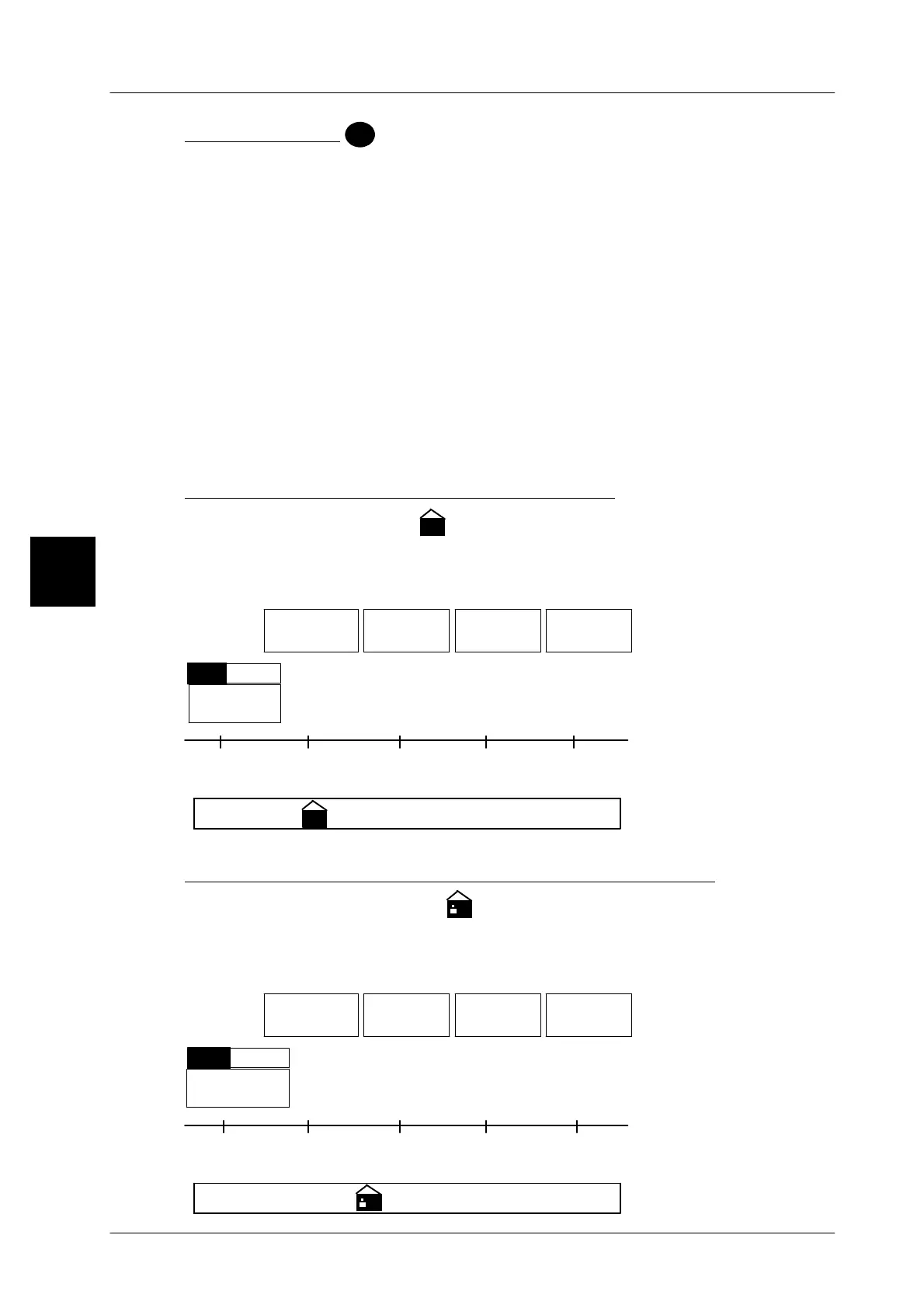
Indicating the current weight of packages
After activation, the indicator
1
shows continuously the weight of each package
weighed on the weight scale located above.
Operating sequence: Description
------------------------------------------------------------------------------------------------------------------------------------------------------
[MODE] 2
Labe--
ling
Weight cl.
statist.
Statist.
display
Analog
display
Call up the selection menu.
Current
weight
Disp.
W/o
Set the unit to ’Disp.’ if the current weight of each package is to be
displayed on the weight scale.
Standard setting: W/o
TU2 TU1 QN TO 1
200191182
TO 2
209218
+
--
1
Indicating the mean value of the checked packages
After activation, the indicator
∅
∅∅
∅
shows continuously the mean value of all
checked packages on the weight scale located above it.
Operating sequence: Description
------------------------------------------------------------------------------------------------------------------------------------------------------
[MODE] 2
Labe--
ling
Weight cl.
statist.
Statist.
display
Analog
display
Call up the selection menu.
MeanVal.
Disp.W/o
chePckg.
Set the unit to ’Disp.’ if the mean value of all packages is to be dis-
played on the weight scale.
Standard setting: W/o
3
TU2 TU1 QN TO 1
200191182
TO 2
209218
+
--
∅
∅∅
∅


 To Next Page
 Loading...

