Presettings
Operating instructions GLP
3 -- 120
6.562.98.5.01.18
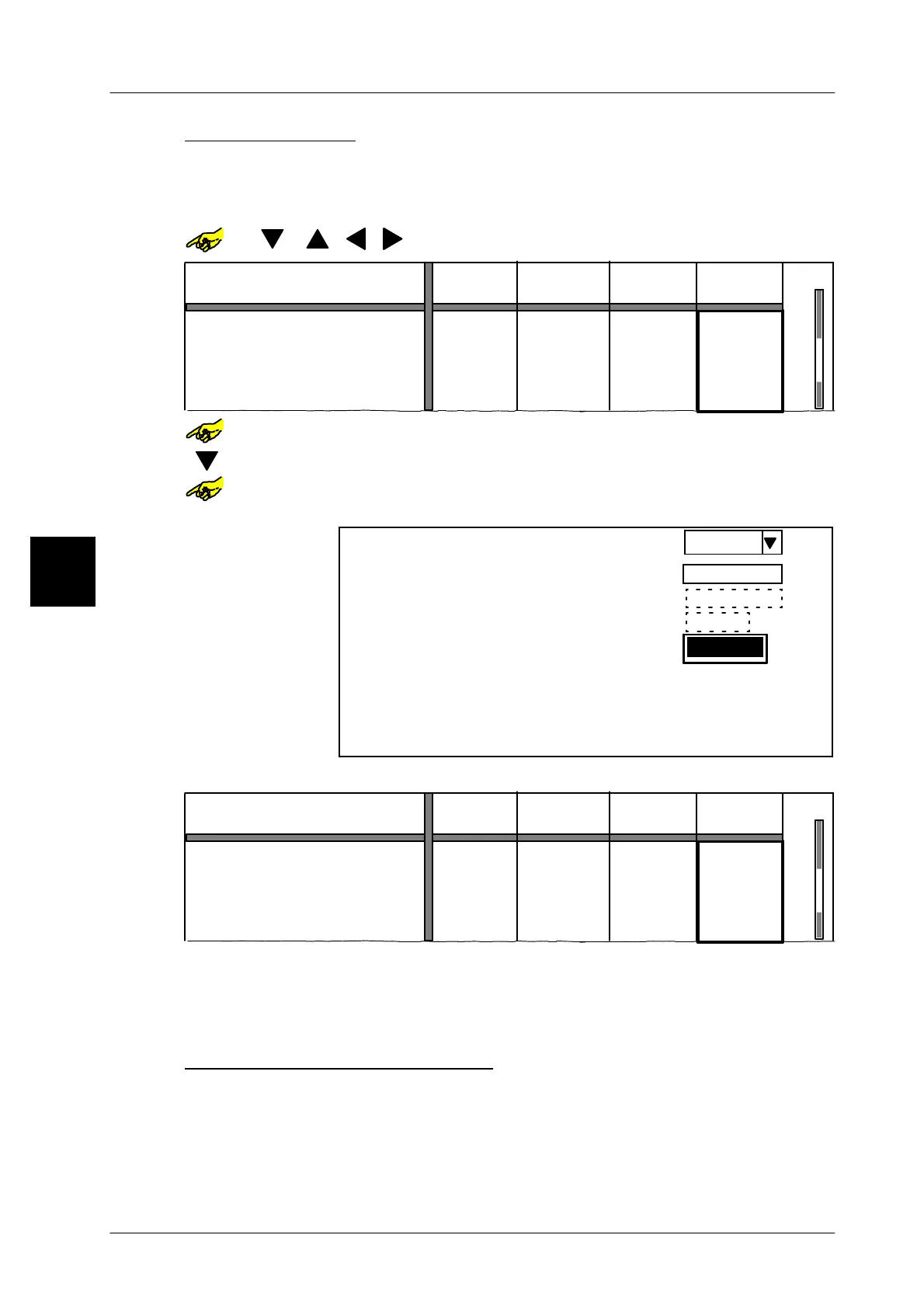
Presetting totals
According to the ’Preset type’ selected, total 1 or total 2 to be labeled may be
entered for each PLU or weight class.
Example -- presetting total 2:
or [ ] [ ] [ ] [ ]-- Select required table field.
--- --- ---
--- --- ---
---
---
PLU number
Preset total 2:
Weight:
Price:
Pcs:
Weight Weight Weight
0.000 kg
Customer number
Number *1:
Number *1
0.000 kg 0.000 kg ---
--- --- --- 0
Preselection type
1000
1230
1010
2000
1020
2000
1030
2000
or [SELECT]
-- Open the table field selected.
[ ] -- Select the input field, e. g. Number *1.
or [SELECT]
-- Activate the input
x x -- Preset number *1, e. g. 10 cartons.
Weight
0,000 kg
0,000 kg
0
$ 0.00
0 Pcs
0
Presel. total 2:
Total 2 values:
Preselection type
Weight:
Price:
Pcs:
Number *1:
Weight:
Price:
Pcs:
Number *1:
$ 0.00
10
[ENTER] [ENTER]
-- Acknowledge the input and return to the basic display.
--- --- ---
--- --- ---
---
---
PLU number
Preset total 2:
Weight:
Price:
Pcs:
Weight Weight Weight
0.000 kg
Customer number
Number *1:
Number *1
0.000 kg 0.000 kg ---
--- --- --- 10
Preselection type
1000
1230
1010
2000
1020
2000
1030
2000
When presetting Number *1, the number corresponds to the multiple of total 1.
Whentotal1isreached, number*1 isincreased by1.So,e.g., thenumberof pak-
kages per carton can be preset as a piece under total 1, and the number of cartons
under total 2 for number *1.
Printing the total preselection
With the editor opened, the contents of the total preselection matrix may be printed
out on blank labels, ticket rolls or lists for checking or archiving purposes.
[LIST] -- Call up the printer function keys.
[PRINT] -- Print out the total preselected.
3.1



 To Next Page