Presettings
Operating instructions GLP
3 -- 139
6.562.98.5.01.18
3.7.3.8 Logo in text field 1*
If a logo is to be printed in text field 1 of the standard label, the relevant setting
is to be made here. The logo may then be called automatically via the PLU data
or manually via its number (see page 3 -- 34).
Operating sequence: Description
------------------------------------------------------------------------------------------------------------------------------------------------------
[MODE] 2 [ETC]
Labels Layout
options
[ETC] -- Call up the selection menu.
--
+
Logo in
text fld1
Select ”without(--)” or ”with(+)” logo in text field 1.
Standard: without(--)
3.7.3.9 Texts
Weight text printing*
On blank labels, a weight text may be printed in addition to the weight. A relevant
setting can be made here.
Operating sequence: Description
------------------------------------------------------------------------------------------------------------------------------------------------------
[MODE] 2 [ETC]
Labels Layout
options
[ETC]
..-Texts
-- Call up the selection menu
--
+
Print
wgt text
Select ”without(--)” or ”with(+)” printing of weight text in addition
to the weight.
Standard: without
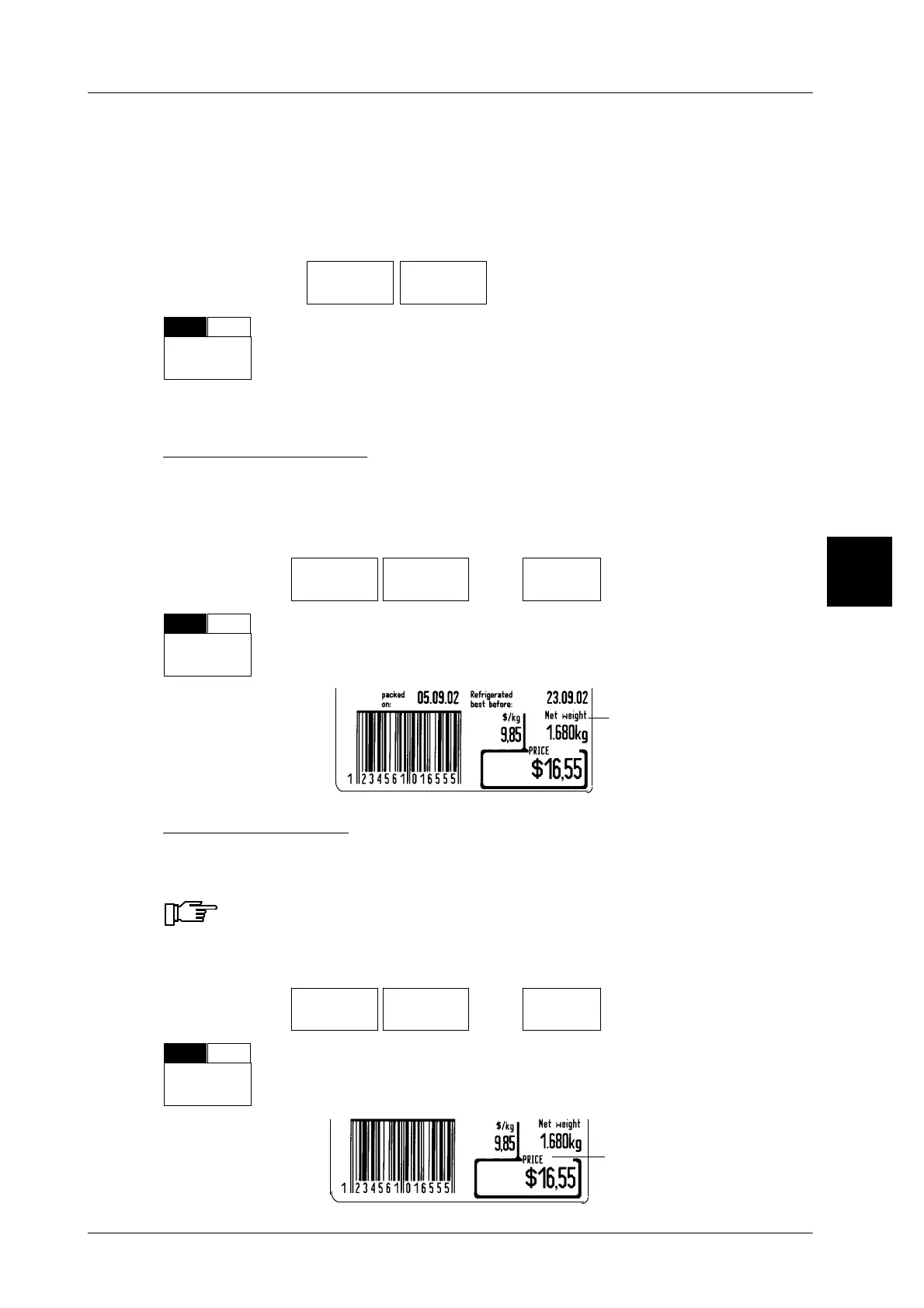
Label example:
Weight tex
Price text printing*
On blank labels, a price text may be printed in addition to the selling price. A rele-
vant setting can be made here.
Printing of price text is not possible on 68 mm BIZERBA labels and
68 mm ISB labels.
Operating sequence: Description
------------------------------------------------------------------------------------------------------------------------------------------------------
[MODE] 2 [ETC]
Labels Layout
options
[ETC]
..-Texts
-- Call up the selection menu
--
+
Print
price txt.
Select ”without(--)” or ”with(+)” printing of price text in addition to
the price.
Standard: without(--)
Label example:
3
Price text



 To Next Page