Presettings
Operating instructions GLP
3 -- 141
6.562.98.5.01.18
Total text
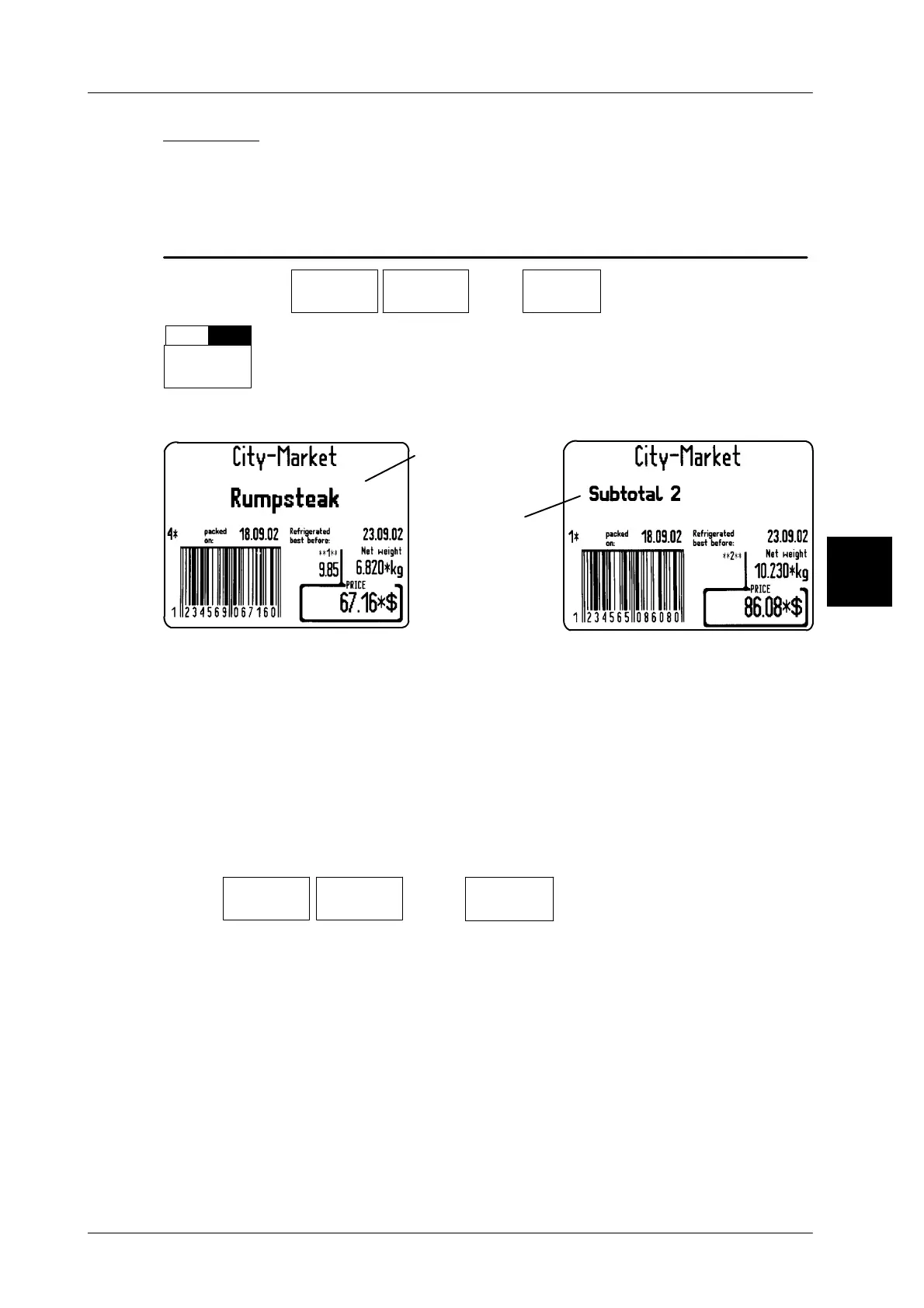
If the article text of the last labeled article is to be printed on total labels instead
of the text subtotal 1 -- 3 after labeling of various articles, a relevant presetting
can be made here. See also notes concerning totals 1 -- 3 in section 3.4.
Operating sequence: Description
[MODE] 2 [ETC]
Labels Layout
options
[ETC]
Texts
-- Call up the selection menu
Total
text
--
Select ”without(--)” if the total texts are not to be printed on total
labels of totals 1 -- 3.
Standard setting: with(+)
Label examples:
Setting: without
total text in case
of several articles
Setting: with
total text in case
of several articles
3.7.3.10
Layout length of ticket/mm
When selecting “Ticket with or without preprinted header” (see page 3 -- 145),
the layout length to be printed may be entered here.
Zero preset: the preset layout is printed in its original length.
xxx preset: the layout is printed in the preset length only.
Further printouts are not carried out.
Operating sequence: Description
------------------------------------------------------------------------------------------------------------------------------------------------------
[ETC]
Labels Layout
options
[ETC]
Layout lg.
ticket./mm
-- Call up the selection menu.
xx [ENTER]
--
Enter the layout length in mm and acknowledge.
3.7.4 Customer--specific layouts for total labels
The input is described in section 3.6.4.
3



 To Next Page