Presettings
Operating instructions GLP
3 -- 144
6.562.98.5.01.18
3.7.5.6 Printing mode
The labeler may be equipped with a thermal direct or a thermal transfer printing
mechanism. An appropriate setting is made by our after--sales service.
Operating sequence: Description
------------------------------------------------------------------------------------------------------------------------------------------------------
[MODE] 2 [ETC]
Labels Printer
menu
-- Call up the selection menu.
Trf.
Dir.
Pr. mode:
thermal..
Preselect the thermal direct(Dir.) or thermal transfer(Trf.) print
mode.
Standard: direct
3.7.5.7 Label feed
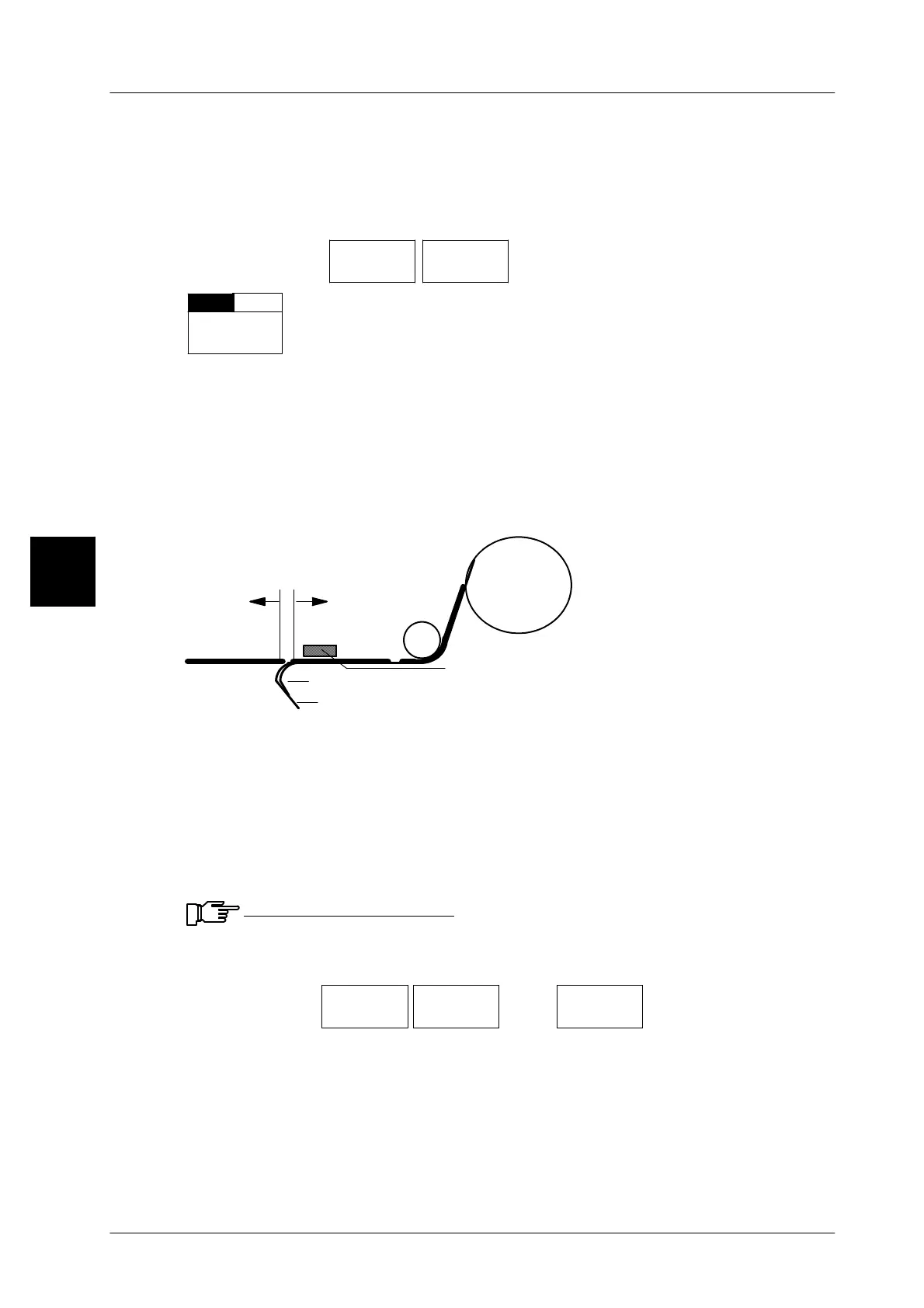
The backing paper is pulled around the tearoff edge and thereby the printed label
removed from the backing paper. Depending on the labeling system, the label is
then either removed manually or automatically affixed to the package. If the label
is not correctly removed, the label feed may be altered.
A label feed may be entered here, or there is the possibility of changing the label
feed called up via the PLU data.
Label
Label roll
Label feed:
backward
forward
+ --
Backing paper
Tearoff edge
Thermal print bar
Label feed too large: the label is fully removed and falls off. In such an
event: reduce the label feed.
Enter the number of dots with a minus sign.
Label feed too short: the label is not sufficiently peeled off. In such an
event: increase the label feed.
Enter the number of dots without any sign.
Note: 1 dot corresponds to 0.133 mm (with a 7,5--dot thermal strip)
Input range: --400 to 400. If the value entered exceeds the range, an
error message appears and the range is displayed!
Operating sequence: Description
------------------------------------------------------------------------------------------------------------------------------------------------------
[MODE] 2 [ETC]
Labels Printer
menu
[ETC]
Label
feed/dot
-- Call up the input menu
[ +/-- ] -- To shift the print position backward, enter a minus sign.
[ENTER],[ETC]--
--
Enter the new value and acknowledge or save
in database
(see page 1 -- 32).
Check the settings by printing test labels.
3


 To Next Page
 Loading...

