Presettings
Operating instructions GLP
3 -- 146
6.562.98.5.01.18
3.7.5.10
Cut ON/OFF
If the labeler is equipped with a label cutting device and activated at mode level
5, cutting may be selected or deselected as required.
Operating sequence: Description
[MODE] 2 [ETC]
Labels Printer
menu
[ETC] -- Call up the selection menu.
+
--
Cut
Make this selection to activate(+) or deactivate(--) the label cutting
device.
3.7.5.11 V
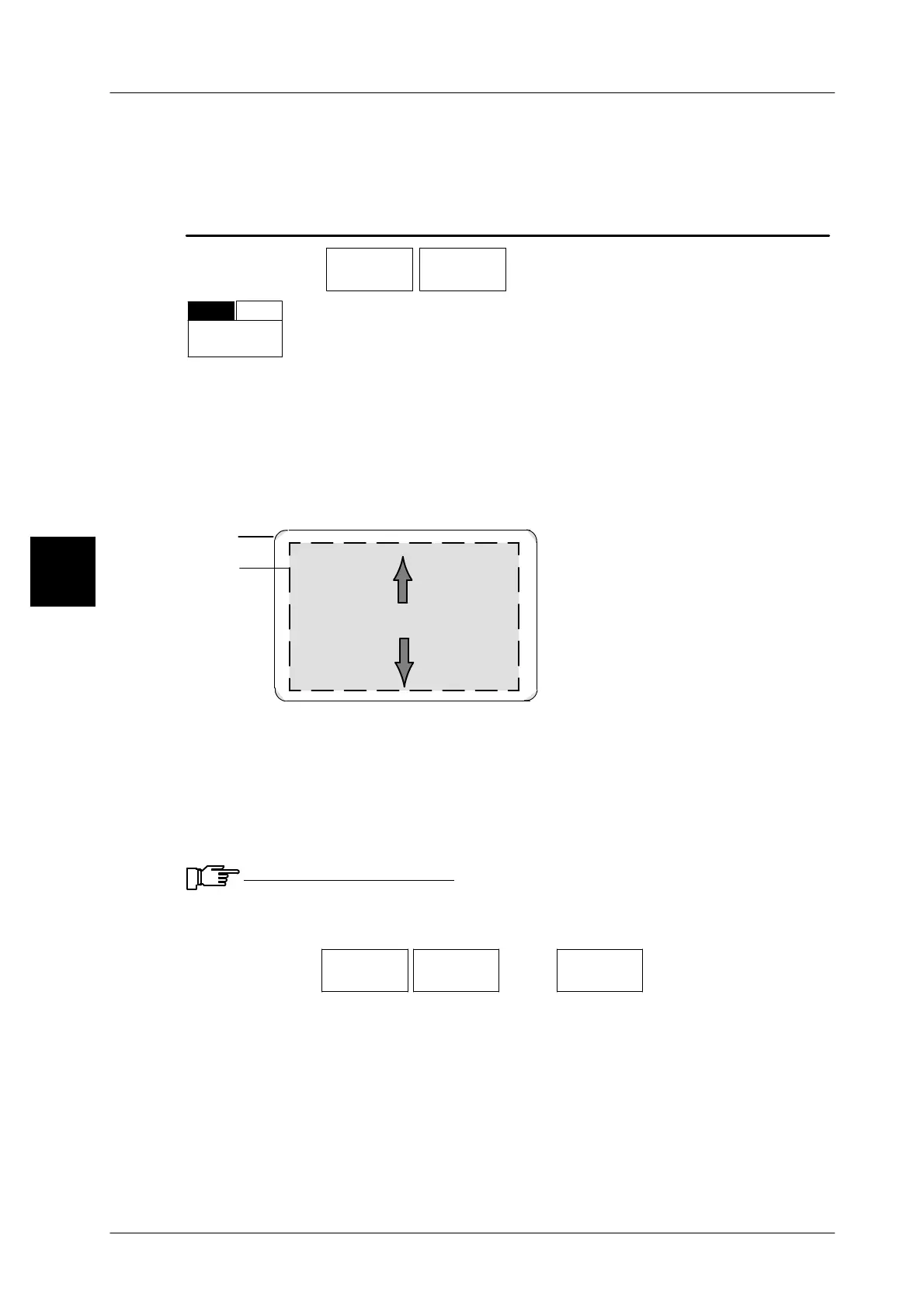
ertical print position
In the event that the vertical print position of the layout is incorrect on the label,
the printout may be vertically shifted in both directions. The number of dots for the
vertical print shifting may be entered here or, if necessary, the setting ”Vert. print
posit./dot” may be changed simultaneously with the call of the PLU data.
Label
Layout
Shifting
+
--
Shifting in the print position: enter the number of dots without any sign.
Shifting against the print position: enter the number of dots with a minus sign.
Shifting: in both directions max. 450 dots = 59,85 mm (1 dot = 0.133 mm)
Calculation: offset in mm : 0.133mm = number of dots
Example: 2 mm : 0.133 mm = 15 dots
Input range: --450 to 450. If the value entered exceeds the range, an
error message appears and the range is displayed!
Operating sequence: Description
------------------------------------------------------------------------------------------------------------------------------------------------------
[MODE] 2 [ETC]
Labels Printer
menu
[ETC]
Vert. pr.
pos./dot
-- Call up the input menu
[ +/-- ] -- To shift the print position backward, enter a minus sign.
xxx [ENTER] /,[ETC] -- Enter the new value and acknowledge or save
in data-
base (see page 1 -- 32).
Check the settings by printing a test label.
3



 To Next Page