Presettings
Operating instructions GLP
3 -- 152
6.562.98.5.01.18
Selecting another code content
How the scanned characters are to be interpreted is defined via the code content.
If required, the current code content may be deleted and replaced. An overview
of the selectable code contents together with a brief description in given in the pro-
gramming instructions in section 2.5.14.
The scanning rules must not contain more characters than the code. If the code
length exceeds the length specified in the scanning rules, the remaining code digit
places are to be defined as “variable rest” or “Ignore {xxcharacters}”.
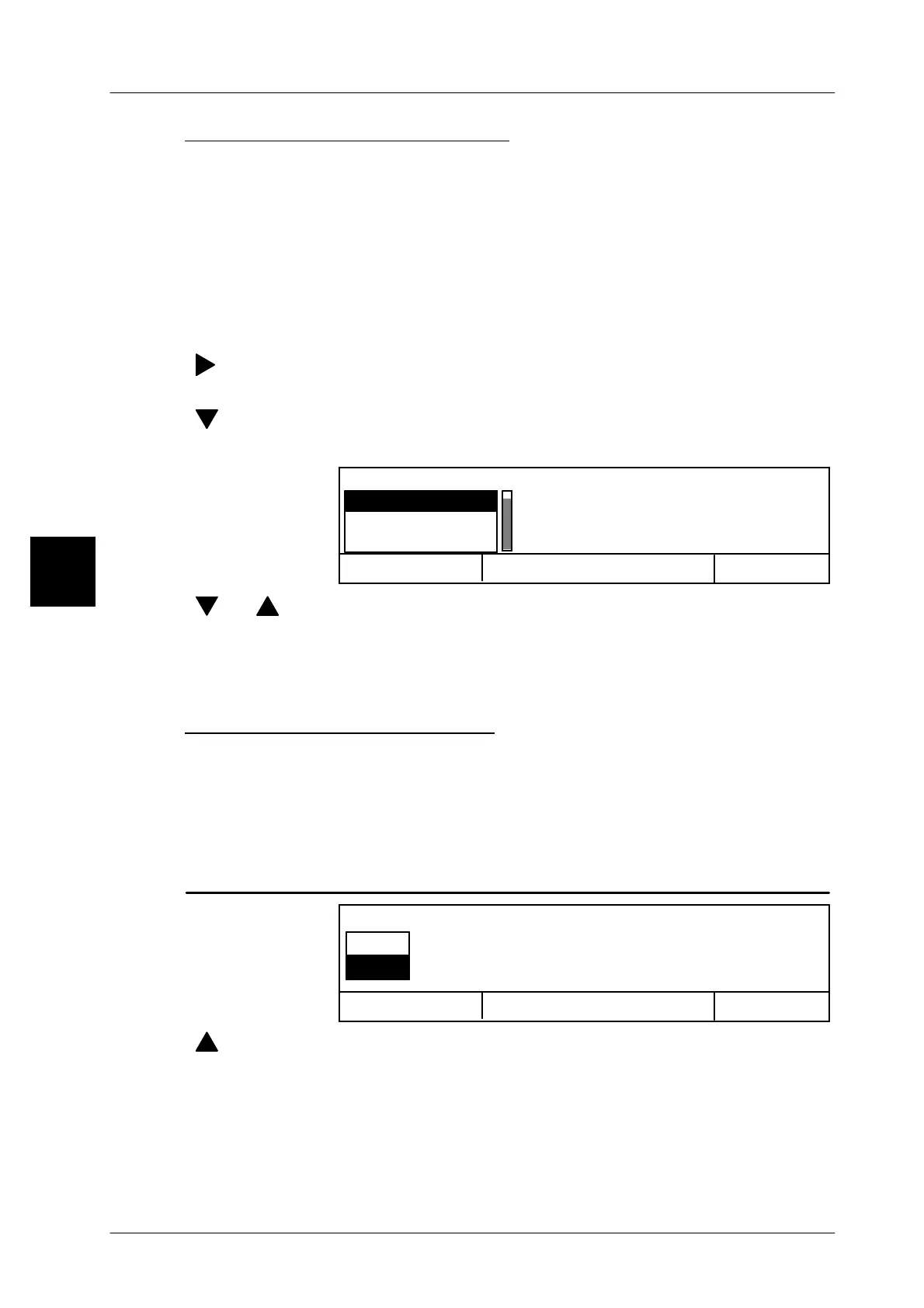
Operating sequence: Description
------------------------------------------------------------------------------------------------------------------------------------------------------
[ ] -- Move the scroll bar to ”Code structure”.
[SELECT] -- Open the selection menu.
[ ] -- Move the scroll bar to ”General code contents”.
[SELECT] -- Open the selection menu.
Cancel <ESC>
OK <ENTER>
Gen.codeCont.
Code substr.1
Code substr.2
Code substr.3
[ ] , [ ] -- Select the code content using the cursor keys or ....
I -- select the code content by entering the initial letter, e. g. I for
“Ignore”.
[ENTER] -- Acknowledge the selection.
Selecting “Contents optional”
After selection of the code contents, the system asks whether or not the selected
code content is to be contained in the scancode “permanently or “optionally”. If
a scanning element marked as “optional” in the scanning rules is missing in the
scanned bar code, the following action then depends on the presetting as descri-
bed on page 3 -- 156.
Operating sequence: Description
Cancel <ESC>
OK <ENTER>
Contents optional?
no
yes
[ ] [ENTER] -- Select “yes” and acknowledge if the relevant scanning ele-
ment may but must not be contained in the scancode...
[ENTER] -- or select “no” and acknowledge if the relevant scanning ele-
ment is to be permanently contained in the scancode.
Presentation in scancode: non--optional scanning elements = { } numerator
optional scanning elements = < > numerator
3


 To Next Page
 Loading...

