Presettings
Operating instructions GLP
3 -- 157
6.562.98.5.01.18
3.8.6 Send email
If in mode level 5 has been created an e--mail address book with nameof recipient
and corresponding e--mail addresses and the e--mail configuration has been carried
out, it is now possible from program version 9.00 to send e--mails to the addresses
of the e--mail recipients selected from the e--mail address book. First the respective
e--mail subjects and texts must be enterd before sending.
Operating sequence: Description
------------------------------------------------------------------------------------------------------------------------------------------------------
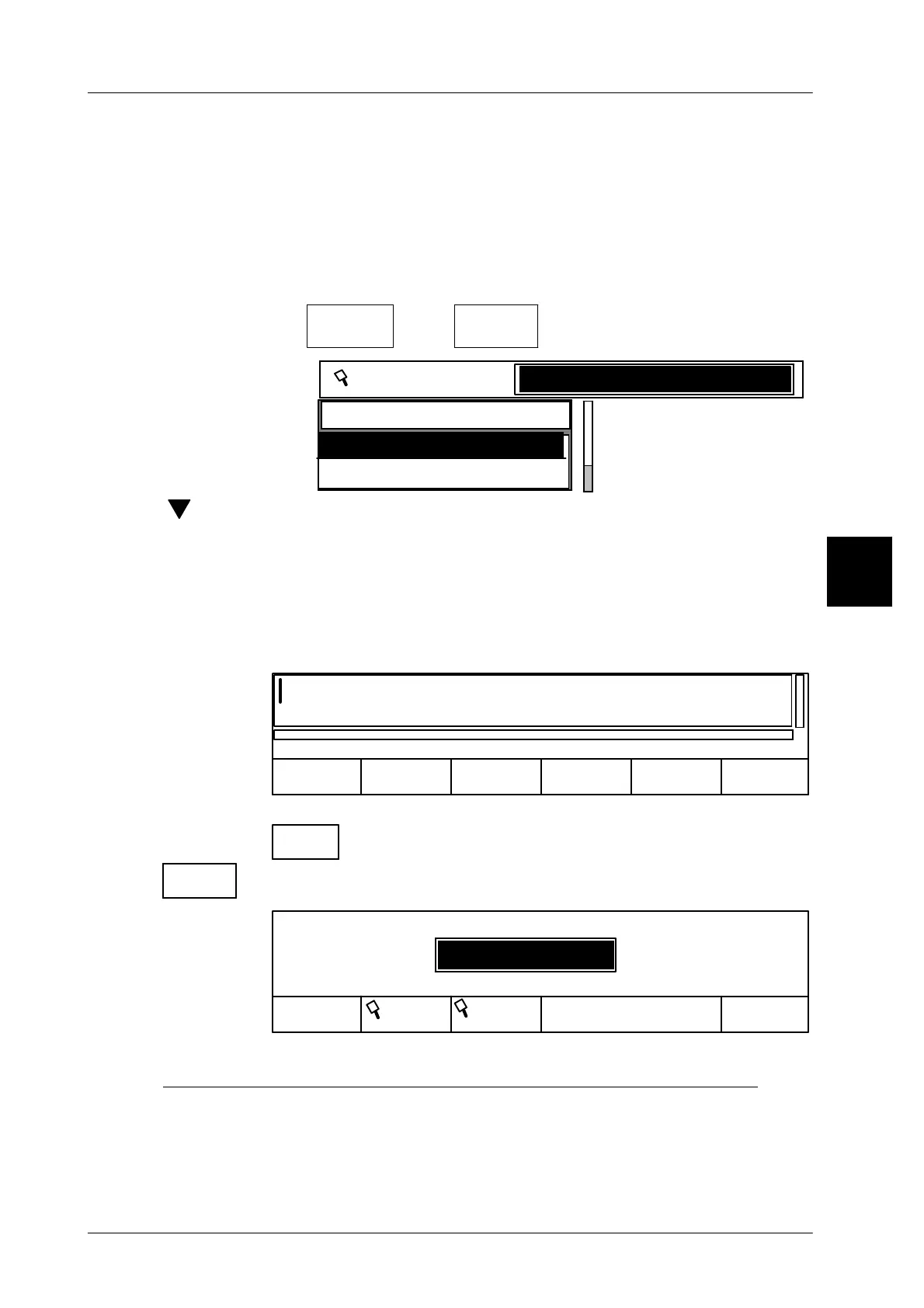
[MODE] 2 [ETC]
Printer &
interface
[ETC]
Send
mail
-- Call up function.
Receiver
Production
Dispatch
Receiver
[ ] -- Select the relevant recipient from the address book
.
xxx -- or enter the first letter of the recipient using the alphanumeric key-
board.
[ENTER] -- Acknowledge selection or entry.
The input editor for the “Subject--Text” is displayed then. The “Sub-
ject text can be entered via the alphanumeric keyboard or select
and call up the stored subject text from a text number list or text list.
ContinueLoad
0
Cancel
xxxxxxx --
Enter subject text with alphanumeric keyboard and confirm with
Continue
Load
0
-- or load corresponding subject text.
0
Cancel
Text
number
Text
OK
Load: Text
Text number
There are 3 possibilities for calling up stored subject texts:
A) Load respective subject text via the corresponding text number:
xxx [ENTER] -- Enter respective text number and confirm.
3



 To Next Page