Maintenance
Operating instructions GLP
4 -- 8
6.562.98.5.01.18
4.2.1.2 Cleaning the thermal printer
Prior to cleaning the device, switch it off and tilt the right housing cover upward
(see page 2 -- 15).
The printhead is provided with a glass passivation and must not
be touched or cleaned with hard objects and not be sprayed.
Cleaning the thermal printhead
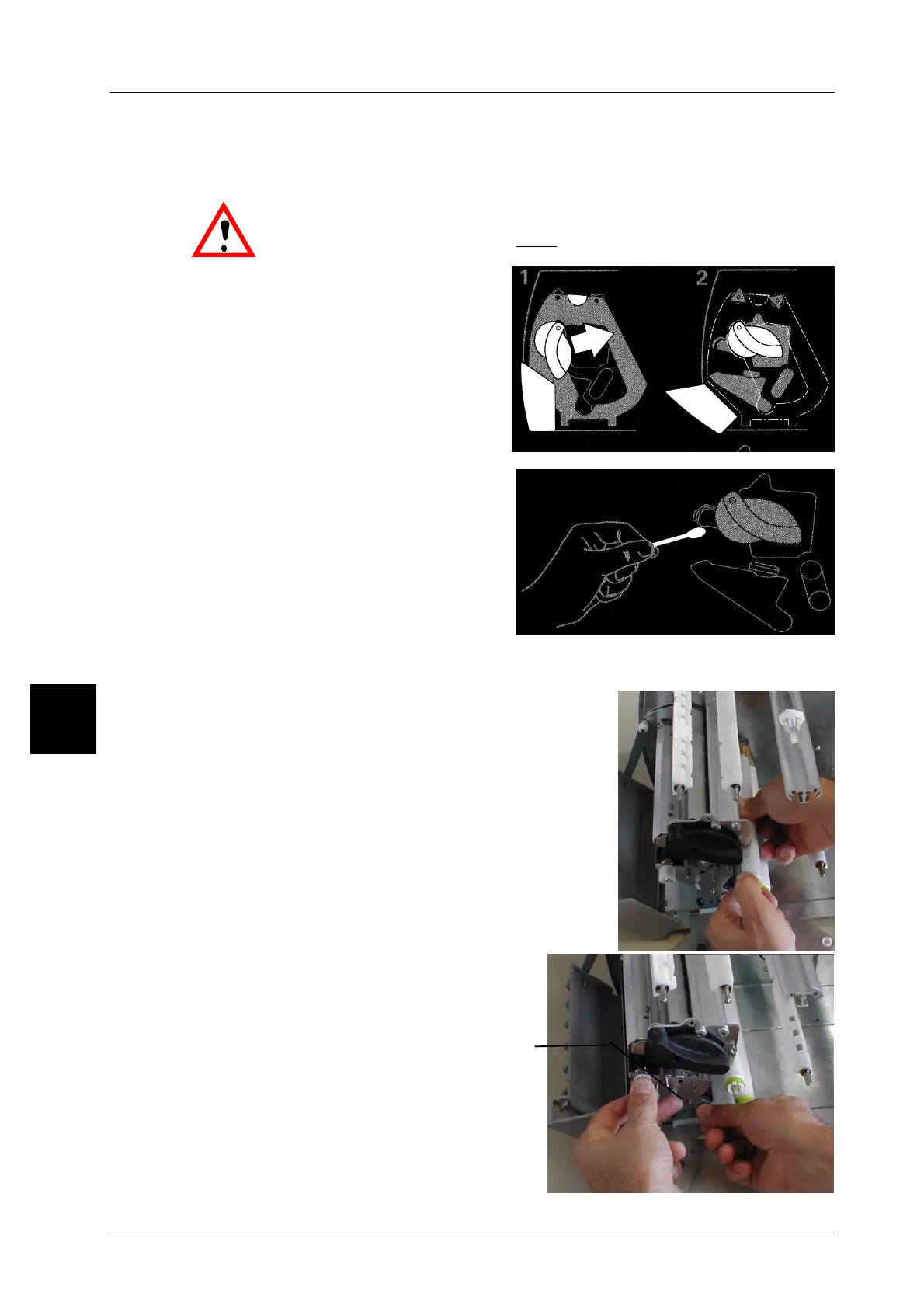
-- To open the printer, move the
swivel lever in the direction of ar-
row (see figures 1 and 2).
-- Remove the label tape and,
where applicable, the TTF tape
from the printer.
-- Clean the thermal printhead using
the BIZERBA cleaning agent for
thermal printheads
(order No.
94008900077)
or use a cotton bud
soaked in spirit and rub dry with a
dry cloth.
Before cleaning the guide and the rubber rollers, first swivel the side part of the
GLP160 aside using the plastic handle.
Cleaning the guide rollers
-- To clean the paper guide rollers, they may be
taken out of the printer. To do this, pull them
out (spring engagement) by holding them at
the front and back (see adjacent illustration).
Clean the rollers with spirit, rub them dry and
reattach them by making sure that they prop-
erly engage.
Cleaning the rubber pressure rollers
-- To clean the rubber pressure rollers,
they may be taken out of the printer.
Before doing so, first remove the
guide plate. To do this, lift the locking
device A and pull out the guiding unit
using both hands as shown in the ad-
jacent illustration.
-- Pull out the rubber pressure rollers,
clean them with spirit, rub them dry
and reinsert them into the guide
bearing of the main base plate.
4.2
A



 To Next Page