Options
Operating instructions GLP
5 -- 2
6.562.98.5.01.18
A2
A1
D2
G
A
B
Applies only to
GLP 80
D1
E
F
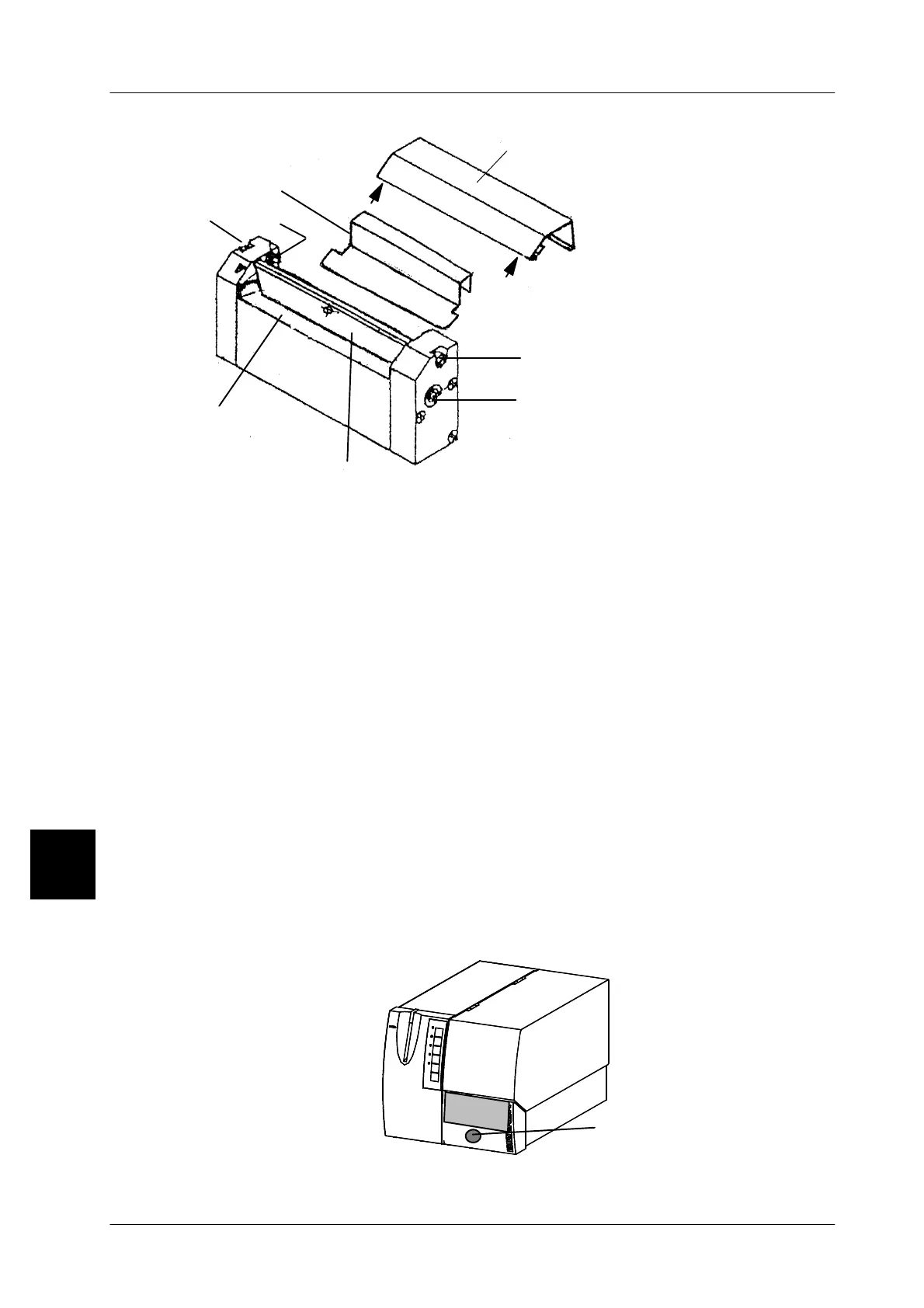
-- Remove the knife cover A using a screw--driver and pressing points A1,A2 in
the upward direction.
-- Applies only to GLP 80: remove the guard plate B.
-- Disengage spring C (observe the position for reassembly).
-- Loosen screws D1and D2 and remove knife bar E.
-- Clean the knife bar E and the rotating knife F using spirit. The knife shaft G of
the rotating knife may be laterally turned by means of a 3mm hexagon span-
ner. Caution. Danger of injury.
Reassembly
-- Reinstall all knife components in reverse order to disassembly.
5.1.6 Labeling without cutting device
If the labeler is to process labels on the backing paper, the cutting device may be
removed by loosening the knurled--head screw on the front side and detaching
the plug connection and replaced by the front panel supplied with the device.
Important: since no label removal light barrier is installed in the front panel,
the label removal is not checked.
5
Knurled head screw



 To Next Page