Display and operation
Operating instructions GLP
1 -- 28
6.562.98.5.01.18
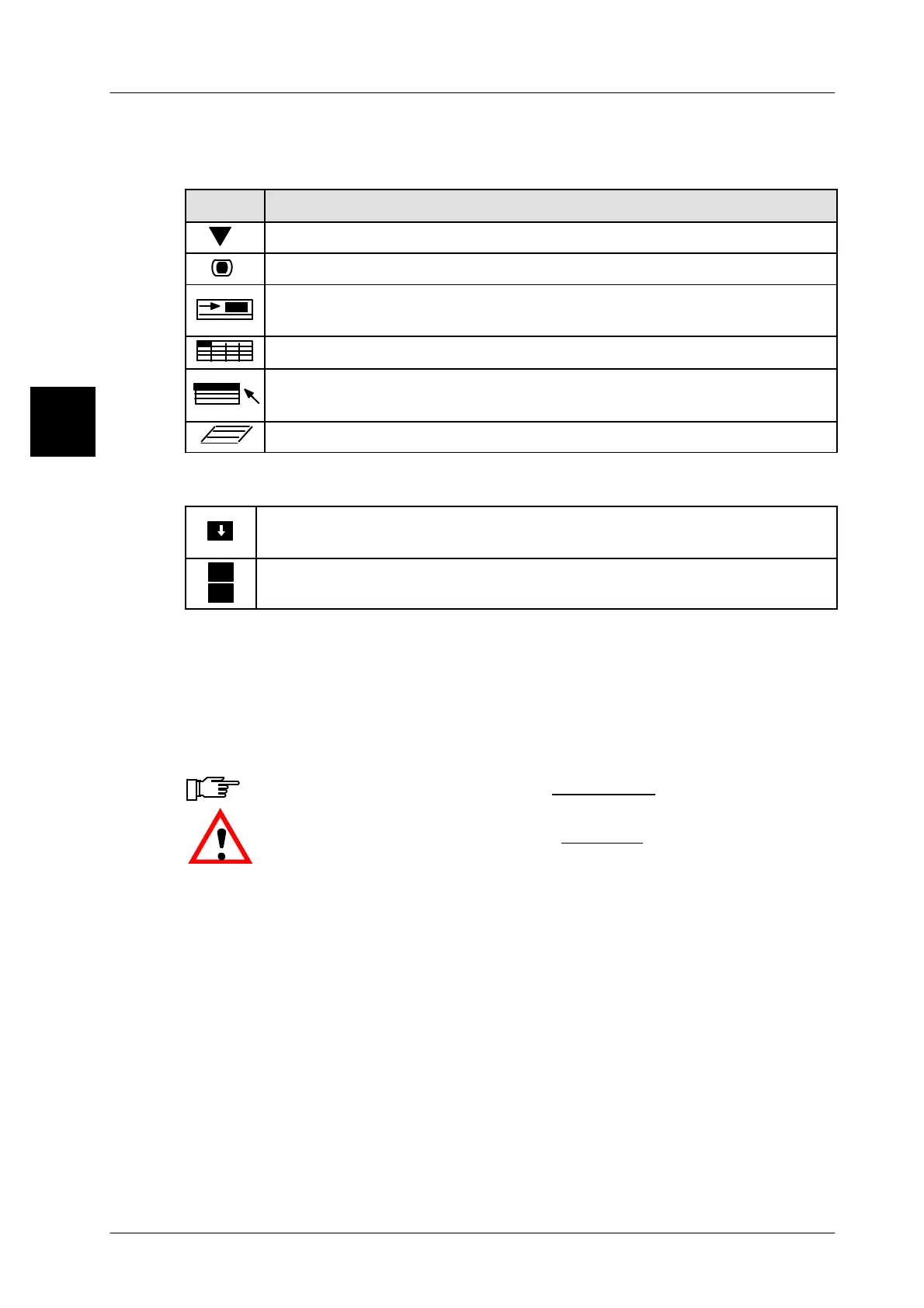
1.4.1.8 Description of symbols in the display
The symbols above the softkeys describe the softkey type
Description
Call up a submenu or a selection menu.
Release a key function, e. g. ”set scale to zero”.
Call up a function which is started immediately after the necessary
input of the value has been made.
Call up a table into which data may be entered, modified or deleted.
Call up a scroll menu in which settings may be selected via the
cursor keys, e. g. the label type.
0
Call up a text editor.
Status displays (at the right top)
Upper case letters are activated. Switch--over to lower case letters by
means of the [CAPS] key.
>
<
-- Additional functions are provided in the ETC section.
-- The ETC section is displayed. Switch--over by means of the [ETC] key
1.4.1.9 Symbols in the operating and programming instructions
In the operating and programming instructions, important hints and warning noti-
ces are made prominent by means of relevant symbols.
This symbol highlights important
information
.
.
This symbol highlights important
warnings
.
1.4



 To Next Page