Display and operation
Operating instructions GLP
1 -- 37
6.562.98.5.01.18
1.4.5.3
Selecting presettings in scroll menus
Various presettings may be selected via a scroll menu.
Example: Select text to be displayed in text display
(text of resp. text field number or from data field “PLU text”
Operating sequence: Description
------------------------------------------------------------------------------------------------------------------------------------------------------
[MODE] 2
Texts Text
display
Txt displ.
Text No.
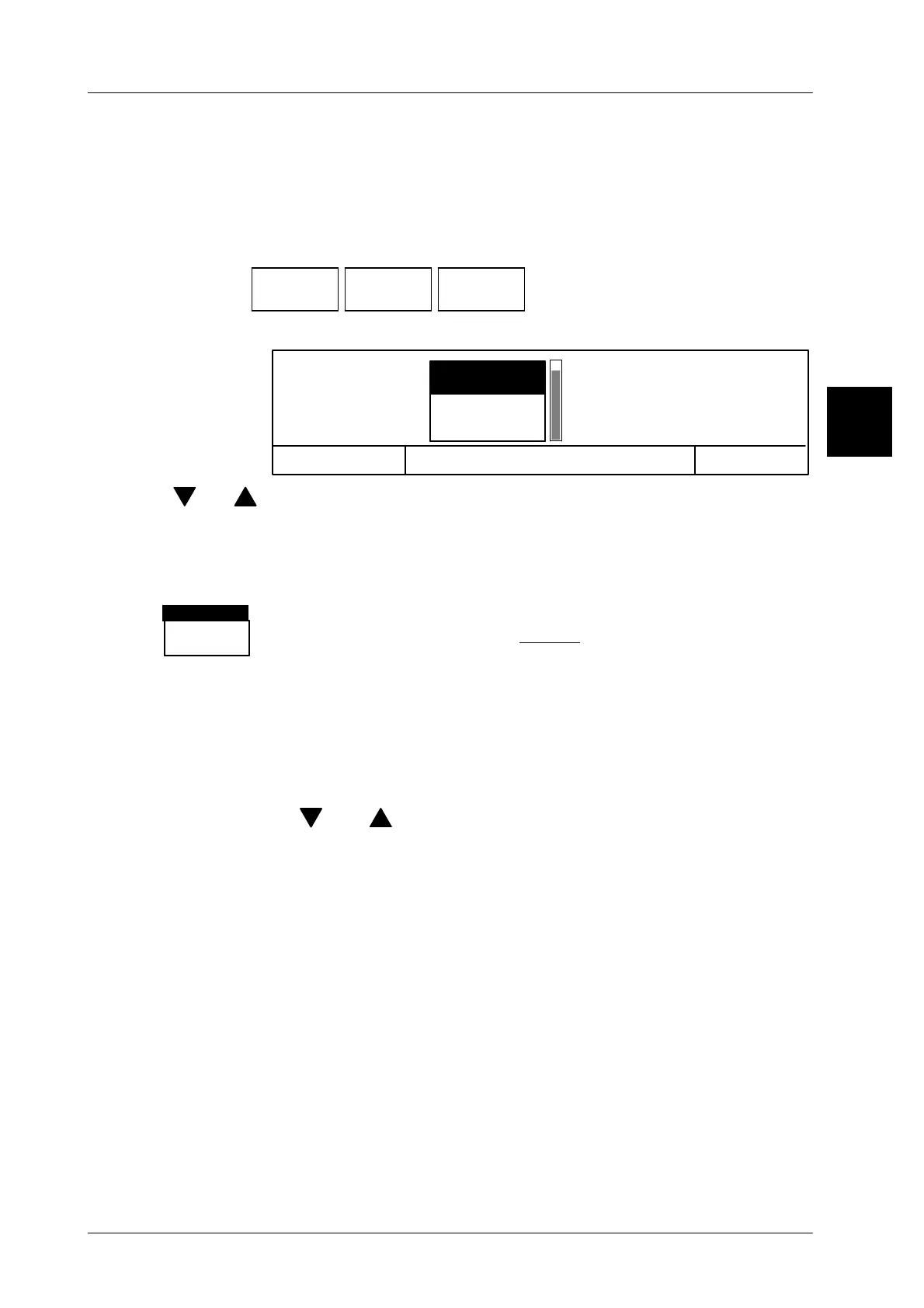
-- Call up the selection menu.
The relevant scroll menu appears.
OK <ENTER>
1
2
Txt displ. Text No.
Article text
Cancel <ESC>
[ ] . [ ] -- To select the relevant setting, use the cursor keys and move
the black scroll bar upward or downward.
[ESC] -- Exit the selection menu without storage or
[ENTER] -- acknowledge the selection and exit the selection menu.
For checking purposes, the current settings made in the
scroll menus appear in inverse mode above the relevant
softkey.
Scroll bar:
The display of a scroll bar in a scroll menu (see illustration) means that there is
a diversity of settings available which may be simultaneously indicated. In the
scroll bar, the currently displayed range appears in white and the
non--displayed range in grey.
The cursor key [ ] or [ ] may be used to move the black scroll bar over the
full range during which all further settings become visible.
1.4
1
PLU text
Text No.
Txt displ.



 To Next Page