Display and operation
Operating instructions GLP
1 -- 40
6.562.98.5.01.18
,
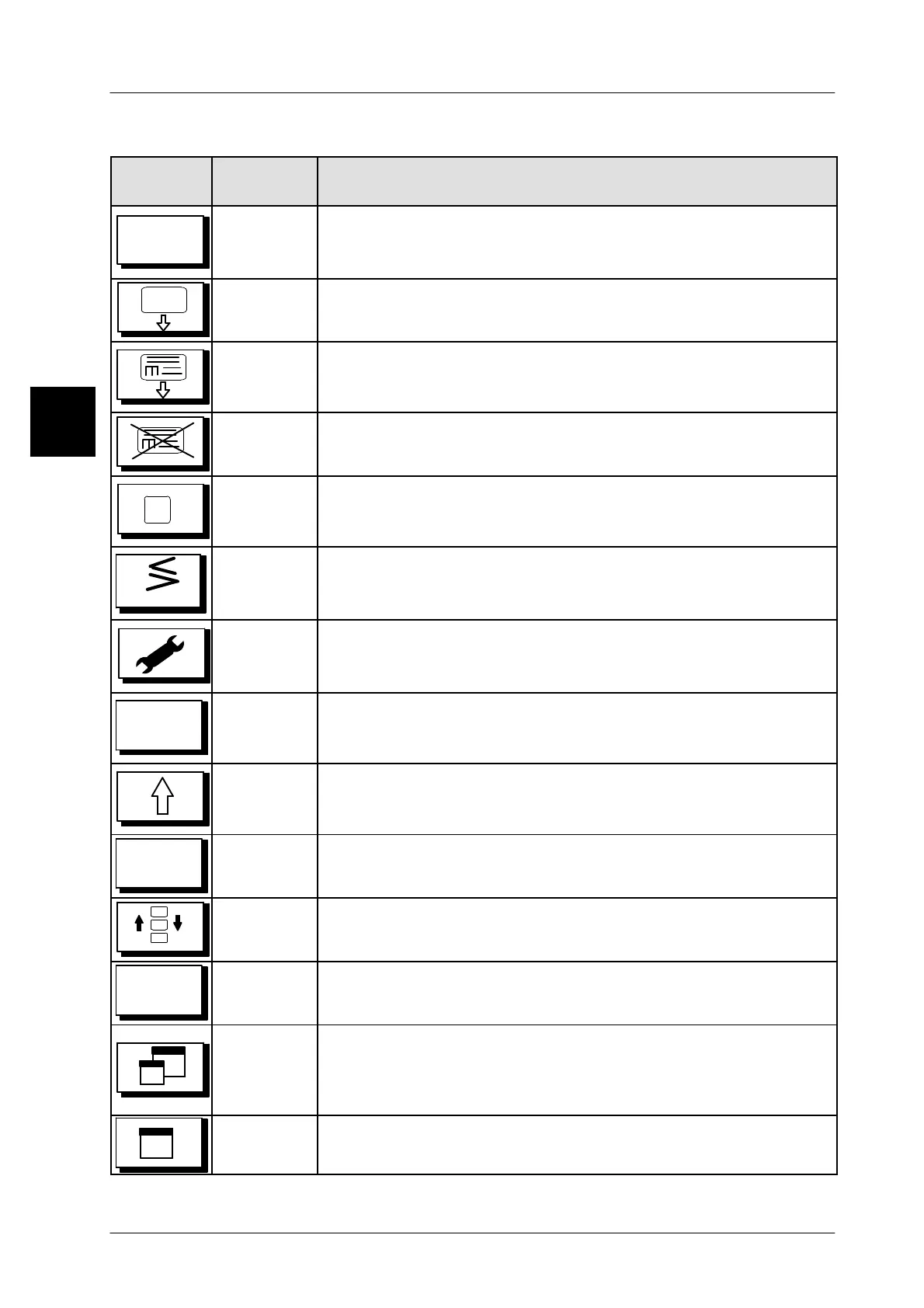
1.4.6.3 Description of the function and cursor keys
Key in the
display
Key in the
instructions
Key function
Mode
[MODE]
Use the [MODE] key
to call up a selection menu, were it is possi-
ble to select or enter the respective mode and to change to this
mode, possibly a password is required.
[FEED] Use the [FEED] key to output a blank label.
[PRINT]
Use the [PRINT] key to print out a label manually with the re-
lease mode set to ’manual’ or to start the printout of a preset
number of labels.
[STOP]
Use the [STOP] key to stop the printout of a preset number of
labels before the number preset is reached.
[PAUSE]
Use the [PAUSE] key to interrupt the printout of a preset num-
ber of labels a
nd to continue the printout after using again
[PAUSE].
ETC
[ETC]
Use the [ETC] key, if on the upper right area is displayed [>]
,
to
call up an existing additional menu or to exit it (see section
1.4.2.2 on page 1 -- 29)
.
[SERVICE]
Use the [SERVICE] key to call up various service functions
(see
page 2 -- 9).
2nd
[SECOND]
Use the
[SECOND] key in conjunction with another key to call
up the additional functions or to enter additional characters in
the text editor. Deactivate by touching again.
[SHIFT]
Use the [SHIFT] key and another key to call up additional func-
tions or to activate the capitalization of characters. Deactivate
by touching again.
ALT
[ALT]
Use the [ALT] key followed by a 3--digit integer to enter various
characters in the text editor. Deactivate by touching again.
[LAYER]
Use the[LAYER] key to displayother funcionkeys onthe left icon
panel and to change back (see section 1.4.6.4 on page 1 -- 42).
Direct
P L U
[Direct
P L U]
Use the [Direct PLU] key to call up the direct PLU. The key may
be displayed with the [LAYER]-softkey, according to the setting
[MAX]
Use the [MAX] key
to enlarge the display area for the text win-
dow and to reduce the one for the funcion keys (see also section
1.4.6.4 on page 1 -- 42). Display appears after using the
[LAYER] key.
[MIN]
Use the [MIN] key to reduce the text window enlarged with the
[MAX] key again
(see also section 1.4.6.4 on page 1 -- 42).
1.4


 To Next Page
 Loading...

