Display and operation
Operating instructions GLP
1 -- 52
6.562.98.5.01.18
1.4.8 Setting up a display connection to a device
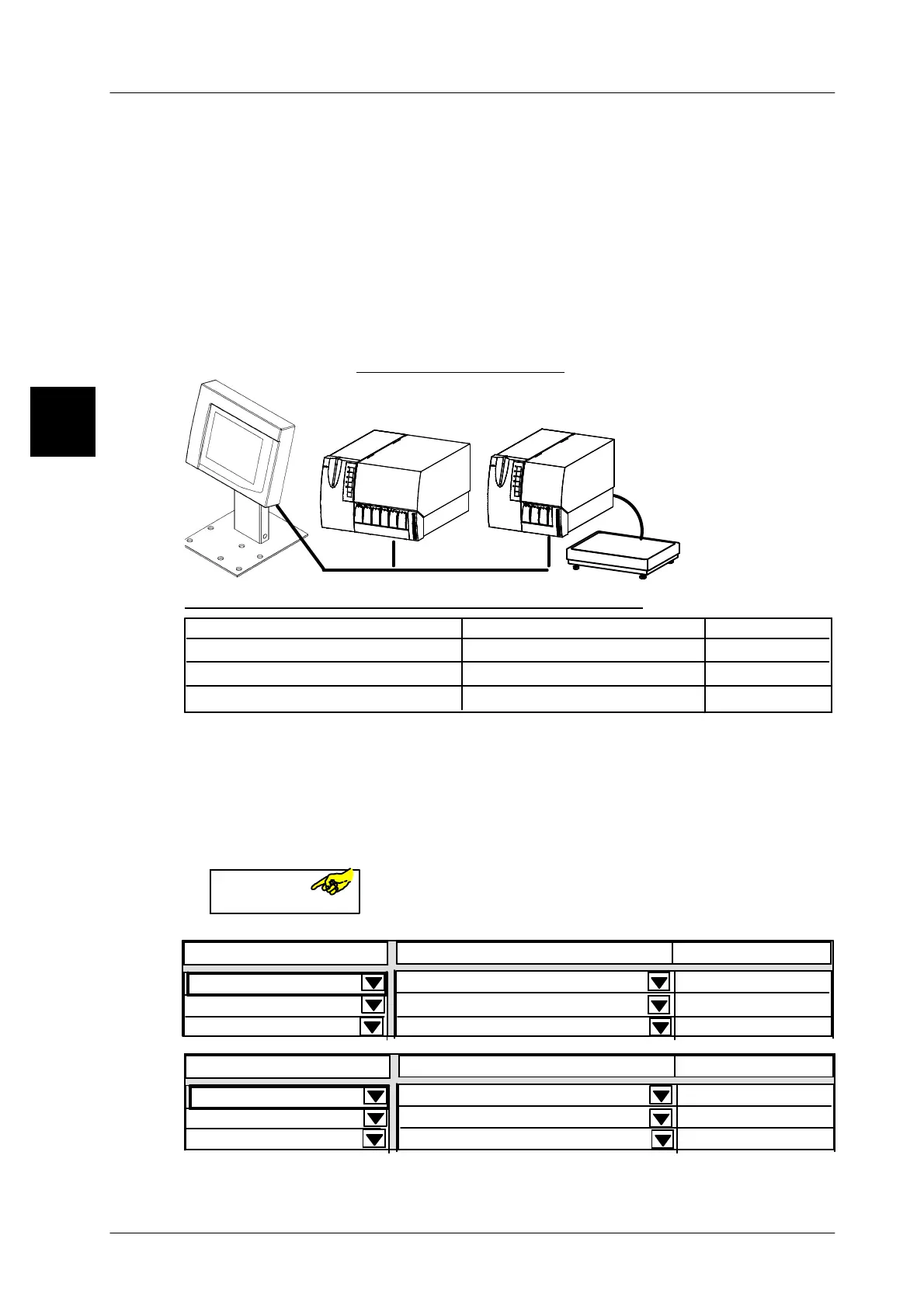
The GT--CT terminal permits individual or several devices of a labeling line to be
operated. For this purpose, the devices to be operated or displayed are defined du-
ring commissioning and the terminal GT--CT is configured, so that the relevant devi-
ces can be selected. Depending on the programming this can be done by selecting
in a scroll menu
(version A on page 1 -- 53), by selecting in the relevant line (ver-
sion B on page 1 -- 53) or if softkeys are programmed this way (version C on page
1 -- 54). A simple switchover can also be activated in mode level T, if it has been
programmed accordingly (see sec. 1.7.4.6 of programming instructions). Only
one device can be operated, but the total of up to three devices can be displayed
.
GT--CT
Bus sistema
GLP1
GLP2
Bus--Adr. 20
Bus--Adr. 2
Bus--Adr. 3
Configuration example:
Example of the associated display connection table
Display connction from 20 to
2
3
20
GLP1
GLP2
GT--CT
Contents
Status
Operation
Display only
Display only
xxxx--------xxxxxxxxxxx
------xxxx----------------------
------xxxx----------------------
1.4.8.1
Calling up the display connection table
There are two possibilities of calling up the connection table.
Operating sequence: Description
------------------------------------------------------------------------------------------------------------------------------------------------------
A) [SECOND] [MODE] -- Call up the connection table via function keys ...
or tap it three times in the ID window at the right top.
Depending on the device to be operated, one of the follo
wing figures is displayed.
------xxxx--------------------
xxx--------xxxxxxxxxxxx
------xxxx--------------------
Displ. connection fr. 20 to
Contents
Status
Operation
Display only
Display only
2 GLP1
3 GLP2
20 GT--CT
1.4
B)
GLP
ID 02
xxx--------xxxxxxxxxxxx
------xxxx--------------------
------xxxx--------------------
Displ. connection fr. 20 to
Contents
Status
Operation
Display only
Display only
20 GT--CT
GLP1
GLP2


 To Next Page
 Loading...

