Display and operation
Operating instructions GLP
1 -- 56
6.562.98.5.01.18
1.4.9.2
Determine device status
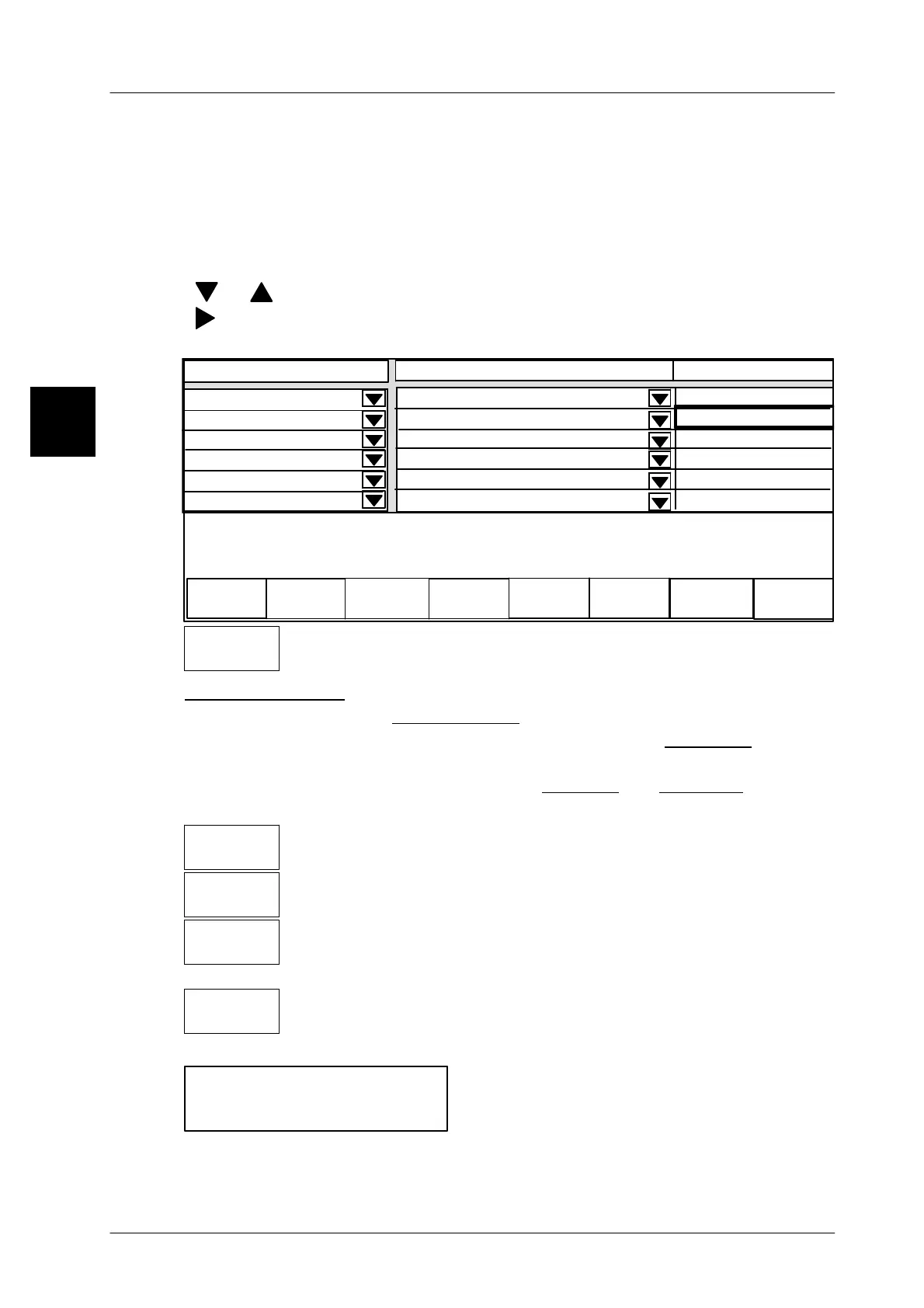
After determining the data to be displayed for each device (see page 1 -- 58) you
can specify here the respective connection status. The adjustable status depends
on the setting in the “Authority” table in the GT--CT, mode level 5.
Operating sequence: Description
------------------------------------------------------------------------------------------------------------------------------------------------------
[SECOND] [MODE] -- Call up the connection table
[ ], [ ]
-- Select specific device, e.g. 10 GLP.
[ ]
-- Select status field of specific device.
[ETC]
-- Change in the ETC--part to the Status--Softkeys.
Status
----------------------------------
----------------------------------
0
Set up
connection
Clear down
connection
Activate
Deactivate
operation
operation
not connected
2 GLP1
4 GLP3
Displ. connection fr. 20 to
Contents
Operation
not connected
0
0
0
xxx--------xxxxxxxxxxxx
----------------------------------
----------------------------------
----------------------------------
not connected
not connected
not connected
Set up
connection
-- Set Status “Display only” (see description below).
Status--Definition:
not connected Set, if no connection to the device should exist..
Display only Set, if the selected device data is to be displayed in the
GT--CT terminal.
Operation
Set, if the device is to be operated and displayed.
Depending on the actual status, only specific softkeys are active (black text)!
-- A connection to the device concerned is established and the sta-
tus “Display only” is displayed. (Example for GLP).
-- The connection to the device concerned is cancelled and the sta-
tus ”not connected” is displayed.
-- The device is activated for operation (status display ”Opera-
tion”). If a second device is set to ”Operation”, the first device
is automatically set to ”Display only”.
-- The device operation is deactivated and the status ”not connec-
ted” is displayed.
[ENTER] -- Save set status.
If the accompanying touchscreen is dis--
played when the status setting is being saved,
then the presetting was incorrect. Call up the
display connection table again by operating
the touchscreen. Then check that one device is set to ”Operation” and all other
devices are set to ”Display only” or ”not connected”!
1.4
Set up
connection
Clear down
connection
Activate
operation
Desactivate
operation
Click here
to set up
connection


 To Next Page
 Loading...

