Display and operation
Operating instructions GLP
1 -- 58
6.562.98.5.01.18
1.4.10 Presettings for display--operating unit GT--CT in mode level 1
The functions intended for the operator are combined in mode levels 1 and 2 and
described below in the function order.
1.4.10.1
Specify or change data to be displayed for each device
The data to be displayed for each device can be preset or changed appropriately
in a separate table editor in mode level 1 of GT--CT.
Operating sequence: Description
------------------------------------------------------------------------------------------------------------------------------------------------------
[SECOND] [MODE] -- Call up the connection table
20 Operation
GT--CT
-- Call up the GT--CT operating level, e.g. via softkey.
Display
connection
--
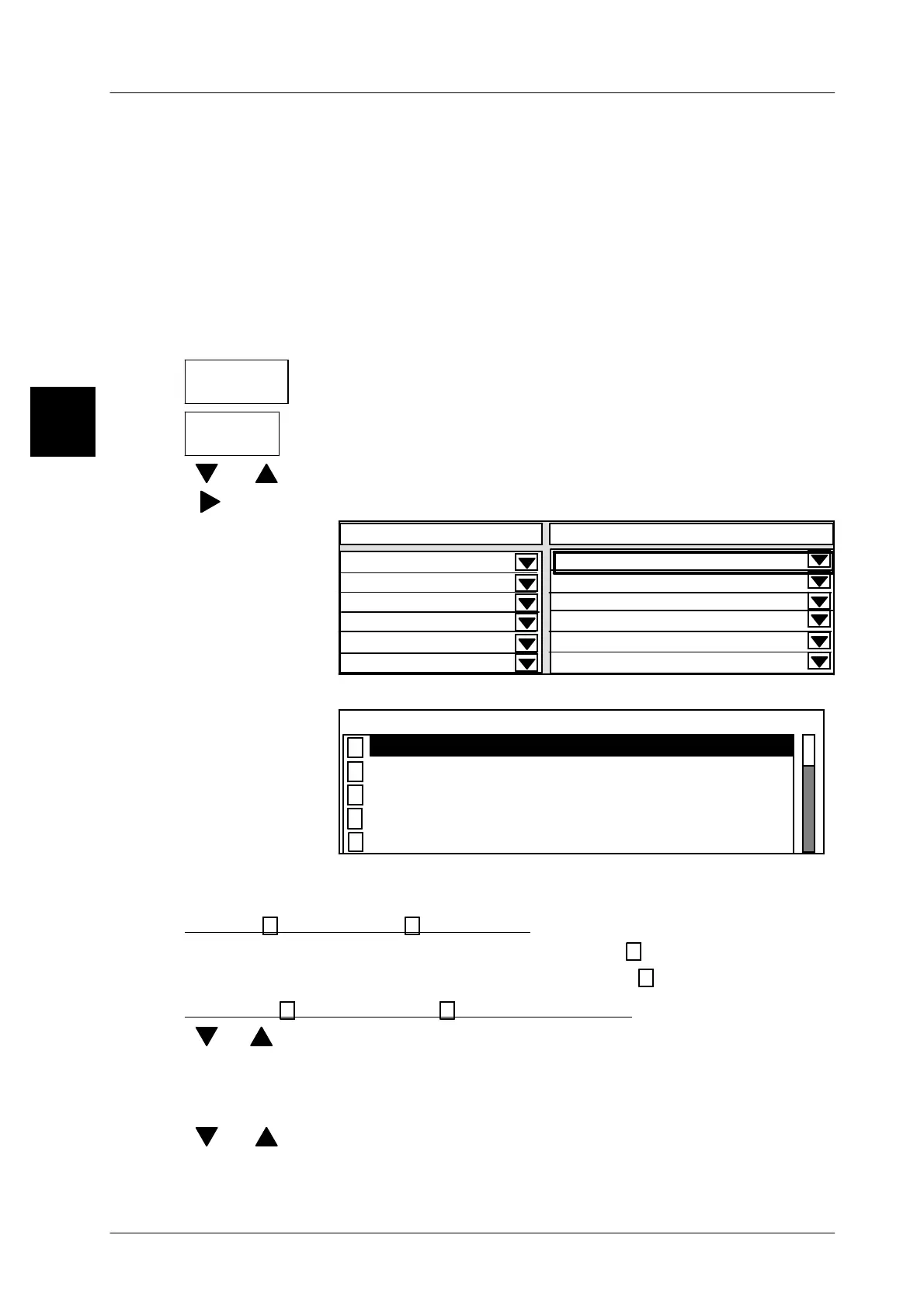
Call up the table editor for defining the data to be displayed
[ ] , [ ]
-- Select specific device, e.g. 5 GLP4.
[ ] -- Selection frame “Contents” table column
Contents
Display connection fr. 20 to
0
5 GLP4
0
0
00
0
----------------------------------
----------------------------------
----------------------------------
----------------------------------
----------------------------------
----------------------------------
[SELECT] -- Activate scrolling menu to select the data to be displayed
Contents
Revers. channel operation
Statistics data for histogram
Verification display
Error messages
Lock dialog display
As described below, set (activate) the data to be displayed to (X) and set (deactivate)
the data that is not to be displayed to ( ).
Activate
x
or deactivate all contents
[SHIFT] [SELECT] -- Activate all contents, i. e. set to
x
.
[SHIFT] [CLEAR] -- Deactivate all contents, i. e. set to .
Activating
x
or deactivating individual contents
[ ], [ ]
-- Select data concerned with cursor keys or
E [ENTER] -- Enter the initial letters of the data concerned and confirm, e.g.
V for verification display
[TOGGLE] -- Activate or deactivate selected data for display
[ ] , [ ]
-- Select the next content to be displayed, etc.
[ENTER] --
Exit the scrolling menu after presetting all data
1.4


 To Next Page
 Loading...

