Display and operation
Operating instructions GLP
1 -- 71
6.562.98.5.01.18
1.4.13 Quick keyboard
1.4.13.1Description
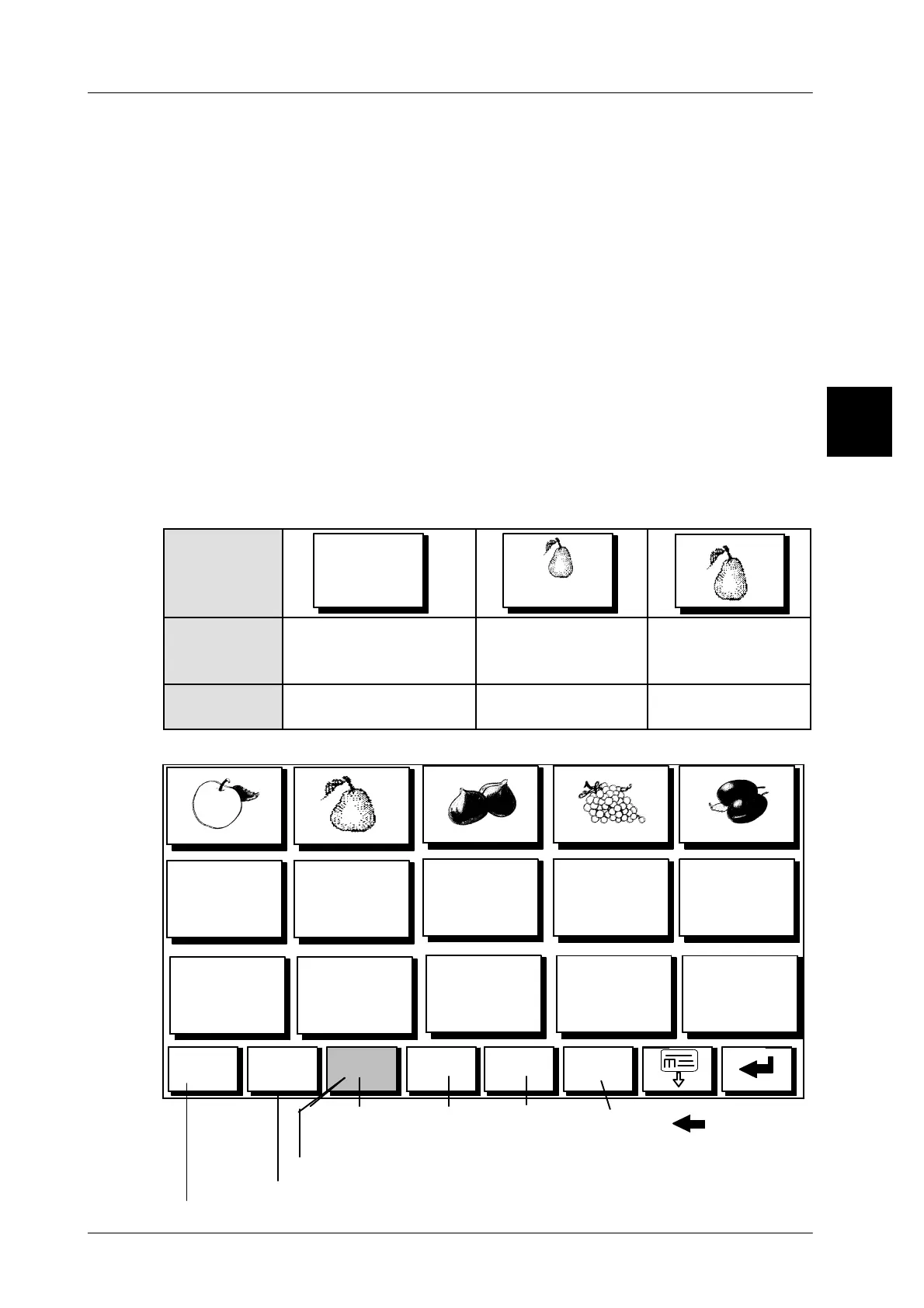
If in mode level 5 PLU change type “Quick keyboard” is set, so the quick keyboard
can be displayed after appropriate programming. The keys -- depending on the set-
ting -- may be used to call up PLU data (see page 1 -- 73), to transmit Gx net com-
mands (see page 1 -- 74) or if master keys have been programmed (see page
1 -- 75) to transmit Gx net commands to different devices. Using the small keys in
the lowest key level it is possible to change up to 4 keyboard pages. The following
key sizes are available: small, medium and large.
The PLU change type preset in mode level 5 of the GT--CT determines how the
touch keyboard is displayed in the connected devices (see programming instruc-
tions). The quick keyboard on the connected devices may be called up in the sy-
stem network accordingly. Please note the following:
Setting “Quick keyboard”: Quick keyboard generally displayed
Setting “P L U number”: Display depends on the setting on the device opera-
ted. Either the quick keyboard or the direct PLU key-
board can be displayed.
Layout op-
tions for text
and logo in
key. ---->
PEARS
PEARS
Presetting in
configura-
tion:
With text presetting
Without logo number(0)
With text presetting
wit
h logo number
Without text pre-
setting
With logo number
Display> Large text Small text and
small logo
Big logo only
Example: quick keyboard with 15 large touch buttons
1.4
Back
SET
Keyboard--
level 2
Keyboard
level 3
Keyboard
level 1
Keyboard
level 4
Keys for ...
Call touchbutton programming
Close Quick keyboard display
Fruits
Meat Chicken Cheese
The softkey of the currently active keyboard level is shown in gray



 To Next Page