Display and operation
Operating instructions GLP
1 -- 72
6.562.98.5.01.18
1.4.13.2
Programming Quick keyboard
For programming the Quick keyboard, key programming must be enabled in mode
level 5. Then, as described in the following, you may first program the touchbuttons
for changing the keyboard level in the last line on the screen. Then you may assign
the relevant PLU and customer number, logos or Gx NET commands to the indivi-
dual keys of the keyboard.
Operating sequence: Description
------------------------------------------------------------------------------------------------------------------------------------------------------
[MODE] 1 or 2
Quick
keyboard
Calling quick keyboard
1.4.13.3
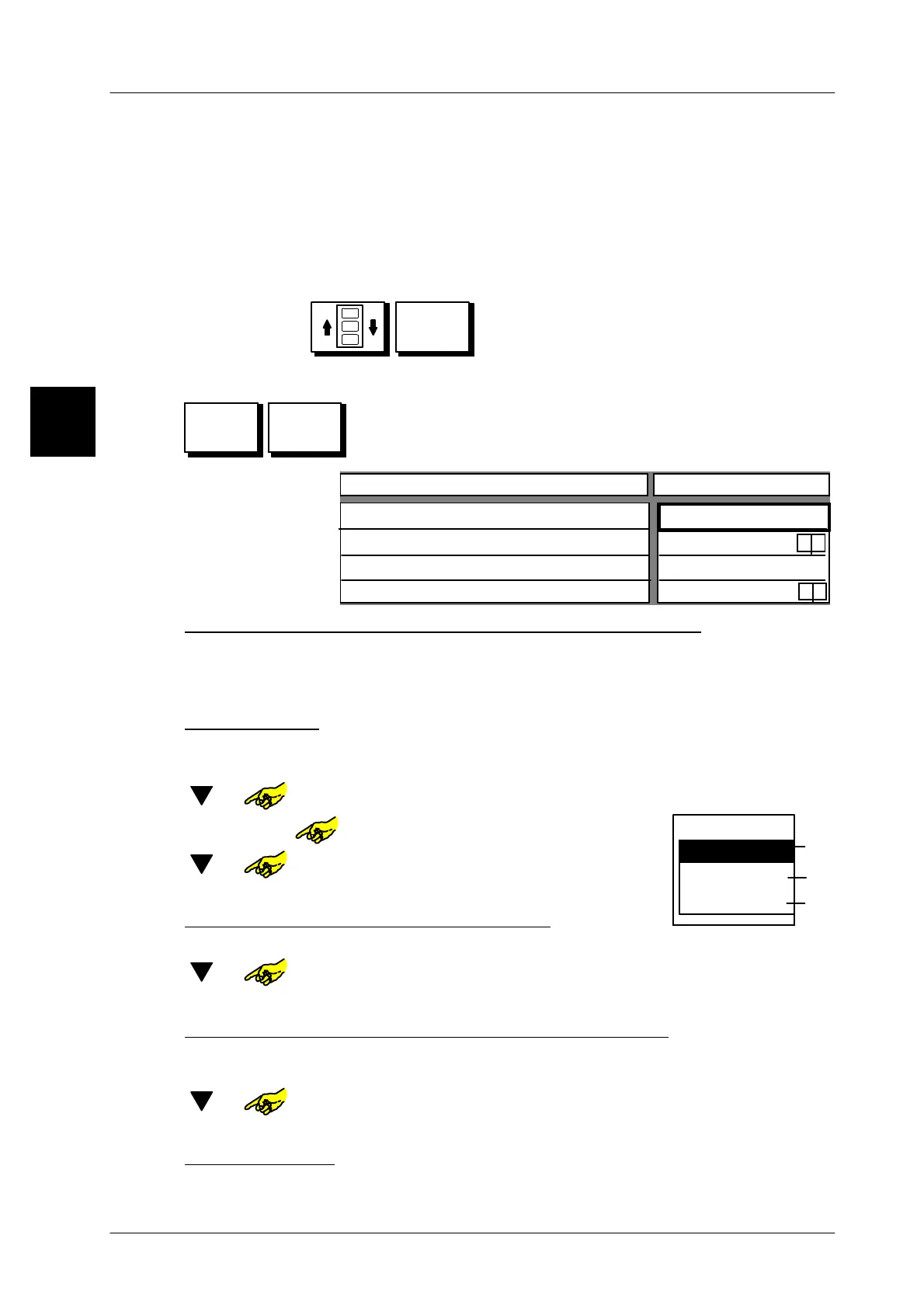
Programming keys for changing keyboard level
Activate programming by pressing SET key and then press
the key to be programmed for the relevant key board level
(see previous page for assignment).
Configurable key
Value
Text key
Size key
Logo number
Key activated
0
yes
x
big x
Enter text for key to call up the appropriate keyboard level
Enter the text for the key by using the alphanumeric keyboard displayed. Layout op-
tions for text and logo are described on page 1 -- 71.
xxxxx [ENTER]--
Enter text for key for changing keyboard level and confirm.
Preset key size
The number of article keys for the specific keyboard level can be determined by
selecting the key size large/small (see page 1 -- 80).
[ ] or -- Select table field ”Size key”.
[SELECT] or
Open selection menu
“Size key”
.
[ ] or -- Select required key size
.
[ENTER] --
Confirm selection of key size.
Enter logo number for the key concerned
If the logo number is entered, the respective logo is displayed in the key.
[ ] or -- Select table field ”Logo number”.
x x [ENTER] -- Enter logo number concerned and confirm.
Deactivate/activate the keyboard level changeover key
If necessary, calling up keyboard levels can be locked by deactivating the keys
in question or released by reactivating them.
[ ] or -- Call ”Key activated” entry field.
[TOGGLE] -- Deactivate or reactivate key.
Save
presettings
Save the presettings for the key as described on page 1 -- 78.
1.4
SET
Size key
small
medium size
big
Keys
15
40
14


 To Next Page
 Loading...

