Display and operation
Operating instructions GLP
1 -- 75
6.562.98.5.01.18
1.4.13.6
Programming master key
On the quick keyboard you can define one key as master key and copy the content
of programmed command quick keys in it. So it is possible to transmit several Gx
net commands to different devices by using one key, consequently these devices
are simply reprogrammed.
[ ] [ENTER] --
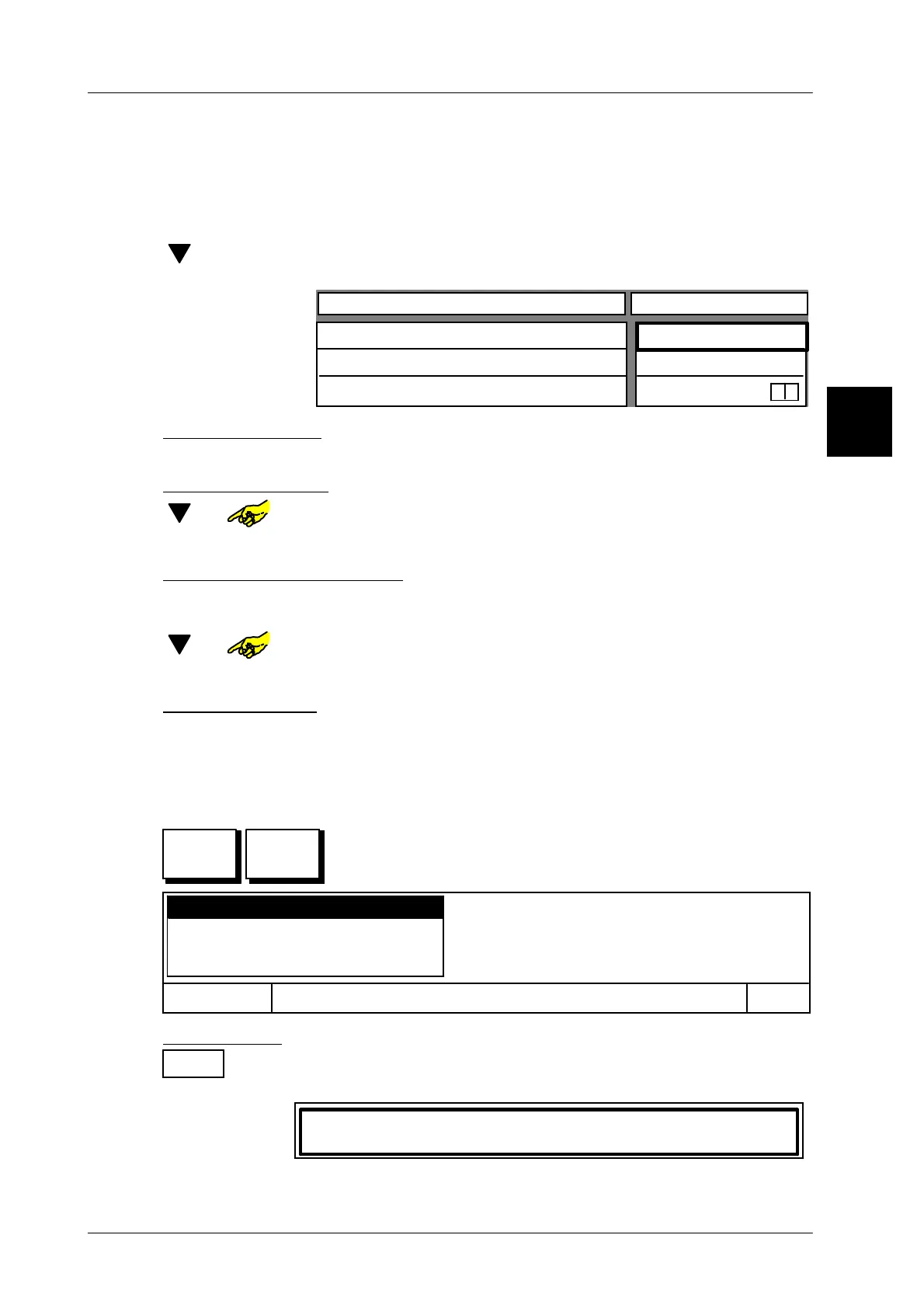
In the selection menu (see page 1 -- 73 on top) select the func-
tion “Programming master key” and confirm.
Configurable key
Wert
Text key
Logo number
Key activated
0
yes
0
x
Enter text for key:
xxxx [ENTER] -- Enter text for relevant master key and confirm
.
Enter logo number
[ ] or -- Select input field ”Logo number”.
x x [ENTER] -- Enter relevant logo number and confirm.
Deactivating/activating key
If required, the master keys can be disabled (deactivated) or unlocked (activated)
when a call up is started. A disabled key is displayed in gray.
[ ] or -- Call up input field “Key activated”.
[TOGGLE] --
Switch activated key appropriately to “no” or “yes”.
Store presettings
[ENTER] -- Store presetting as decsribed on page 1 -- 78
1.4.13.7Adding quick keys with Gx net commands to the master key
It is possible to add quick keys with Gx net commands to the master key program-
med as described above.
Activate edit and use the relevant master key.
Then the Edit menu is displayed:
Add key
Cancel
OK
Deactivate key
Show master key properties
Delete master key
Add first key:
OK
or [ENTER] Confirm function “Add key”.
The quick keyboard and the following text are displayed:
Press key to be added!
Press key to be added. The key is added.
1.4
SET
Master
key



 To Next Page