EasyManua.ls Logo

Black & Decker FL3WBD - User Manual

Black & Decker FL3WBD
9 pages
Print Icon
To Next Page IconTo Next Page
Loading...
12828
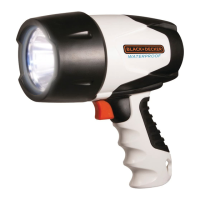
WATERPROOF 3W LED SPOTLIGHT
INSTRUCTION MANUAL
Catalog Number FL3WBD
SAVE THIS MANUAL FOR FUTURE REFERENCE.
Cat. # FL3WBD July 2013
Copyright © 2013 Baccus Global LLC Printed in China
Thank you for choosing Black & Decker!
Go to www.baccusglobal.com
to register your new product.
PLEASE READ BEfoRE REtuRning thiS
PRoDuct foR Any REASon:
If you have a question or experience a problem with your purchase, go to
HTTP://WWW.BACCUSGLOBAL.COM
for instant answers 24 hours a day.
If you can’t find the answer or do not have access to the internet,
call 1-877-571-2391 from 9 a.m. to 5 p.m. EST, Mon. – Fri. to speak with an agent.
Please have the catalog number available when you call.
BC
FL3WBD_ManualENSP_071713.indd 28-1 7/17/2013 7:26:47 PM

Questions and Answers

  • R
    Rachel ChanAug 1, 2025
    Why Black & Decker Spotlight is not working?
    • S
      Stephanie MercerAug 1, 2025
      Your Black & Decker Spotlight may not operate due to several reasons: * The battery might be in overheat protection after charging or recharging. In this case, allow the spotlight to cool down before using it. * The spotlight will not operate when charging. Ensure all adapters are disconnected before use. * The battery could be completely discharged. Charge the unit as directed in the manual.
  • M
    Melissa CarlsonAug 16, 2025
    What to do if my Black & Decker FL3WBD battery indicator doesn't light up when charging?
    • M
      megangarrettAug 16, 2025
      If the battery/charge status indicator LED does not light when charging your Black & Decker Spotlight, consider the following: 1. The battery may be in overheat protection after extensive use. Allow the spotlight to cool down before recharging. 2. The spotlight will not charge when operating. Ensure the spotlight is turned off. 3. Check the connection to the 12 volt DC charging port. 4. Verify the connection to the AC or DC power source. 5. Confirm there is a functioning AC or DC current.

Summary

Safety Instructions

General Safety Guidelines

Defines hazard levels (Danger, Warning, Caution) and outlines general safety precautions.

Electrical and Fire Safety

Precautions against electric shock, fire hazards, and risks of injury during operation.

Waterproof Operation Safety

Guidelines to maintain waterproof integrity and avoid damage during submersion.

Product Features

Overview

Lists key capabilities including waterproof depth, LED brightness, and battery type.

Controls and Functions

Battery;Charge Status LED Indicator

Explains the meaning of different colors and flashes of the LED indicator.

Charging and Recharging

Instructions for charging the spotlight using AC or optional DC chargers.

Operating Instructions

Spotlight Operation

Steps to turn the spotlight on/off and general usage guidelines.

Dimmer Selector Usage

How to adjust the light intensity for brighter or dimmer settings.

Troubleshooting

Unit Will Not Operate

Provides solutions for common issues where the spotlight fails to turn on.

Service and Warranty Information

Full One-Year Warranty

Details the product's warranty coverage, terms, and conditions.

Specifications

Lists technical details including bulb type, battery, charger, and voltage.

Black & Decker FL3WBD Specifications

General IconGeneral
BrandBlack & Decker
ModelFL3WBD
CategorySpotlight
LanguageEnglish

Related product manuals