EasyManua.ls Logo

Black & Decker FP6010 - User Manual

Black & Decker FP6010
68 pages
Print Icon
To Next Page IconTo Next Page
Loading...
TM
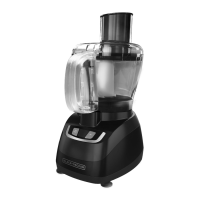
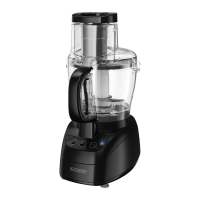
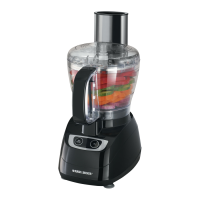
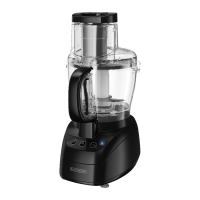
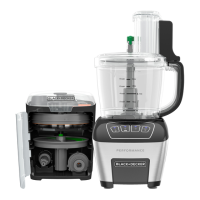
DICING FOOD PROCESSOR
PROCESADOR DE ALIMENTOS
PARA CORTAR EN CUBITOS
ROBOT CULINAIRE À
DÉCOUPAGE EN DÉS
FP6010

Table of Contents

Other manuals for Black & Decker FP6010

Questions and Answers

  • K
    ksmithAug 1, 2025
    What to do if my Black & Decker FP6010 doesn’t run?
    • T
      Tony JacksonAug 1, 2025
      If your Black & Decker Food Processor isn’t running, try these steps: First, ensure the bowl and lid are correctly aligned and locked, and the large food pusher is in the feed chute. Then, verify the food processor is plugged into a working outlet. Check your circuit breaker to be sure the circuit is closed. Finally, unplug the food processor and plug it back in.
  • Z
    Zachary GarciaAug 8, 2025
    Why is my Black & Decker FP6010 not shredding or slicing properly?
    • N
      nathan28Aug 8, 2025
      If your Black & Decker Food Processor isn't shredding or slicing correctly, first check that the disk is properly installed. If you're using the adjustable slicing blade, ensure it's set to the correct thickness. Also, make sure the ingredients you're using are suitable for slicing or shredding.
  • M
    Maria RobinsonAug 17, 2025
    What to do if the workbowl cover won’t close on my Black & Decker Food Processor?
    • J
      Jason JonesAug 17, 2025
      If the workbowl cover on your Black & Decker Food Processor won’t close, check the following: * Make sure the disk is installed correctly. * Try closing the cover again with the large food pusher removed. * Ensure that no food or other object is blocking the interlock system.
  • K
    Kelsey RiveraAug 25, 2025
    How to fix inconsistent dicing with my Black & Decker Food Processor?
    • D
      dalemcdonaldAug 25, 2025
      To fix inconsistent dicing with your Black & Decker Food Processor: * Make sure the bowl and lid are properly aligned and locked in place, and the large food pusher is inserted in the feed chute. * Ensure there are no clogs in the dicing grid, the food is lined up evenly with flat ends, and you are using low speed.

Summary

Important Safety Precautions

Polarized Plug Safety

Details about the polarized plug and electrical shock prevention.

Tamper-Resistant Screw Warning

Warning about tamper-resistant screw and user-serviceable parts.

Electrical Cord Guidelines

Information on power cords, extension cords, and safety ratings.

How to Use Your Food Processor

Using the Dicing Disk

Using the Slicing Disk

Using the Shredding Disk

Using the S Blade

Using the Mini S Blade

Using the Dough Blade

Care and Cleaning

Troubleshooting Common Issues

Food Processor Not Running

Solutions for when the food processor fails to start or operate.

Shredding or Slicing Problems

Troubleshooting steps for issues with shredding or slicing performance.

Workbowl Cover Closure Issues

Tips for resolving problems with closing the workbowl cover.

Inconsistent Dicing Results

Solutions for achieving consistent dice results with the dicing disk.

Warranty and Customer Service

Warranty Coverage Details

Details on what defects and liabilities are covered by the product warranty.

Warranty Period Length

Information regarding the duration of the product warranty.

Warranty Support Provided

Explanation of the type of support and replacement offered under warranty.

How to Obtain Support

Contact information and procedures for obtaining warranty service or parts.

Black & Decker FP6010 Specifications

General IconGeneral
Power600 Watts
Weight7.5 lbs
Wattage600 Watts
ColorBlack/Stainless Steel
Capacity10 cups
MaterialPlastic
BladesSlicing disc, shredding disc, chopping blade
Speeds2 speeds plus pulse

Related product manuals