7
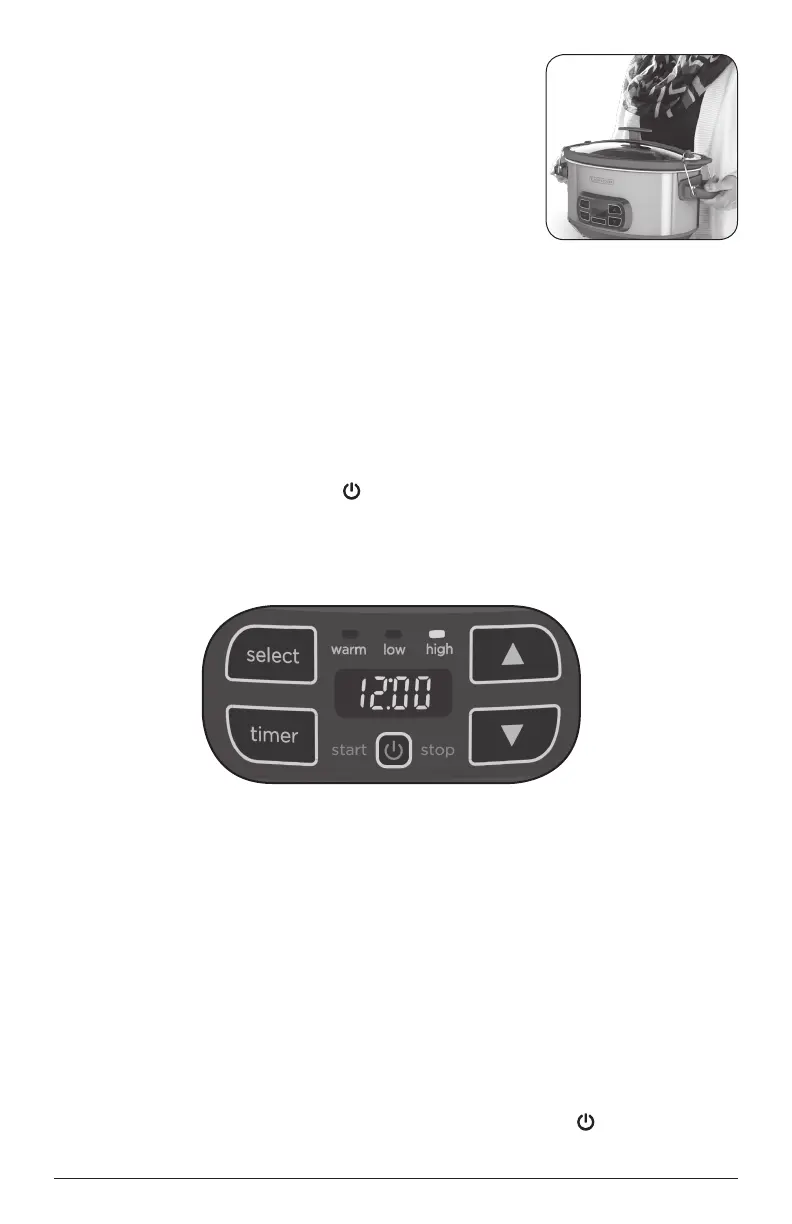
Important: Always carry the slow cooker from the
cooking base handles. Make sure to securely grasp
the bottom portion of the handles to avoid the handles
separating or unlocking unexpectedly while carrying.
(D) Never lift the slow cooker by the lid handle.
4. To unlock, push up the top part of the handles into
the open, unlocked position. Then swing the locking
wires down and around to the cooking base.
Important: When unlocking, keep your fingers out from between the top part
of the handles and the edge of the stoneware.
OPERATING YOUR SLOW COOKER
1. Add ingredients to the stoneware pot and cover with glass lid.
2. Plug in the appliance. The main control display will blink “00:00” and the warm function
light will also blink. This indicates that the appliance is ready to set for cooking.
Note: If left in this state without cooking for 5 minutes, the slow cooker will go into
sleep mode. Press the Power button
and the slow cooker will go to active mode.
3. Choose either to Set a Cook Time or to Stay On. You may toggle between the
two options by pressing the Timer button.
OPTION 1, SET A COOK TIME:
This option cooks at Low or High for a specific amount of time. After the cooking
time is complete, it switches to Warm for up to 4 additional hours. (If Warm is
selected for the initial temperature, the unit will shut off without any additional time
spent at Warm.)
a. Press the Select button until the setting you want lights up (Low or High).
b. Press the arrows up or down until the desired time shows on the display.
The slow cooker timer sets in 30 minute increments.
c. Press the Start button. The slow cooker will beep and then begin heating.
d. When the cook time is done, there will be two beeps and the unit will
switch automatically to Warm. It will stay on Warm for up to 4 hours. The
Warm function will automatically shut off after 4 hours.
e. When ready to serve, press and hold the Power button
for 3 seconds to
turn the appliance off. Unplug.
D


 To Next Page