3
Full — Lights when charging is complete.
Fault — Lights when the battery is not connected properly or not chargeable.
Rev. (Reverse Polarity) — Lights when clamps are incorrectly connected to battery
terminals.
OPERATING INSTRUCTIONS
Ensure that all installation and operating instructions and safety
precautions are understood and carefully followed by anyone
installing or using the charger. Follow the steps outlined in the
“Important Safety Instructions” at the front of this manual.
Charge Rate Selection
After charger clamps are correctly connected, plug the charger into a 120 volt AC
outlet. The power indicator light will light. Select the proper charge current rate based
on battery size.
WARNING
If FAULT indicator lights, the connection to the battery terminals is bad.
Follow the steps outlined in “Important Safety Instructions” at the
front of this manual.
If Rev. Polarity indicator also lights, the RED (POSITIVE) and BLACK
(NEGATIVE) clamps are incorrectly connected to battery terminals.
Follow the steps outlined in “Important Safety Instructions” at the
front of this manual.
Charging the Battery
1. Press Charge Rate Selector 2A/4A/6A button once to begin charging at the
2 amp rate; the unit sounds a beep and the charging current LED lights.
2. Pressing the Charge Rate Selector 2A/4A/6A button again advances charging
rate to 4 amps, and pressing once more advances charging rate to 6 amps.
(Pressing the button again will turn OFF the charger output.) This selection
and actual battery charge rate are monitored by the microprocessor and the
unit will stop charging if the selected rate is too fast or too slow for battery size
or condition.
As the battery nears full charge capacity, the unit’s output will automatically drop
to a lower charge rate.
3. The FUL LED lights when the battery is fully charged.
4. Disconnect the AC power cord first, then the NEGATIVE clamp, and finally the
POSITIVE clamp.
Automatic Float Charging
Automatic Float Charging is ideal for maintaining a fully charged battery.
1. Keep the 120 volt AC power and battery connected after battery is fully charged.
2. The charger monitors the battery and tops it off as needed.
WARNING
If battery size is not known, charge at the 2 Amp rate. DO NOT
overcharge batteries.
2
charge, the charging voltage remains constant, while the actual charging current is
reduced to allow for the maximum proper internal chemical energy transfer. At the end
of Stage 2, the charger will automatically move into Stage 3 charge mode.
Stage Three —
Top-Off Charge voltage is automatically maintained and reduced
to a predetermined level while current is adjusted for a safe, effective battery charge.
At the conclusion of Stage 3, the unit will BEEP signaling the completion of the
charging cycle.
The Automatic Float Charge feature is ideal for maintaining a battery. It automatically
“tops off” a battery as needed, to keep it fully charged all the time.
FEATURES
• This unit has three charge rate settings, accessed by the Charge Rate Selector
2A/4A/6A button:
a) 2 amps: smaller batteries, as in lawn mowers, snowmobiles, motorcycles, etc.
b) 4 amps: mid-sized batteries, as in small cars
c) 6 amps: automobile batteries and light trucks
• Automatic float charge monitoring
• Microprocessor-controlled for proper operation and for fault detection
• Charge rate LEDs
• High-frequency, switch-mode operation for pure DC output
• Rapid charging three-stage output
• Heavy-duty cables and clamps are corrosion-resistant
• Connect to side or top-mount battery terminals
• Rugged case, plus sturdy carry handle
• Self-storage of cables and clamps
• Ideal during winter season when vehicle's starting performance is reduced by cold
or extreme weather conditions
• Single beep tone indicates a button is pressed or a mode change occurs
Controls and Indicators
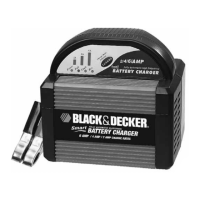
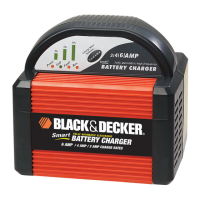
The Charge Rate Selector 2A/4A/6A button allows the user to select the
charger rate based on battery size. This selection and actual battery charge rate are
monitored by the microprocessor and the unit will stop charging if the rate is too fast
or too slow for battery size or condition.
Below the Charge Rate LEDs are a series of four LEDs that light on the following
conditions:
Power — Lights when unit is connected to a 120 volt AC electric outlet.
CHARGE RATE
SELECTOR
BUTTON



 To Next Page