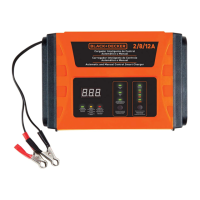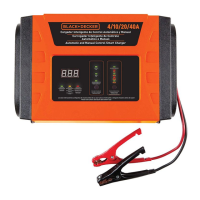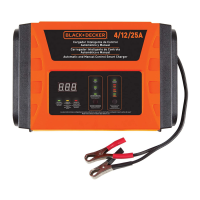
What to do if the red LED light turns on on my Black & Decker Automobile Battery Charger?
- RRoy MorrisonAug 1, 2025
If the red LED light turns on, it indicates reverse polarity. Check the polarity of your connections to resolve this issue.
What to do if the red LED light turns on on my Black & Decker Automobile Battery Charger?
If the red LED light turns on, it indicates reverse polarity. Check the polarity of your connections to resolve this issue.
Why doesn't the LED indicator light up when I connect my Black & Decker BC25 Automobile Battery Charger?
There are several reasons why the LED indicator might not illuminate when you connect the charging cable: * There may be a loose connection at the terminals. Check the connection to ensure it is secure. * The outlet may not be receiving AC power. Ensure that the outlet has power. * The unit may have experienced an overheating shutdown. Clean any dirty ventilation openings or remove any objects covering the unit, and place it in a cooler location. * The unit may have experienced a short circuit shutdown. Disconnect the cables and verify that the power circuit is correct.
What to do if the green LED light stays on even when batteries are not full on my Black & Decker Automobile Battery Charger?
If the green LED light remains on even when the batteries are not fully charged: * The battery voltage may be too low. Verify the battery voltage using a multimeter. If the voltage is too low, recycle the battery. * The battery clips may not be properly connected to the battery terminals. Inspect the connection and re-attach the clips securely to the terminals.
Read instruction manual before using product to avoid risks.
Safe practices for the work environment, children, and appliance storage.
Crucial safety instructions to prevent electric shock, fire, and injury.
Handling electrical connections and damaged cords safely.
Understanding tool symbols and definitions for safety guidelines.
Precautions for battery acid contact, skin/eye care, and first aid.
Safety measures for working with batteries, including sparks and personal items.
Specific safety guidelines for batteries and the smart charger unit.
Overview of product use and critical safety information for the smart charger.
Explanation of the display panel, status indicators, and their meanings.
Details on indicators for current, voltage, cooling fan, and battery capacity.
Information on automatic charging, current selection, and polarity indicators.
Key steps for safe operation, personal precautions, and pre-charging checks.
Explanation of the multi-stage charging process for optimal battery performance.
Steps for disconnecting the charger after a full charge.
Table detailing common issues like no illumination, green LED on, or red LED on, with causes and solutions.
| Input Voltage | 120V AC |
|---|---|
| Type | Automatic Battery Charger |
| Battery Type | Lead-Acid |
| Charging Modes | Standard, Maintenance |
| Charging Rate | 2A/10A |
| Cable Length | 6 feet |
| Output Voltage | 6V/12V DC |
Loading...