drainage. If you are not using the Side Panels for any reason. this pitch to the rear must be maintained.
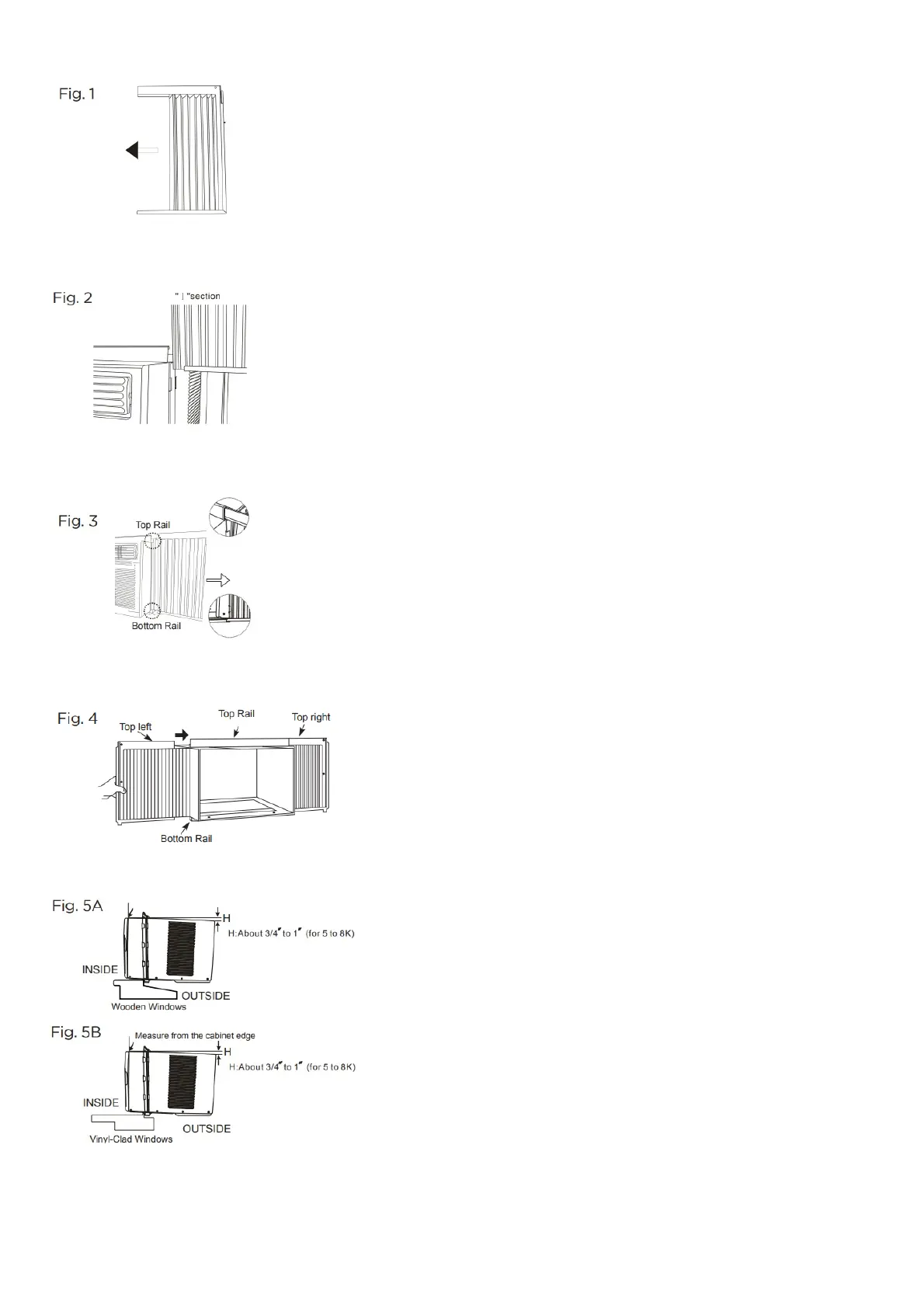
A. Place unit on the floor, a bench, or a table. Hold the Accordion Panel in one hand and gently pull back the center to free the open end. See Fig.1
B. Slide the free end “I“ section of the panel directly into the cabinet as shown in Fig. 2. Slide the panel down. Be sure to leave
enough space to slip the top and bottom of the frame into the rails on the cabinet.
C. Once the panel has been installed on the side of the cabinet, make sure it sits securely inside the frame channel by making slight adjustments. Slide the top and
bottom ends of the frame into the top and bottom rails of the cabinet. Fig. 3.
D. Slide the panel all the way in and repeat on the other side.
NOTE: If the storm window blocks AC, see Fig. 11.
SECURE THE ACCORDION PANELS
A.Using 2 people, keep a firm grip on the air conditioner, carefully place the unit into the window opening so the bottom of the air conditioner frame is against the window
sill (Fig. 5A and Fig. 5B). Carefully close the window behind the top rail of the unit. Fig. 5A
NOTE: Check that the air conditioner is tilted back about H (Fig. 5A and Fig. 5B) (tilted about 30 to 40
downward to the outside). After proper installation, condensate should not drain from the overflow drain hole during normal use, correct the slope otherwise.
B. Extend the side panels out against the window frame (Fig. 6).



 To Next Page