BLACKSTONEPRODUCTS.COM/SUPPORT
ENGLISH
| OWNER’S MANUALASSEMBLY GUIDEMODELS:
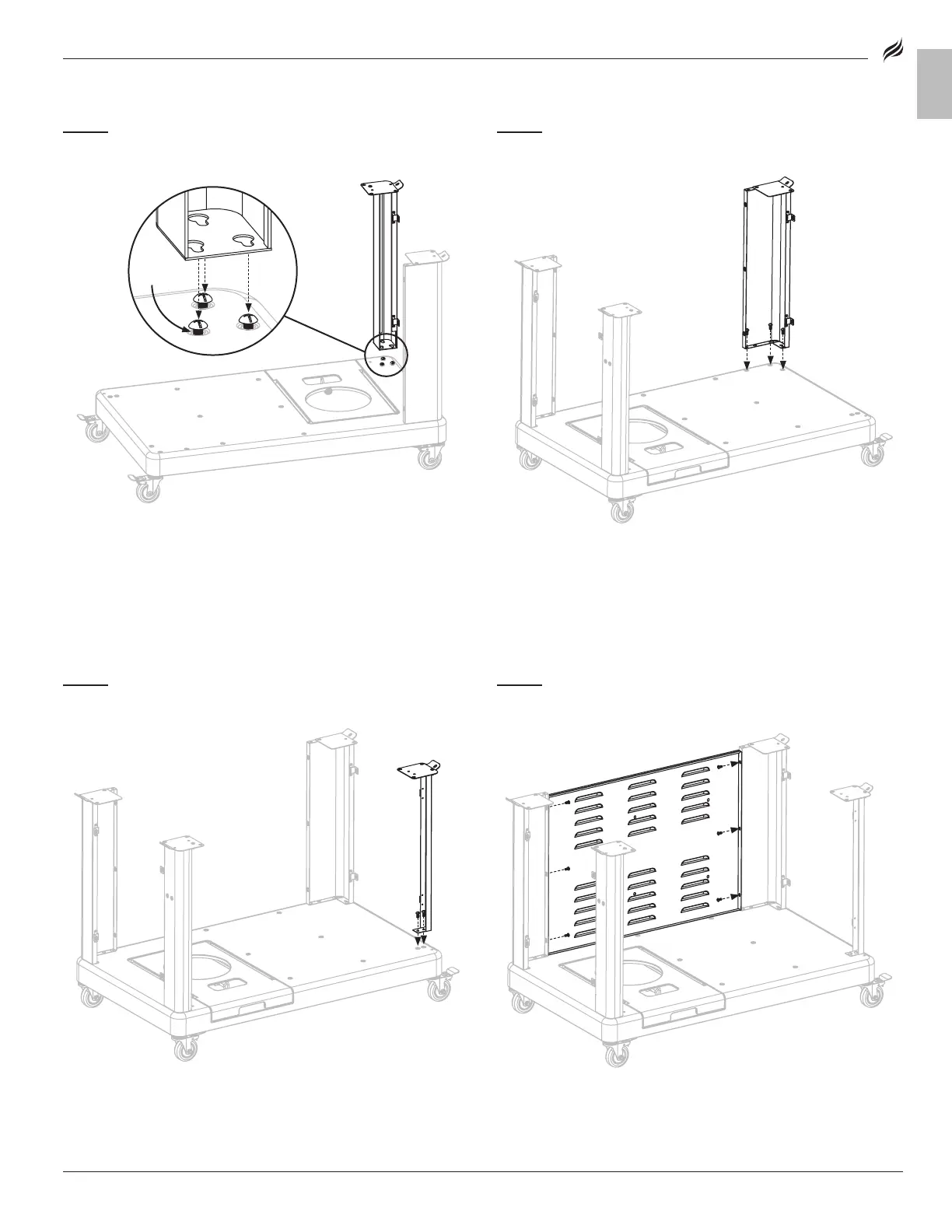
STEP 03
Use three (3) M6x15 screws [a.] to attach the front-left leg to
the cart base.
STEP 04
Use three (3) M6x15 screws [a.] to attach the rear-right leg to
the cart base.
STEP 05
Use two (2) M6x15 screws [a.] to attach the front-right leg to
the cart base.
STEP 06
Use six (6) M5x10 screws [b.] to attach the back panel to the
rear-left leg and rear-right leg.






 To Next Page