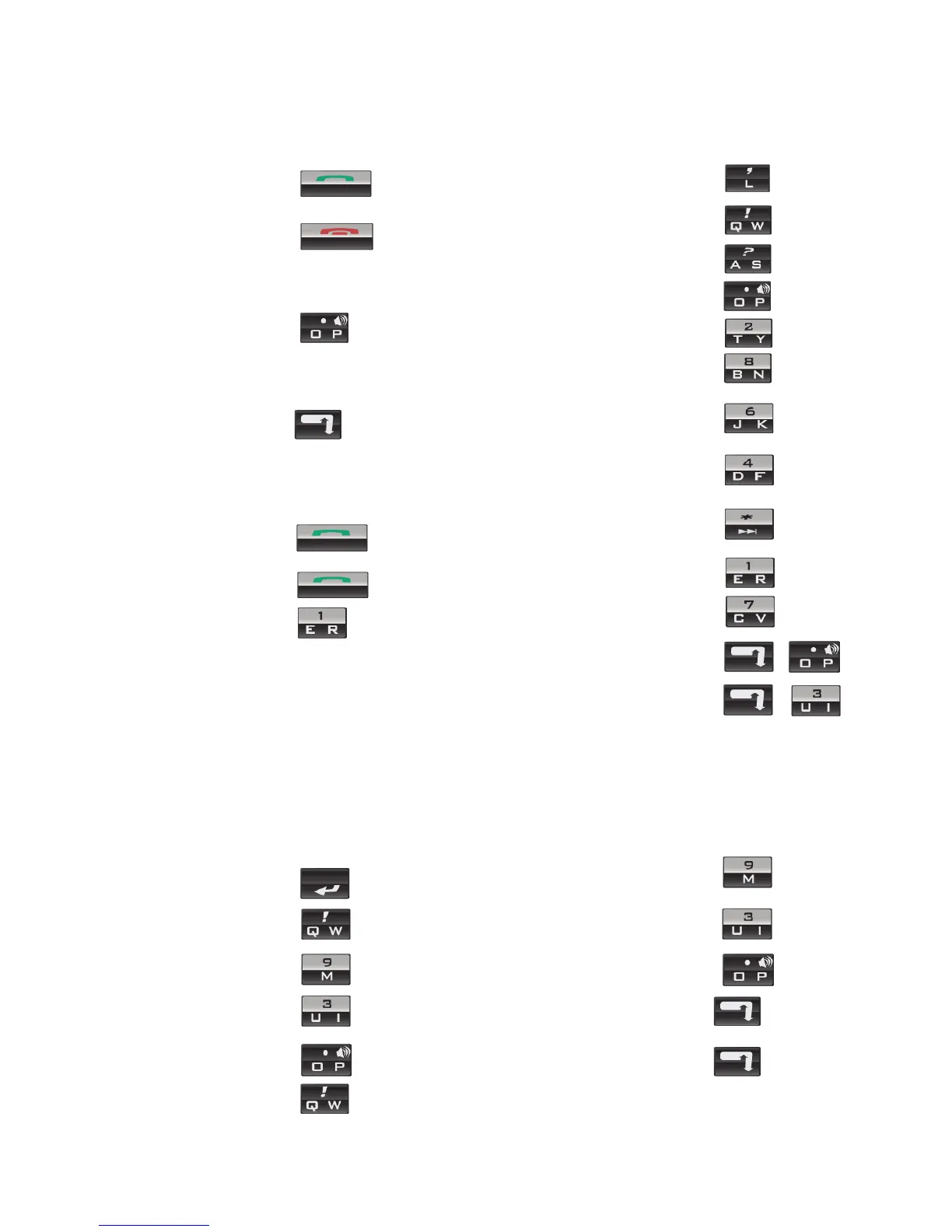
Calendar
Go to the next day, week,
or month
Press
Go to the previous day,
week, or month
Press
Schedule an appointment Press
Move the cursor
horizontally in week view
Hold + Roll the
trackwheel
Move the cursor vertically
in month view
Hold + Roll the
trackwheel
For these shortcuts to work in Day view, in the calendar options,
set the Enable Quick Entry field to No.
Note: The arrangement of letters on your device keypad
might vary slightly from the depictions on this document.
Redial a number Press twice
Phone
Open the phone screen or
make a phone call
Press
End a call Press
Turn mute on or off
during a call
Press the Mute button
Change the volume
during a call
Roll the trackwheel
Dial a letter in a phone
number
Hold + Press the
letter (once for the first
letter, twice for the second
letter, using the multi-tap
method)
Call a voice mail access
number
Hold
Assign speed dial
to a number key
Hold the number key > Type
a phone number
Open the contact list from
the phone screen
Hold
Turn speakerphone on or
off during a call
Press
Message list
Compose a new message Press
Reply to sender Press
Reply to all Press
Forward a message Press
Go to the next message Press
Go to the previous
message
Press
View received messages Press +
Go to the top of the list Press
Go to messages from the
next day
Press
Go to messages from the
previous day
Press
Go to the bottom of the
list
Press
View phone call logs Press +
Go to the next unread
message
Press
Browser
Go back one page Press the Escape button
Exit the browser Hold the Escape button
Go down one page Press
Go to a specific web page Press
Switch between normal
and full screen view
Press
Go up one page Press
Open a selected link Press
Add a bookmark Press
Shortcuts















 To Next Page