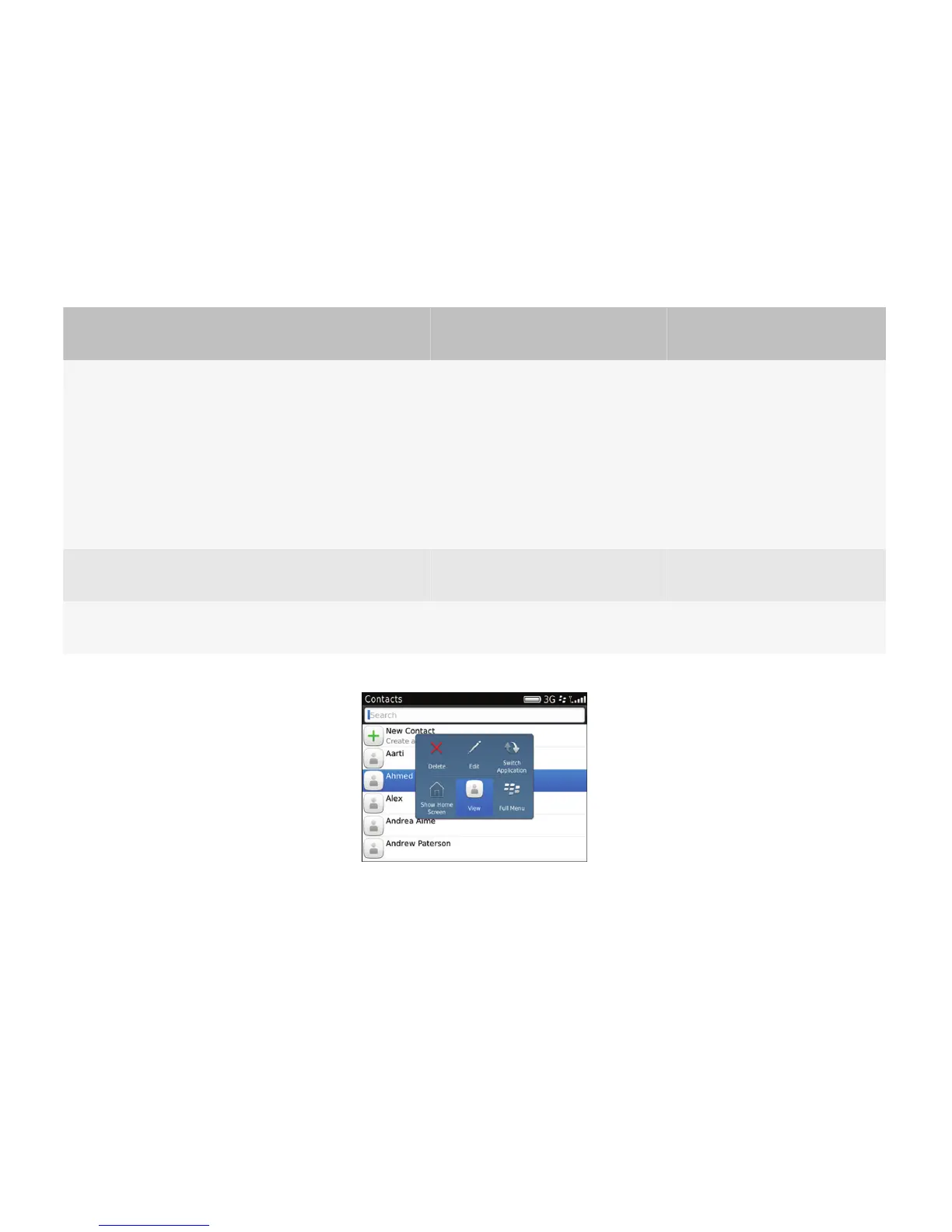
Pop-up menus
A pop-up menu provides users with a quick way to access the most common actions for a highlighted item. You can also
use a pop-up menu if a highlighted item has multiple actions associated with it or if a highlighted item does not have any
primary actions associated with it. You can create a pop-up menu that contains nine actions, six actions, or three actions.
User goal
Action using the navigation
keys
Action using a touch screen
Action using a physical
keyboard
Open a pop-up
menu.
• Click the trackpad.
• If a primary action has
already been assigned to
an item (for example,
open a message), users
can click and hold the
trackpad to open a pop-
up menu.
• Tap the item.
• If a primary action has
already been assigned to an
item (for example, open a
message), users can touch
and hold a finger on the touch
screen to open a pop-up
menu.
—
Choose an item from
a pop-up menu.
Click the trackpad. Tap the item. Press the Enter key.
Close a pop-up
menu.
Press the Escape key. Tap outside the pop-up menu. Open or close the slider.
Pop-up menus replace context menus, or short menus. Any existing context menus are automatically converted into pop-
up menus.
Best practice: Implementing pop-up menus
• Use pop-up menus instead of context menus (short menus). Make sure that the pop-up menu provides value to users.
• If users can click or tap an item, do not include that action in a pop-up menu. For example, if users can click or tap an
item to open it, then do not include "Open" in the pop-up menu.
UI Guidelines Containers and components
73














 To Next Page