Contents
Quick Help.......................................................................................................................................................................................................... 6
Getting started: Your smartphone..................................................................................................................................................................... 6
How to: Top 10................................................................................................................................................................................................... 12
Tips: Top 10........................................................................................................................................................................................................ 15
Personalization: Top 10...................................................................................................................................................................................... 23
Troubleshooting: Top 10.................................................................................................................................................................................... 27
Tips and shortcuts.............................................................................................................................................................................................. 31
Tips: Doing things quickly................................................................................................................................................................................... 31
Tips: Extending battery life................................................................................................................................................................................. 32
Tips: Finding apps............................................................................................................................................................................................... 33
Tips: Freeing and conserving storage space....................................................................................................................................................... 33
Tips: Updating your software............................................................................................................................................................................. 34
Tips: Keeping your information safe.................................................................................................................................................................. 35
Tips: Managing indicators.................................................................................................................................................................................. 35
Phone shortcuts................................................................................................................................................................................................. 36
Message shortcuts.............................................................................................................................................................................................. 37
File and attachment shortcuts........................................................................................................................................................................... 38
Typing shortcuts................................................................................................................................................................................................. 38
Media shortcuts................................................................................................................................................................................................. 39
Browser shortcuts.............................................................................................................................................................................................. 40
Calendar shortcuts............................................................................................................................................................................................. 41
Search shortcuts................................................................................................................................................................................................. 42
Map shortcuts.................................................................................................................................................................................................... 42
Troubleshooting: Shortcuts................................................................................................................................................................................ 42
Phone................................................................................................................................................................................................................. 44
How to: Phone.................................................................................................................................................................................................... 44
Tips: Phone......................................................................................................................................................................................................... 59
Personalization: Phone....................................................................................................................................................................................... 60
Troubleshooting: Phone..................................................................................................................................................................................... 62
Voice commands................................................................................................................................................................................................ 65
How to: Voice commands................................................................................................................................................................................... 65
Troubleshooting: Voice commands.................................................................................................................................................................... 67
Messages............................................................................................................................................................................................................ 68
Email................................................................................................................................................................................................................... 68
Text messages.................................................................................................................................................................................................... 90
PIN messages...................................................................................................................................................................................................... 100

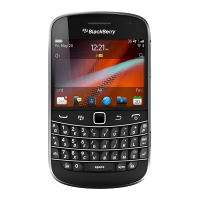








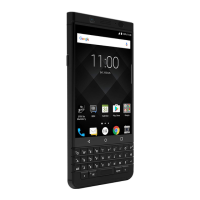
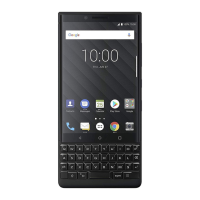
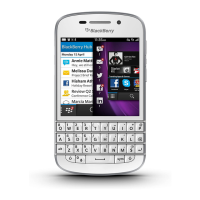


 To Next Page