2
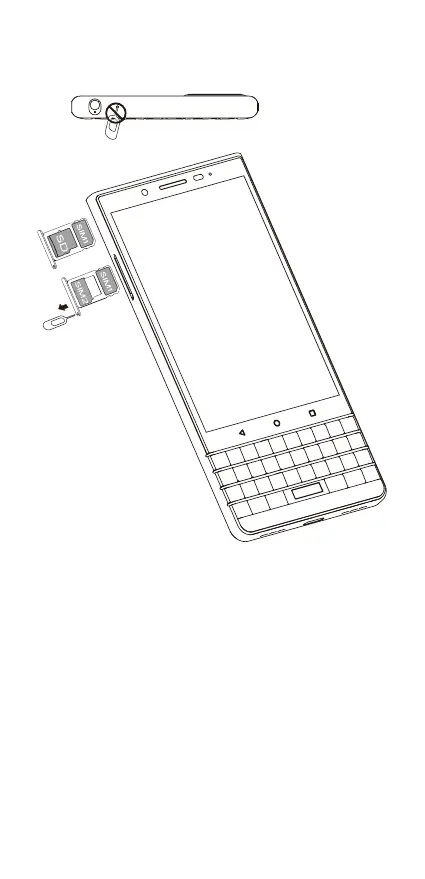
insert sim card
1. Insert the SIM tool (included).
WARNING! Do not insert the SIM tool into the hole located at
the top of the device as this is a microphone. If inserted, this may
cause damage to your device.
2. Remove the tray.
3. Set the Nano SIM card into the smaller section of the tray,
aligning the notched corners.
4. Optionally, set a media (micro SD) card into the larger section
of the tray.
5. Push the tray into the slot.
OR














 To Next Page