Using the BlackBerry Mini Keyboard
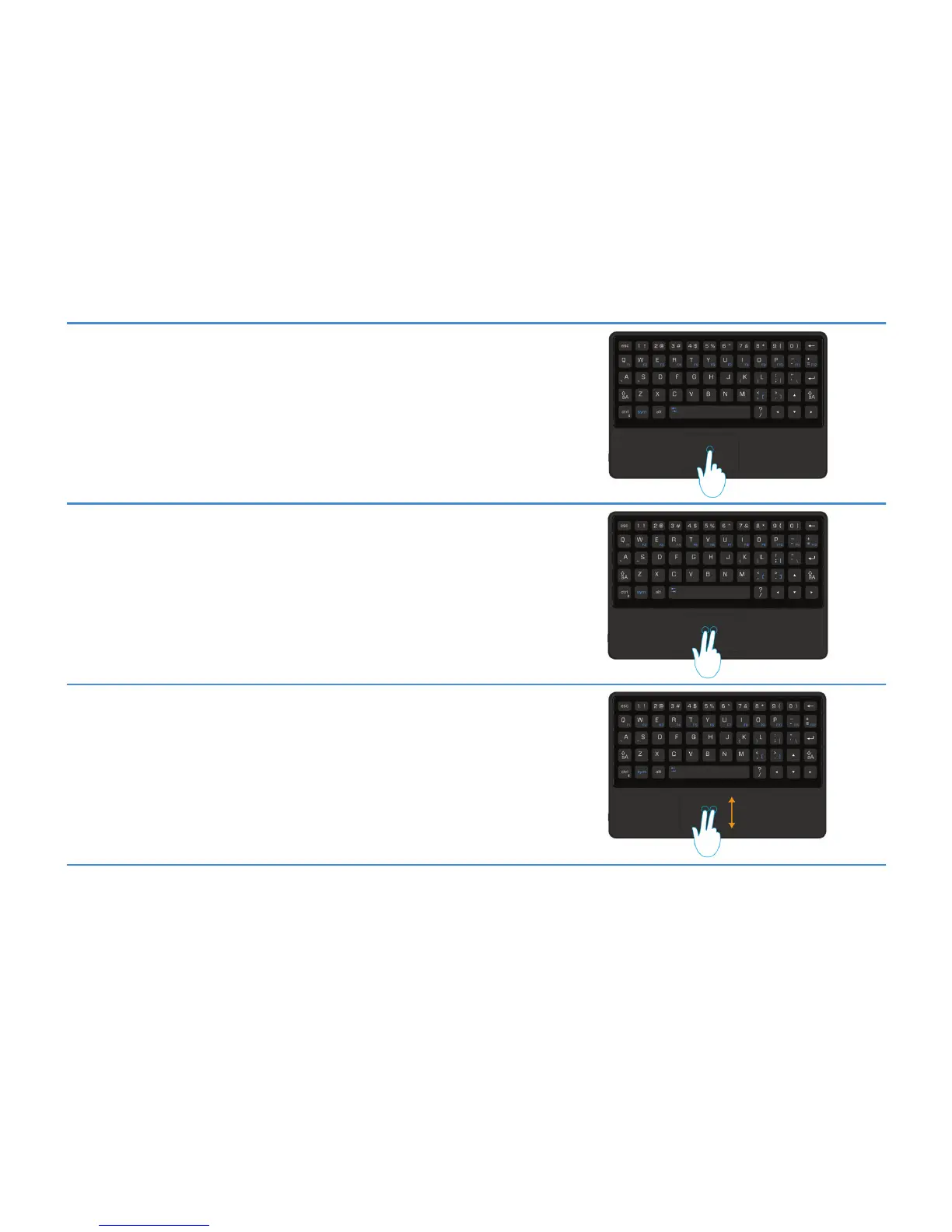
Using the touchpad as a mouse
Mouse left-click
Using one finger, tap the touchpad.
Mouse right-click
Using two fingers, simultaneously tap the touchpad.
Mouse scroll
Using two fingers, slide your fingers up or down on the touchpad to scroll up or
down a page.
The touchpad automatically turns off while you are typing, so you don't have to worry about tapping something by mistake.
User Guide
Using the BlackBerry Mini Keyboard
4



 To Next Page