Using the touchpad to navigate
The touchpad lets you move between apps, open menus, and more.
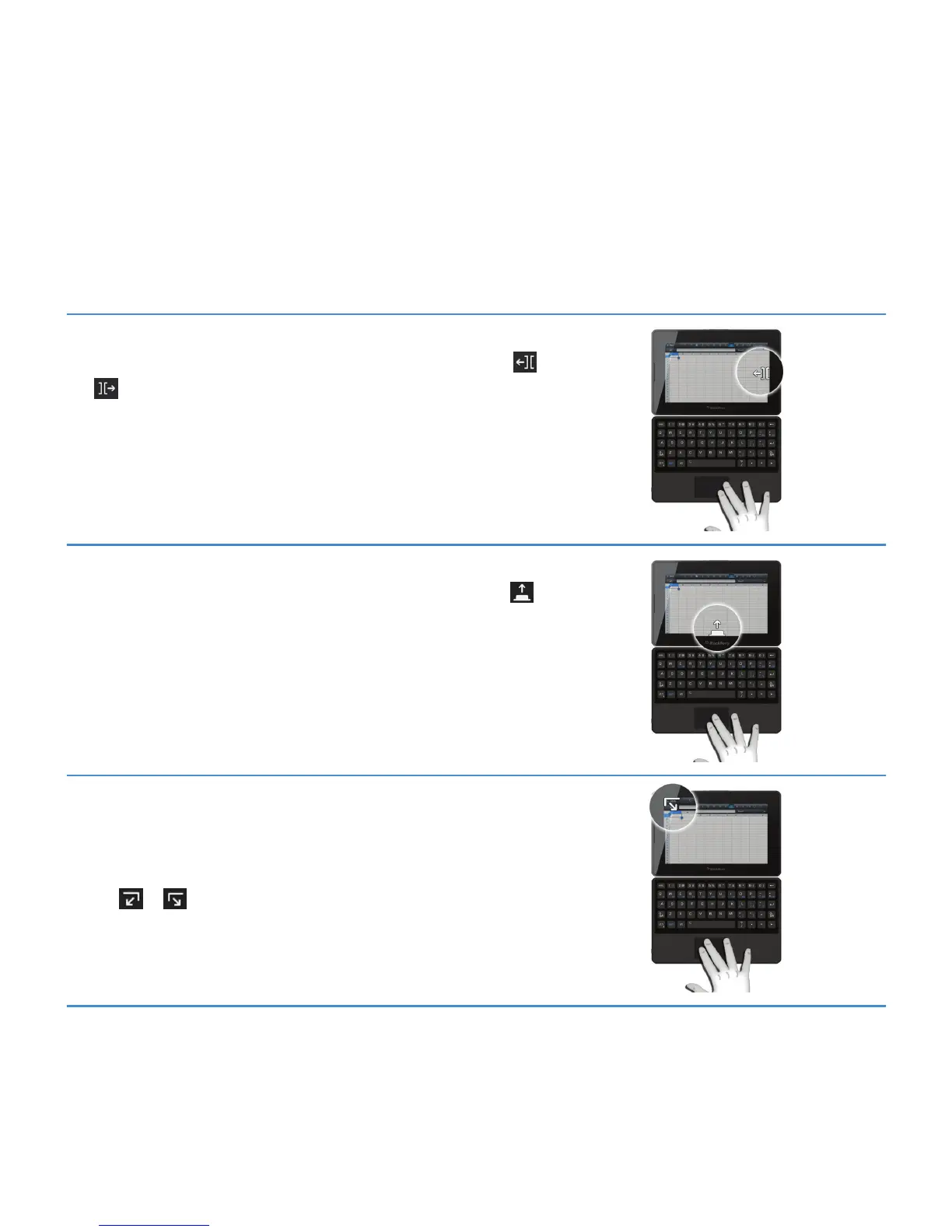
Switch between open apps
Point to the right or left edge of the screen (the pointer changes to the
or icon), then left-click. Repeat until the app you want appears.
Open the home screen to switch apps
Point to the bottom edge of the screen (the pointer changes to the
icon), then left-click. The home screen appears where you can switch to
another app.
Show the status bar
You can quickly check your notifications, the clock, and status indicators
by opening the status bar.
Point to the top-right or top-left corner of the screen (the pointer changes
to the
or icon), then left-click.
User Guide
Using the BlackBerry Mini Keyboard
5



 To Next Page