RESETTING THE COMPUTER TO ITS
DEFAULT SETTINGS
SHIPPING AND SLEEP MODES
ENGLISH
ENGLISH
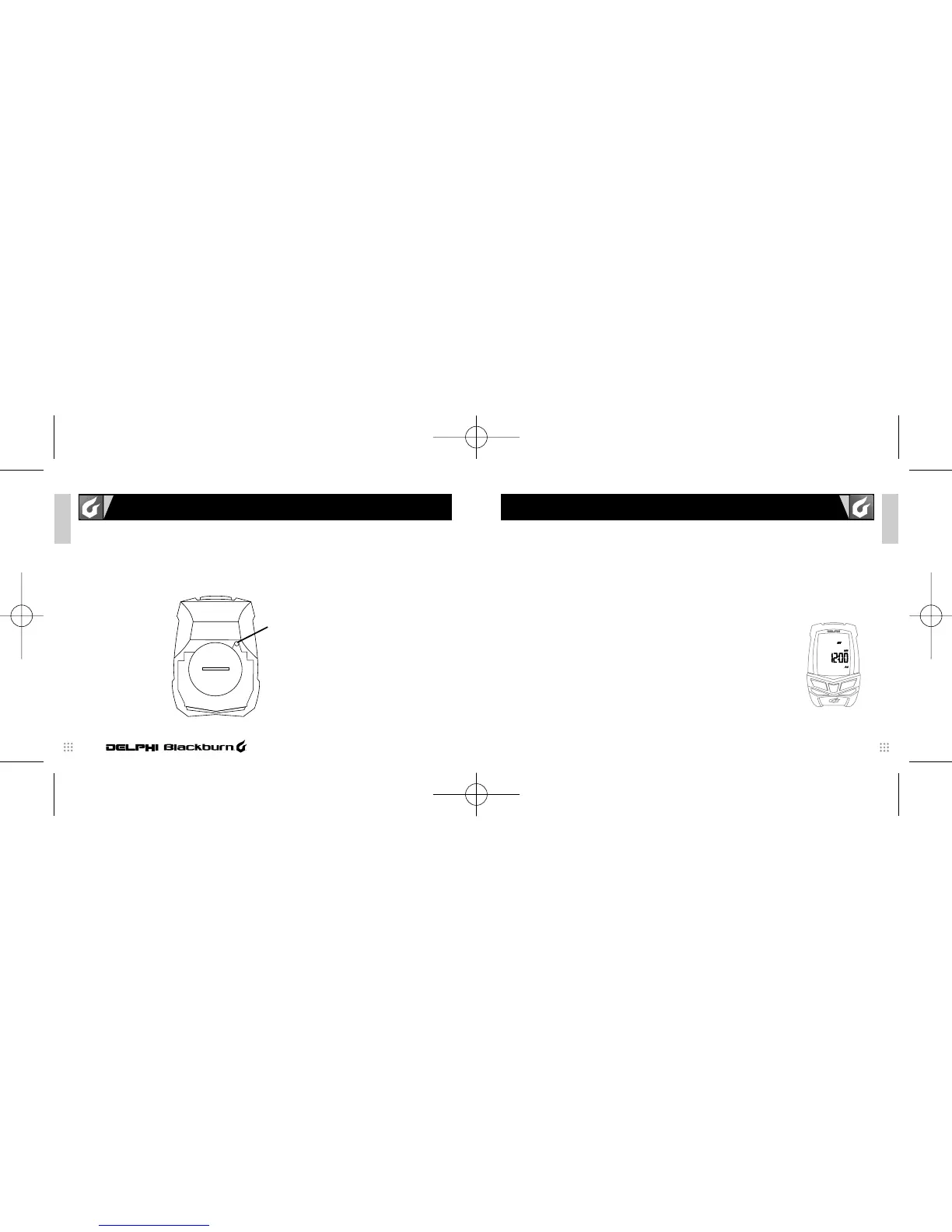
On the bottom of the computer unit, to the upper right of the battery door is a small hidden
RESET key. Pressing this key with a toothpick or other small pointed object will reset all
programmed values to their default values and reset the microprocessor. This may also be
accomplished by removing and reinstalling the battery.
CAUTION—Pressing the RESET key will automatically clear any information from the units’ memory.
5
SHIPPING MODE—Your new Blackburn Delphi computer comes to the dealer in
SHIPPING MODE. In this mode the LCD display is totally blank. This is done
to extend the battery life. Press any key to wake the unit up and advance to
the default display mode.
NOTE: It is possible the unit will not come to you in SHIPPING MODE if it
has been previously activated. This should not have an adverse impact
on the life of the battery.
SLEEP MODE—If no speed information is seen for a period of approximately
5-minutes the unit goes into its SLEEP MODE. In SLEEP MODE the display
will show the current Time of Day, Chronograph (RT or TT) and Units (Miles
or Kilometers) settings.
6
CYCLE COMPUTER
RESET BUTTON
Blackburn_2/3_Manual 8/3/05 10:00 AM Page 8



 To Next Page