Contents
Blackmagic URSA
Blackmagic URSA Mini
35 Settings
Dashboard 35
Camera Settings 35
Audio Settings 37
Recording Settings 38
File Naming Convention 41
Display Settings 41
45 Entering Metadata
The Slate 45
46 Camera Video Output
HD Monitoring Output 46
12G-SDI Output 46
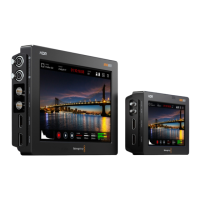
48 Blackmagic URSA Viewfinder
52 Mounting Batteries
Mounting V-mount or Gold Mount Batteries 52
Using your own Battery Plate 52
54 Using DaVinci Resolve
Introducing DaVinci Resolve 54
Importing your Clips 54
Editing your Clips 55
Trimming Clips 56
Mapping Keyboard Shortcuts 56
Adding Transitions 57
Adding Titles 57
Adding Audio Tracks 58
Color Correcting your Clips 58
Using Scopes 59
Secondary Color Correction 60
Qualifying a Color 60
Adding a Power Window 61
Tracking a Window 61
Using Plugins 62
Mastering your Edit 62
64 Blackmagic Camera Setup Utility
65 Post Production Workflow
Working with Files from CFast 2.0 Cards 65
Working with 3rd Party Software 66
Using Final Cut Pro X 66
Using Avid Media Composer 66
Using Adobe Premiere Pro CC 67
Using Autodesk Smoke 2013 67
69 URSA Mini Shoulder Mount Assembly
Attaching the shoulder mount 69
73 Upgrading the Sensor Turret
76 Shimming the PL Mount
78 Help
79 Warranty



 To Next Page