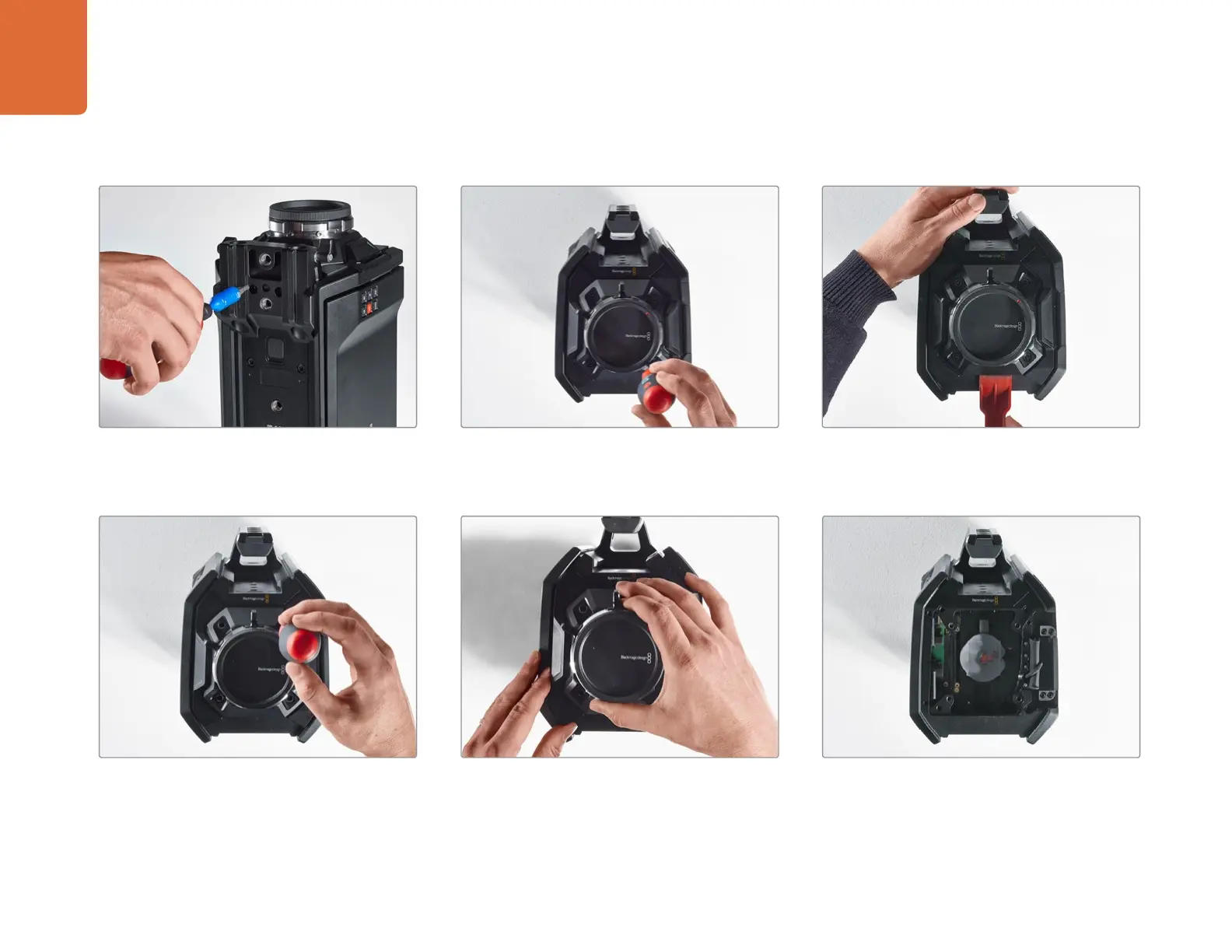
Upgrading the Sensor Turret on the URSA model74
Step 4.
Remove the 15mm rails mount using the 4.0mm
hex key driver.
Step 5.
Loosen the four sensor turret mounting screws
two full turns using the 4.0mm hex key driver.
Step 6.
Use the plastic wedge levering tool to lever the
sensor turret loose from the camera body.
Removing the Sensor Turret
St e p 7.
Remove all four screws and lift the sensor turret.
Step 8.
As you lift the turret, the adjoining data connector
will be released from the camera chassis.
Step 9.
Remove the thermal gap pads from the large
and small copper block using the plastic wedge
levering tool. Thoroughly clean the copper blocks
in the camera chassis and the sensor turret with
the lint free cloth. Do not use any cleaning fluids.



 To Next Page