SET UP & USE
Page 10 Page 11
POWER: Turn the FAN on by pressing the
‘POWER’ button; Turn the FAN off by pressing
the ‘POWER’ button again.
SPEED: You can adjust the fan speed to
the desired level: low, medium, or high by
pressing ’SPEED’. The corresponding LED
light I (Low), II (medium) and III (high)
will illuminate.
MODE: Pressing the’ MODE’ button will set
the FAN to NORMAL, NATURAL, or SLEEP
mode.
• The default mode is NORMAL and
provides a steady air ow.
• NATURAL mode cycles through low,
medium and high fan speeds for 5
seconds each.
• In SLEEP mode the fan will cycle to a
lower fan speed after 30 minutes of
operation when set at either a high or
medium fan speed.
The NM (Normal), NT (Natural) and SL (Sleep)
will illuminate to indicate the selection.
TIMER: The fan is equipped with a timer
that allows you to set its length of operation
from 1/2 hour to 7 1/2 hours. Continue to
press the TIMER button to scroll through
the different time selections of 1/2 hour, 1
hour, 2 hours, and 4 hours. The combination
of selections 1/2H, 1H, 2H and 4H will be
illuminated. The fan will automatically shut-off
after the selected duration.
OSC: Pressing the ‘OSC’ button will start
and stop the oscillation function.
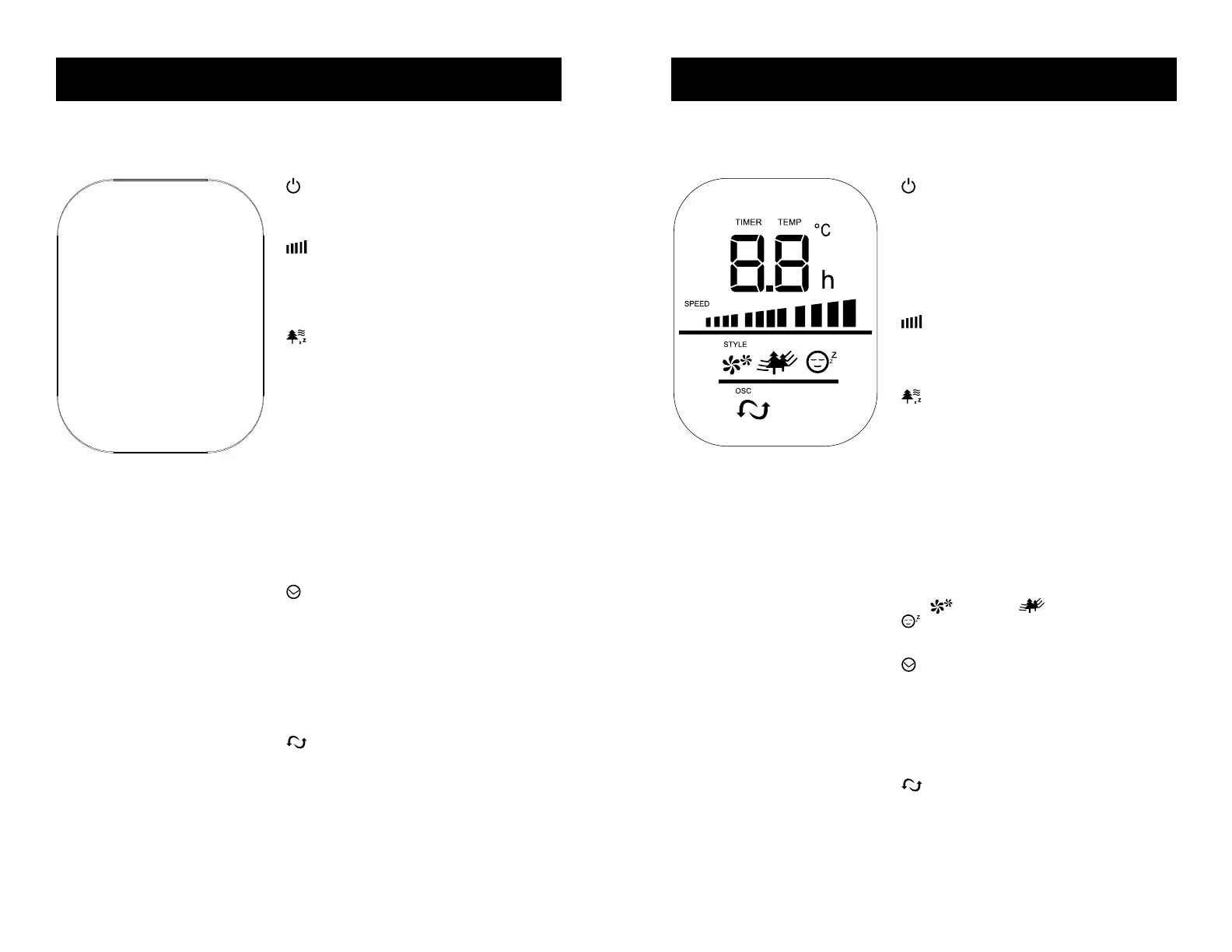
I
II
III
1/2 H
1 H
NM
NT
SL
2H
4 H
BFTR138 LED DISPLAY
SET UP & USE
POWER: Turn the FAN on by pressing the
‘POWER’ button; Turn the FAN off by pressing
the ‘POWER’ button again.
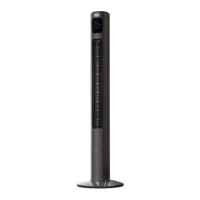
TEMPERATURE: The LED display will
illuminate and show the room temperature.
The temperature display will change to
‘TIMER’ when the timer is set.
SPEED: You can adjust the fan speed to
the desired level: low, medium, or high by
pressing ’SPEED’. The selected fan speed will
be displayed on the LED display.
MODE: Pressing the’ MODE’ button will set
the FAN to NORMAL, NATURAL, or SLEEP
mode.
• The default mode is NORMAL and
provides a steady air ow.
• NATURAL mode cycles through low,
medium and high fan speeds for 5
seconds each.
• In SLEEP mode the fan will cycle to a
lower fan speed after 30 minutes of
operation when set at either a high or
medium fan speed.
The (Normal), (Natural) and
(Sleep) will illuminate to indicate the
selection.
TIMER: The fan is equipped with a timer
that allows you to set it’s length of operation
from 1 hour to 12 hours. Continue to press
the TIMER button to add time in 1 hour
increments. The time selected will show on the
LED Display. The fan will automatically shut-
off after the selected duration.
OSC: Pressing the ‘OSC’ button will start
and stop the oscillation function.
POWER SAVE MODE: When the ‘sleep’ mode
or the ‘timer’ is on, the LED display will turn off
after 30 seconds. Press any key to turn on the
display again.
BFTR146 LED DISPLAY



 To Next Page