Page 11
SET UP & USE
REMOTE CONTROL
Battery Installation (batteries not included)
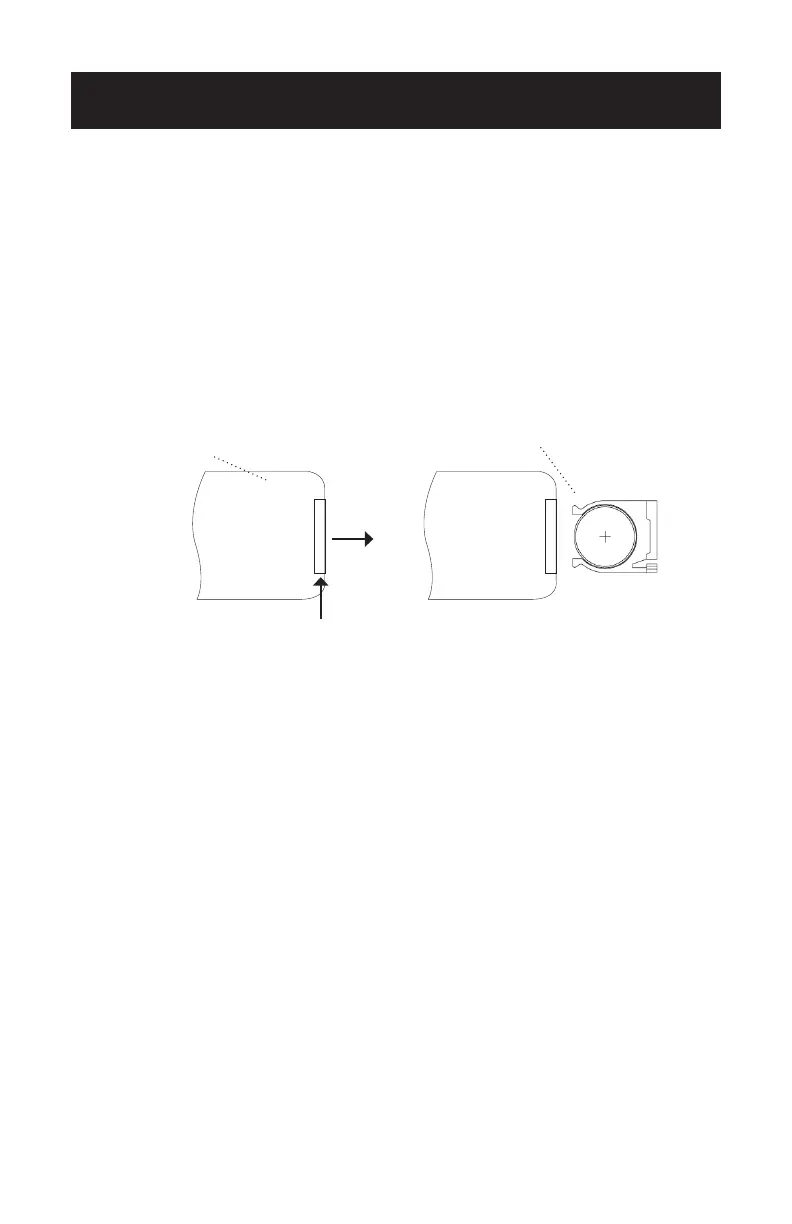
1. Push the button next to the battery cover to release the battery cover.
2. Insert 1 x CR2032 type lithium battery (not included), making sure “+” side is
facing up as shown in the diagram.
3. Once battery is installed, push battery cover closed.
PUSH
Battery
Remote Control Battery Cover
PULL


 To Next Page