Page 9
SET UP & USE
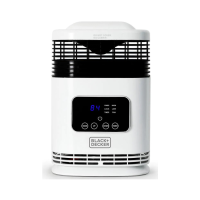
TIMER FUNCTIONS
Delay Start
When the heater is in standby mode press the button to enter the number of
hours you would like the heater to start by pressing to increase and to decrease by
one hour each time the button is pressed. The number of hours selected will count
down on the digital display.
NOTE: The heater is in standby mode when it is plugged in and POWER button has
not been pressed.
Auto Shut-o
When the heater is operating press the button to enter the number of hours you
would like the heater to shut-o by pressing to increase and to decrease by
one hour each time the button is pressed. The number of hours selected will count
down on the digital display.
Digital Display
After 1 minute of setting the heater, the LED lights with exception of the operating
function symbol will turn o. To continue to view the full digital display press the
and buttons at the same time for 2 seconds. To turn o the digital display press
the press the and buttons at the same time for 2 seconds.
NOTE: The heater thermostat has memory and will remember the previous
temperature setting after the unit has been turned o. If the unit is unplugged,
the heater thermostat will be reset and will no longer remember the previous
temperature setting.
To shut unit o at any time, press the POWER Button until all indicator lights go OFF.
–
+
–
+
–+


 To Next Page