ENGLISH
(Original instructions)
8
Setting the Timer
♦ The unit is equipped with a programmable 8 hour
timer.
♦ Press the Timer button on the remote control or
the unit’s control panel to activate the timer. The
corresponding indicator will light up and the text
‘0H’ will be displayed on the LCD screen to show
the timer function has been activated.
♦ Once the timer has been activated, continuously
press the Timer button to manually adjust the
length of the pre-set heating cycle, from 0 to a
maximum of 8 hours.
NOTE: The length of the timed cycle will increase
or decrease by increments of 1 hour, from 0 up to 8
hours.
Oscillation
♦ This heater is equipped with an oscillation
function.
♦ To activate the oscillation function, press the
Oscillation button on the remote control or the
unit’s control panel. The corresponding indicator
will light up to show the oscillation function has
been selected, and the fan will begin to oscillate.
♦ Press the Oscillation button again while the
function is in operation to turn it off.
Inserting the Batteries
♦ The unit can be operated through its built-in
control panel or the included remote control. To
use the remote control, start by inserting the
batteries.
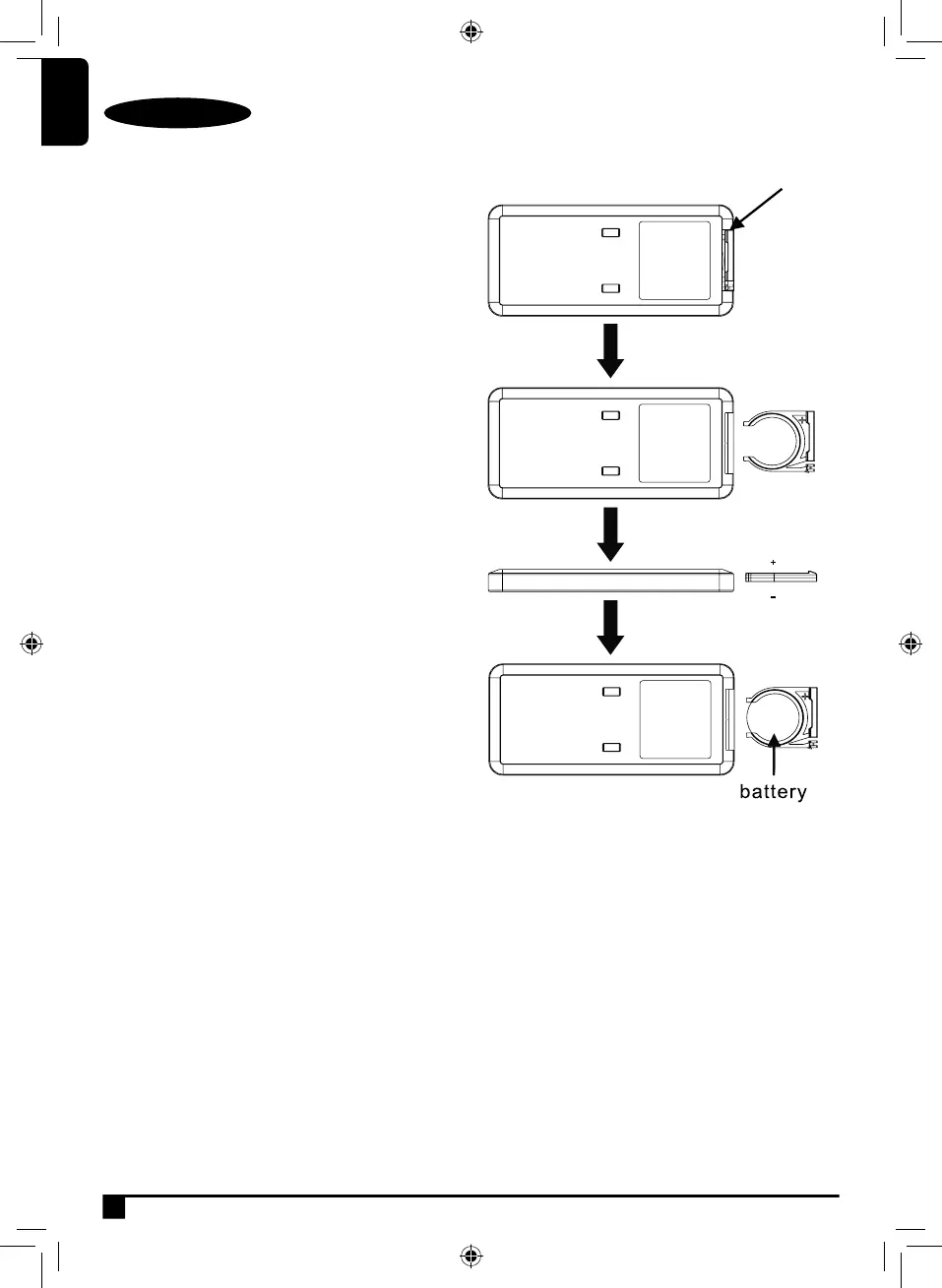
♦ To insert the battery into the remote control, rst
pull out the battery compartment from underneath
the remote. To do this, push the recessed notch
on the battery cover to the right using a thumb,
then pull the cover towards you and away from the
main body of the remote.
♦ Once the cover has been removed from the
remote, insert 1 x CR2025 battery into the
corresponding slot, ensuring the polarity is
correct.
♦ When you have correctly inserted the battery,
push the battery compartment back into the
remote until it clicks into place.
♦ The remote control is now ready for use.
CR2025
3V


 To Next Page