EasyManua.ls Logo

Black+Decker CM1070B Series - User Manual

Black+Decker CM1070B Series
32 pages
Print Icon
To Next Page IconTo Next Page
Loading...
PB
1
We want you to have a 5-star experience!
Should you have any questions or concerns about your new product, please call our Customer Service
Line at 1-800-465-6070 (U.S. and Canada). Please do not return to the store.
¡Deseamos que disfrute de una experiencia de 5 estrellas!
Si usted tiene alguna inquietud o pregunta con su producto, por favor llame a nuestra línea de servicio
al cliente al 1-800-465-6070 (EE.UU/Canadá) 01-800-714-2503 (México).
No lo devuelva a la tienda.
Nous voulons que vous ayez une expérience 5 étoiles!
Si vous avez des questions ou des préoccupations à propos de votre nouveau produit, veuillez
communiquer avec notre Service à la clientèle au 1 800 465-6070 (États-Unis et Canada).
Veuillez ne pas rapporter le produit au magasin.
*One cup equals approximately 5 oz. (varies by brewing technique)
*Una taza equivale a aproximadamente 5 onzas. (varía de acuerdo al método de preparación utilizado)
*Une tasse équivaut à environ 115 g (5 oz; varie selon la technique de brassage)
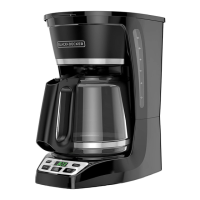
12-CUP* PROGRAMMABLE
COFFEEMAKER
CAFETERA PROGRAMABLE
DE 12 TAZAS*
CAFETIÈRE PROGRAMMABLE
DE 12 TASSES*
use and care manual
manual de uso y cuidado
guide d’utilisation et d’entretien
CM1070B Series
Serie CM1070B
Série CM1070B
CM1070_CM1070BC_IB_28269_revB.indd 1 10/2/20 8:27 AM

Questions and Answers

  • M
    Miss Rachel AveryAug 5, 2025
    What to do if my Black+Decker Coffee Maker filter basket overflows?
    • C
      Christine WarnerAug 5, 2025
      If your Black+Decker Coffee Maker filter basket overflows, make sure you replace the carafe within 30 seconds during the brewing cycle. Also, try reducing the amount of coffee you use and always brew with cold, filtered water.
  • G
    garciamaryAug 10, 2025
    Why does my Black+Decker CM1070B Coffee Maker brew slowly?
    • X
      xsmithAug 11, 2025
      If the Black+Decker Coffee Maker brews slowly or does not brew all the water in the reservoir, it needs cleaning. Follow the instructions in the Auto Clean™ function section. If the coffeemaker is heavily calcified, more than one cleaning cycle may be required.
  • K
    Karen JohnsonAug 17, 2025
    Why is my Black+Decker CM1070B Coffee Maker leaking?
    • M
      Michelle ThomasAug 17, 2025
      If your Black+Decker Coffee Maker is leaking, ensure that the water reservoir has not been filled beyond the 12-cup line. Also, check that the cover is correctly placed and tightened on the carafe, and that the carafe is placed securely on the carafe plate.
  • N
    nataliestevensAug 23, 2025
    How to reduce coffee sediment in Black+Decker Coffee Maker?
    • E
      Ethan ChaseAug 23, 2025
      If you notice coffee sediment in your brewed cup from the Black+Decker Coffee Maker, make sure that the filter and/or the brew basket are properly placed. While some sediment is normal with a permanent filter, using a coarser grind can reduce the amount.
  • M
    Mrs. Elizabeth MahoneyAug 29, 2025
    What to do if Black+Decker CM1070B does not brew all water?
    • A
      Ashley WigginsAug 29, 2025
      If the Black+Decker Coffee Maker does not brew all water in the reservoir, it needs cleaning. Follow the instructions in the Auto Clean™ function section. More than one cleaning cycle is probably needed.

Summary

Important Safety Warnings

Electrical Shock and Fire Prevention

Instructions to prevent electric shock or fire by not removing the coffeemaker cover.

Household Use and Child Supervision

Guidance on household use only and the need for child supervision.

Important Safety Precautions

Electrical Safety Precautions

Basic precautions for electrical appliances to reduce risk of fire, shock, or injury.

Appliance and Cord Handling

Guidelines on cord handling, immersion, outdoor use, and damaged cords.

Carafe and Surface Safety

Proper use and care of the carafe, avoiding hot surfaces and wet conditions.

Plug and Screw Safety Features

Information on polarized plugs and tamper-resistant screws for safety.

Getting to Know Your Coffeemaker

Cofficemaker Component Identification

Labels and descriptions of the coffeemaker's parts, including lid, brew basket, and control panel.

Getting Started with Your Coffeemaker

Initial Setup and Cleaning

Steps for unboxing, registering, and performing initial cleaning cycles.

Programming Your Coffeemaker

Setting the Digital Clock

Instructions for setting the digital clock and understanding AM/PM indicators.

Brewing Coffee

Brewing Process Steps

Detailed steps for filling water, adding coffee, and starting the brewing cycle.

Brew Strength Selection

How to select regular or strong brew strength for optimal flavor.

Sneak-A-Cup Feature

How the pause-and-serve feature works and its 30-second limit.

Keep Warm Function

Details on the automatic keep warm mode duration and shut-off.

Brew Later Function

Setting and Cancelling Brew Later

Instructions for programming, checking, and cancelling the brew later feature.

Care and Cleaning

Cleaning Procedures

Guidance on cleaning removable parts, exterior surfaces, and interior cover.

Auto Clean System

Purpose of De-scaling

Explanation of scale buildup and the importance of de-scaling.

How to Use Auto Clean

Steps to use the auto clean function with vinegar and water mixture.

Troubleshooting Common Issues

Need Help and Warranty Information

Warranty Coverage and Service

Details on warranty coverage, duration, how to get service, and exclusions.

Black+Decker CM1070B Series Specifications

General IconGeneral
BrandBlack+Decker
ModelCM1070B Series
CategoryCoffee Maker
LanguageEnglish

Related product manuals