EasyManua.ls Logo

Black+Decker CM4100S - User Manual

Black+Decker CM4100S
24 pages
Print Icon
To Next Page IconTo Next Page
Loading...
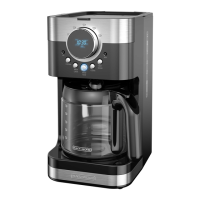
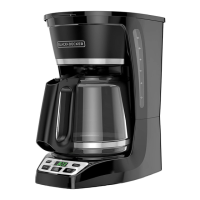
12-CUP* PROGRAMMABLE
COFFEEMAKER
CAFETERA PROGRAMABLE
DE 12 TAZAS*
CM4100S
*One cup equals approximately 5 oz. (varies by brewing technique)
*Una taza equivale a aproximadamente 5 onzas. (varía de acuerdo al método de preparación utilizado)

Questions and Answers

  • D
    David LynchAug 12, 2025
    Why does my Black+Decker Coffee Maker filter basket overflow?
    • D
      David StewartAug 12, 2025
      The filter basket of your Black+Decker Coffee Maker might overflow if the carafe has been removed for more than 30 seconds when using the Sneak-A-Cup™ feature; in this case, make sure to replace the carafe within 30 seconds during the brewing cycle. Another reason might be using an excessive amount of coffee; try reducing the amount of coffee used.
  • A
    Annette ThomasAug 17, 2025
    Why is my Black+Decker CM4100S leaking?
    • A
      alecduffyAug 17, 2025
      Your Black+Decker Coffee Maker might be leaking due to several reasons: the water reservoir may be overfilled (ensure you do not fill past the 12-cup line), the cover may not be correctly placed on the carafe (ensure it is correctly placed and tightened), or the carafe might not be correctly placed on the carafe plate (ensure it is securely placed).
  • H
    Howard FordAug 23, 2025
    What to do if my Black+Decker CM4100S does not turn on?
    • W
      William CarrilloAug 23, 2025
      If your Black+Decker Coffee Maker isn't turning on, the most likely cause is that it's not properly plugged in. Make sure the appliance is plugged into a working outlet.
  • P
    Patrick HughesAug 29, 2025
    Why does my Black+Decker Coffee Maker brew slowly?
    • S
      Sarah RubioAug 29, 2025
      If your Black+Decker Coffee Maker is brewing slowly, it likely needs cleaning. Follow the instructions in the “Auto Clean” section to resolve this issue.
  • A
    Adrian WallSep 4, 2025
    How to prevent coffee sediment in my Black+Decker CM4100S Coffee Maker?
    • O
      ohaydenSep 4, 2025
      To prevent coffee sediment in your brewed cup of coffee from your Black+Decker Coffee Maker, ensure that the paper filter and/or the filter basket are properly placed. Insert a basket-shaped paper filter into the filter basket and insert the basket properly into the holder.

Black+Decker CM4100S Specifications

General IconGeneral
BrandBlack+Decker
ModelCM4100S
CategoryCoffee Maker
LanguageEnglish

Related product manuals