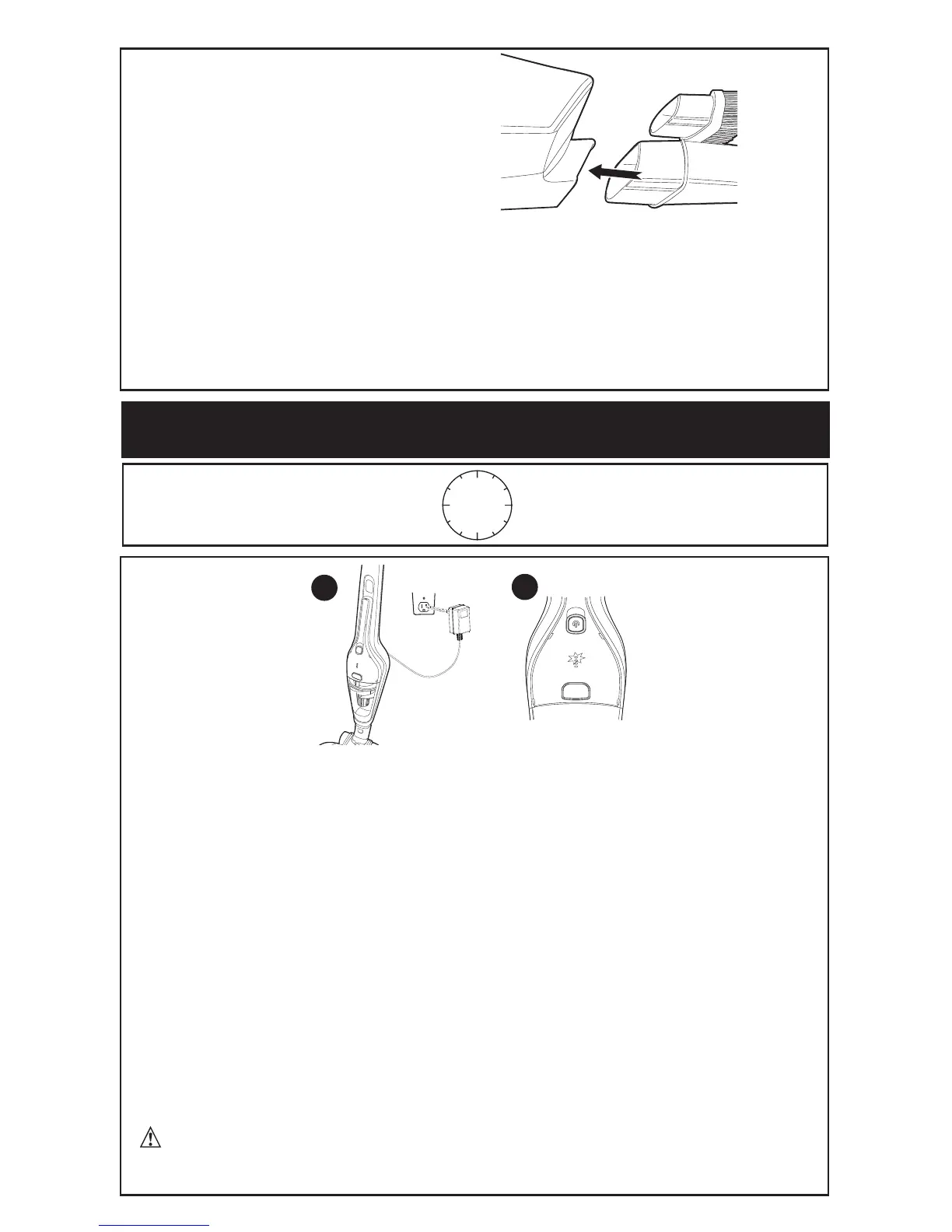
The brush tool (11) is designed for more effective cleaning of upholstered furniture and
fabric. The crevice tool (12) allows for vacuuming in narrow and hard to-reach places.
A
TTACHING
ACCESSORIES
1
2
CHARGING THE BATTERY
CHARGE HOURS
12
1. Make sure the appliance is switched off. The battery will not be charged with the
on/off switch in the on position.
2. Plug the jack end of the charger (10) into the back of the vacuum, then plug the charger
into an outlet as shown.
3. While charging
, if the battery is fully discharged, only the bottom led will flash
on
the charging indicator (9)
. As the battery charges the LEDs will illuminate one by
one and remain lit until all four will be lit. They will remain lit for
10 seconds when
fully charged and then turn OFF.
If the battery is not fully discharged when charging
begins the LED nearest the fully lit LED
on the charging indicator (9)
will flash. This
indicates that there is a partial charge left in the battery.
4. Leave the appliance plugged in for at least 5 hours to initially charge the battery.
While charging, the charger may get warm, this is perfectly normal and safe. It
is safe to leave the appliance connected to the charger indefinitely. The charger
automatically reduces power consumption when charging is complete.
WARNING: Do not charge the battery at ambient temperatures
below 39°F (4°C) or above 104°F (40°C).
4



 To Next Page