
 Need help?
Do you have a question about the Blackrock Microsystems CerePlex Direct and is the answer not in the manual?
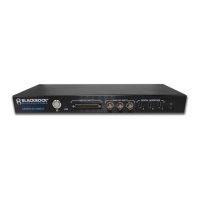
Details the 3 digital headstage input connectors (A, B, C) on the front panel and associated LEDs.
Describes the three analog input BNC ports for auxiliary signals, with a specified input range.
Covers the 16-bit DB37 input port used for recording digital events.
Explains the 'FS' BNC connector on the back panel for fast settle functionality.
Details the Hi-Speed USB 2.0 B connector for PC connection and the status of the USB LED.
Provides guidance on cleaning the CerePlex Direct with electronic-safe solutions.
States that the CerePlex Direct requires no ongoing maintenance or calibration.
Addresses communication errors between nPlayServer and Central, potentially due to USB driver issues.
Explains how to resolve errors caused by a previous instance of nPlayServer not closing properly.
Discusses causes of packet loss and suggests solutions like changing USB ports or reducing system load.
 General
| Sampling Rate | Up to 30 kHz per channel |
|---|---|
| Resolution | 16 bits |
| Connectivity | Ethernet |
| Data Storage | Internal solid-state drive (SSD) |
| Operating System Compatibility | Windows |

 To Next Page