98
Technical Specification
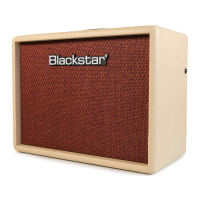
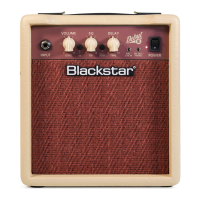
DEBUT 10E
Power (RMS): 10Watt
Weight (kg): 3
Dimensions (mm):252(W) x 216(H) x 142(D)
Speaker Size: 3"
DEBUT 10E Front Panel
1. INPUT
Plugyourguitarinhere.Alwaysuseagoodqualityscreenedguitarlead.
2. VOLUME
ThiscontrolsthevolumeoftheCleanandOverdriveChannels.Turningitclockwiseincreases
thevolume.
3. OD (OVERDRIVE)
PressthisswitchtoselecttheOverdriveChannel.WhentheswitchisintheOverdriveChannel
isselected.WhentheswitchisouttheCleanChannelisinoperation.
4. EQ/ISF (INFINITE SHAPE FEATURE)
ThepatentedISFcontrolallowsyoutochoosetheexacttonalsignatureyouprefer.Fully
counter-ClockwisehasamoreAmericancharacteristicwithatightbottomendandmore
aggressivemiddle,andfullyclockwisehasaBritishcharacteristicwhichismore‘woody’and
lessaggressive.
5. DELAY ON/OFF
PressthisswitchtoengagetheDELAY.WhentheswitchisouttheDELAYisoff.
6. DELAY TIME
ThiscontrolstheamountoftimeandfeedbackontheDELAY.Turntheknobclockwiseto
increasethetimeandfeedbackforaspaciouslargeroomfeel,andcounter-clockwiseto
decreasethetimeandfeedbackforamoreslap-backtypeeffect.
7. MP3 / LINE IN
Connecttheoutputofyourmobilephone,MP3orCDplayerhere.Adjusttheplayer’svolume
tomatchthatofyourguitartoenableyoutoplayalong.Note:theconnectionisstereo.
8. SPEAKER EMULATED OUTPUT & HEADPHONES
This output emulates the tonal characteristics of a guitar speaker cabinet and provides
anaturaloverdrivetoneforconnectiontoarecordingdeviceormixingdesk,andforuse
with headphones. Note: when a lead is connected here the combo’s internal speaker is
disconnected.
9. POWER INDICATOR LIGHT
Thepowerindicatorwilllightwhentheamplierisswitchedon.
10. POWER
Thisswitchisusedtoturntheamplieronandoff.
DEBUT 10E Rear Panel
1. MAINS INPUT
Themainsleadshouldonlybeconnectedtoapoweroutletthatiscompatiblewith
thevoltage,powerandfrequencyrequirementsstatedontherearpanel.Ifindoubt
getadvicefromaqualiedtechnician.
English
English


 To Next Page