98
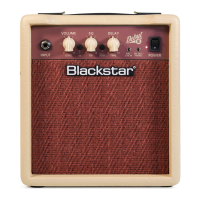
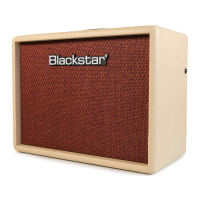
DEBUT 15E Front Panel
1. INPUT
Plugyourguitarinhere.Alwaysuseagoodqualityscreenedguitarlead.
2. GAIN
Thiscontroladjuststheamountofoverdriveordistortion.
WhentheCleanChannelisselected,lowsettingscounterclockwise(CCW),will
deliveracleansound.AstheGaincontrolisincreasedclockwise(CW)thesound
willmovefromcleanintobreak-up,untilatitsmaximumposition,afullcrunchtone
isarrivedat.
WhentheOverdriveChannelisselected,theGaincontroladjuststheamountof
overdriveordistortion.Lowsettings,counterclockwise,willdeliveracleansound
ontheedgeofbreak-up.AstheGaincontrolisincreasedCWthesoundwillbecome
moreoverdrivenmovingthroughcrunchtonesuntil,atitsmaximumposition,afull
distortedleadtoneisarrivedat.
3. OD (OVERDRIVE)
PressthisswitchtoselecttheOverdriveChannel.WhentheswitchisintheOverdrive
Channelisselected.WhentheswitchisouttheCleanChannelisinoperation.
4. VOLUME
ThiscontrolsthevolumeoftheCleanandOverdriveChannels.Turningitclockwise
increasesthevolume.
5. TONE
The Tone control allows adjustment of the balance between treble and bass
frequencieswithinthesound.Atlowsettings(counterclockwise)thesoundwillbe
warmeranddarkerincharacter.AstheTonecontrolisrotatedclockwisethesound
willbecomebrighter.
6. EQ/ISF (Infinite Shape Feature)
ThepatentedISFcontrolallowsyoutochoosetheexacttonalsignatureyouprefer.
FullyCCWhasamoreAmericancharacteristicwithatightbottomendandmore
aggressivemiddle,andfullyCWhasaBritishcharacteristicwhichismore‘woody’
andlessaggressive.
7. DELAY ON/OFF
PressthisswitchtoengagetheDELAY.WhentheswitchisouttheDELAYisoff.
8. DELAY TIME
This controls the amount of time and feedback on the DELAY. Turn the Knob
clockwisetoincreasethetimeandfeedbackforaspaciouslargeroomfeel,and
counter-clockwisetodecreasethetimeandfeedbackforamoreslap-backtype
effect.
9. MP3 / LINE IN
ConnecttheoutputofyourMP3orCDplayerhere.Adjusttheplayer’svolumeto
matchthatofyourguitartoenableyoutoplayalong.Note:theconnectionisstereo.
10. SPEAKER EMULATED OUTPUT & HEADPHONES
This output emulates the tonal characteristics of a guitar speaker cabinet and
providesanaturaloverdrivetoneforconnectiontoarecordingdeviceormixing
desk, and for use with headphones. Note: when a lead is connected here the
combo’sinternalspeakerisdisconnected.
11. POWER INDICATOR LIGHT
Thepowerindicatorwilllightwhentheamplierisswitchedon.
12. POWER
Thisswitchisusedtoturntheamplieronandoff.
DEBUT 15E Rear Panel
1. MAINS INPUT
Themainsleadshouldonlybeconnectedtoapoweroutletthatiscompatiblewith
thevoltage,powerandfrequencyrequirementsstatedontherearpanel.Ifindoubt
getadvicefromaqualiedtechnician.
English
English


 To Next Page
 Loading...